(3)
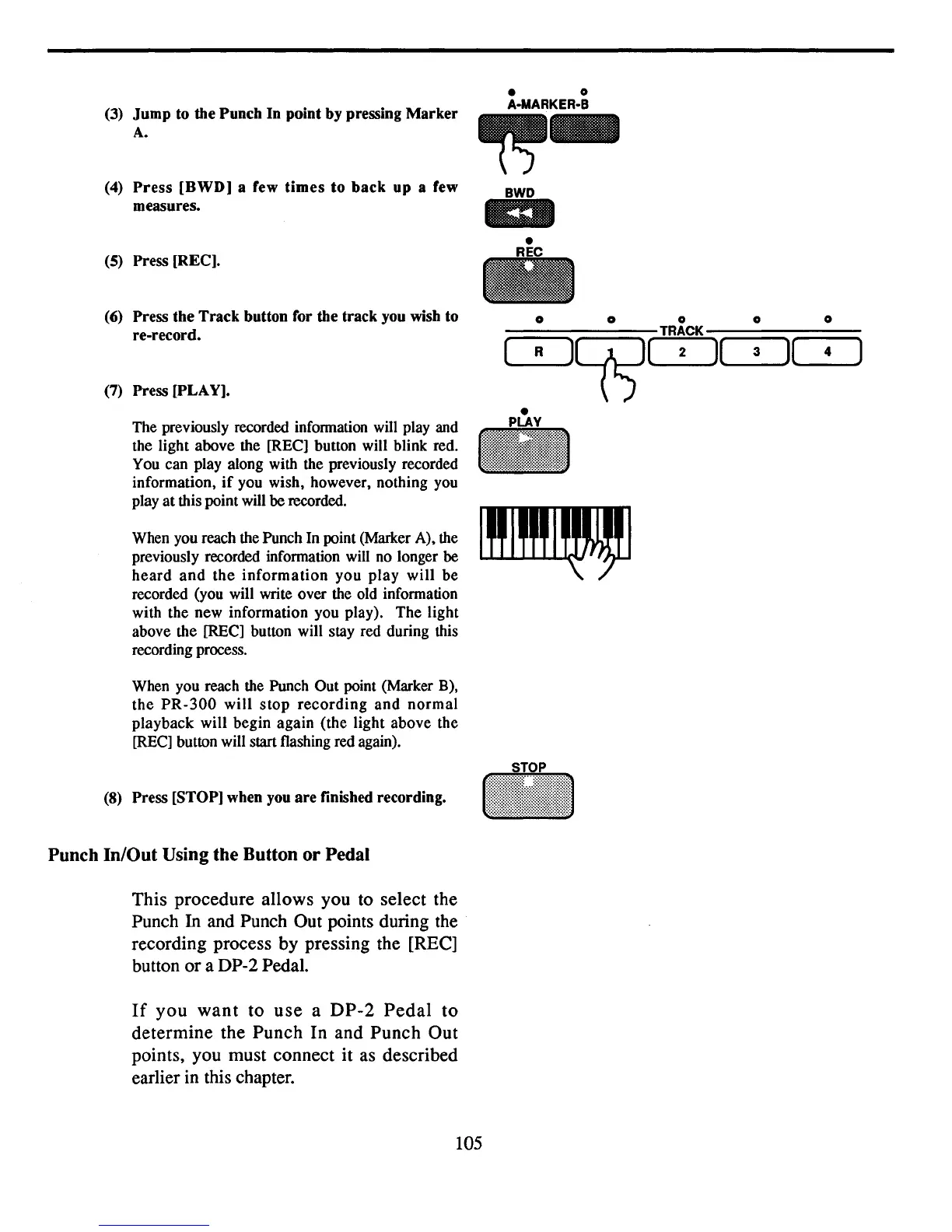
Jump to the Punch In point by pressing Marker
A.
(4)
Press
[BWD] a few
times
to
back
up a few
measures.
(5)
Press
[REe].
«()
Press the Track button for the track you wish to
re-record.
(7)
Press [PLAY].
The previously recorded infonnation will play and
the light above the [REC] button will blink red.
You can play along with the previously recorded
information,
if
you wish, however, nothing you
play
at
this point will be recorded.
When you reach the Punch In point (Marker A), the
previously recorded information will no longer be
heard
and
the
information
you
play
will
be
recorded (you will write over the old information
with the new information you play).
The
light
above the
[RECl
button will stay red during this
recording process.
When you reach the Punch Out point (Marker B),
the
PR-300
will
stop
recording
and
normal
playback
will begin
again
(the light above the
[RECl
button will start flashing red again).
(8)
Press [STOP] when
you
are finished recording.
Punch
In/Out
Using
the
Button
or
Pedal
This procedure allows you to select the
Punch
In
and Punch Out points during the
recording process by pressing the
[REel
button or a DP-2 Pedal.
If
you
want
to
use
a
DP-2
Pedal
to
determine the Punch In and Punch Out
points, you must connect
it
as described
earlier
in
this chapter.
• 0
A·MARKER·B
~-
BWD
lID
0 0 0 0
0
TRACK
(
R
lC(i5)(
2
)(
3
)(
4
)
•
PLAY
..
105


 To Next Page