You can select another part in any of
the Sound Functions screens by
moving
the"""
prompt to this
location.
Changing the Bend Range ofa
Part
(9)
Press
the
[>]
button
to
move
the
cursor
to
"Bend:". Rotating the alpha-dial will change
the amount of pitch bend which can occur for
the selected Part. The range is from 0 semitones
to
24
semitones.
Many keyboards have pitch bend wheels or other
devices which allow you to smoothly change the
pitch
of
a
note.
This
setting
allows
you
to
determine the amount
of
pitch
bend
which can
occur
when
the
pitch
bend
wheel
is
at
its
maximum.
Setting other Parts
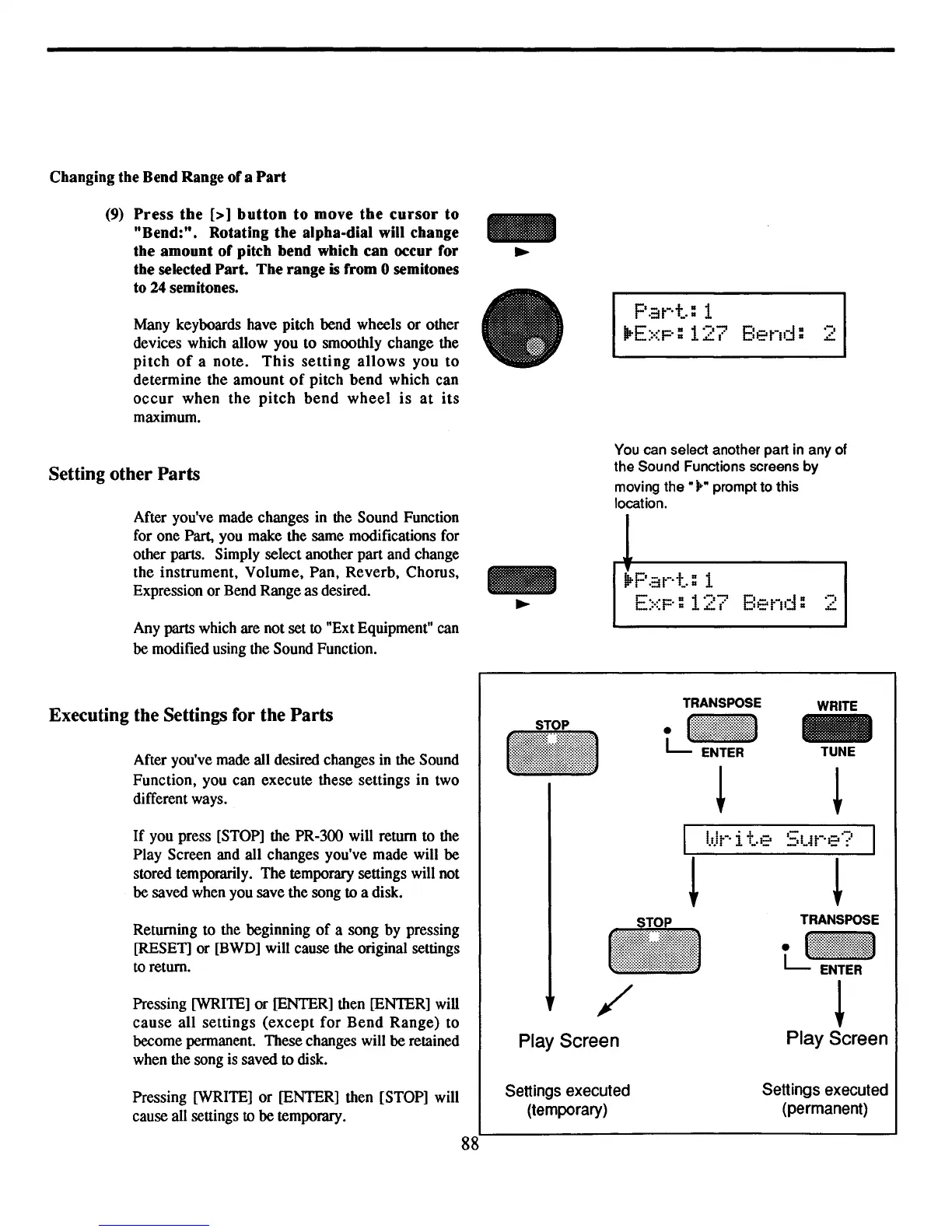
After you've made changes in the Sound Function
for one Part, you make the same modifications for
other parts. Simply select another part and change
the instrument, Volume, Pan, Reverb, Chorus,
Expression or Bend Range as desired.
Any
parts which are not set to "Ext Equipment" can
be modified using the Sound Function.
p.::Jt-·t.:
1
IIrE::<p:
127
Bend:
E::<p:
127
Bend:
.-.
L
.-.
L
Executing the Settings for the Parts
After you've made all desired changes
in
the Sound
Function, you can execute these settings in two
different ways.
If
you press [STOP] the PR-300 will return to the
Play Screen and all changes you've made will be
stored temporarily. The temporary settings will not
be saved when you save the song
to a disk.
Returning to the beginning
of
a song by pressing
[RESET] or [BWD] will cause the original settings
to
return.
Pressing [WRITE] or [ENTER] then [ENTER] will
cause
all settings
(except
for
Bend
Range)
to
become permanent. These changes will be retained
when the song is saved
to disk.
I
l.dt-·
i t.e
-
/
Play Screen
WRITE
-
TUNE
!
Pressing [WRITE] or [ENTER] then [STOP] will
cause all settings
to be temporary.
88
Settings
executed
(temporary)
Settings
executed
(permanent)



 To Next Page