Turning the Power
ON
After checking to see that everything
is
connected correctly;
1.
Turn
on equipment to be used with the PR·300.
2.
Turn
on the PR·300.
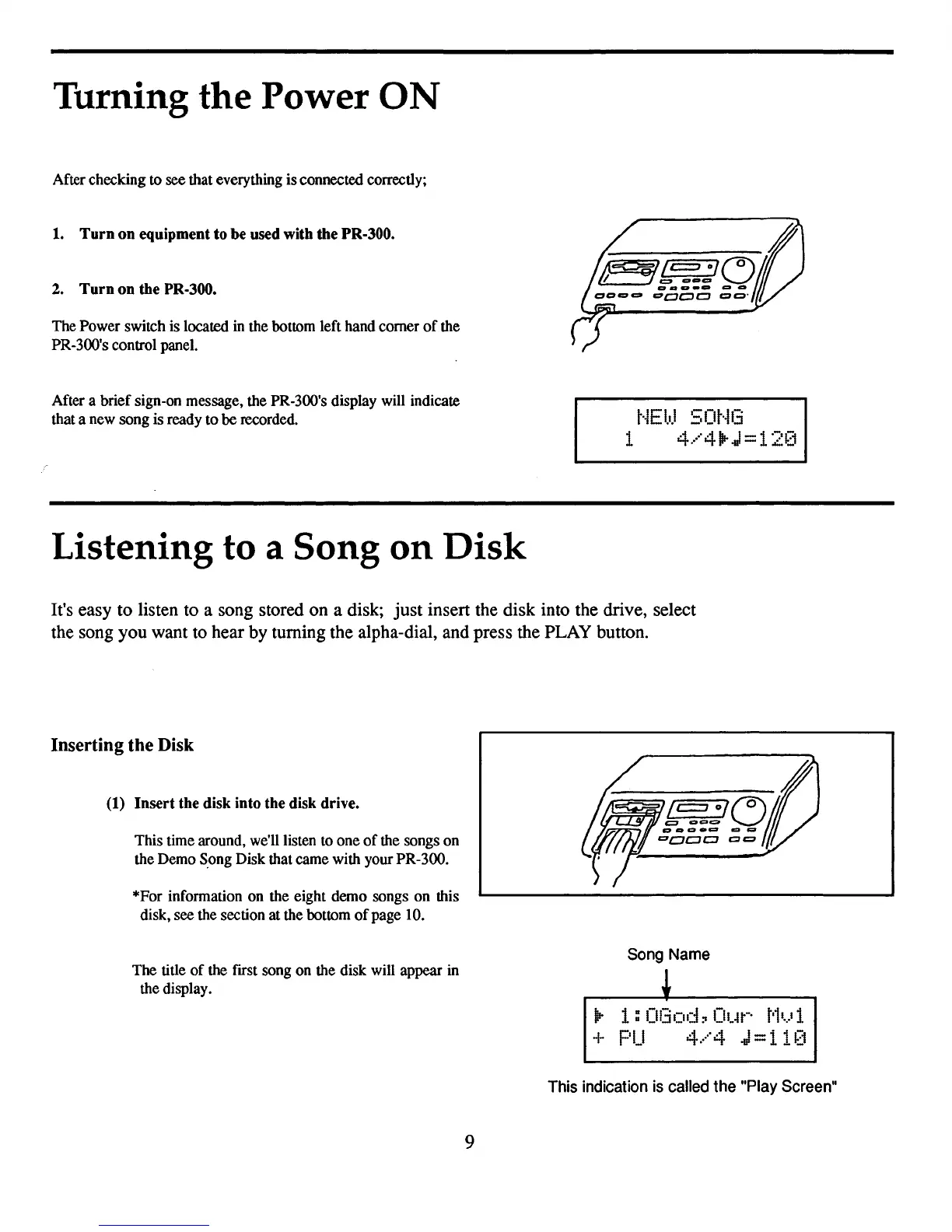
The Power switch is located in the bottom left hand
comer
of
the
PR-300's control panel.
After a
brief
sign-on message, the PR-300's display will indicate
that a new song is ready
to
be recorded.
Listening to a Song
on
Disk
t·iEI.IJ
SOt·iG
1
4.···'41lr.J
=
12~~1
It's easy to listen to a song stored on a disk; just insert the disk into the drive, select
the song you want to hear by turning the alpha-dial, and press the PLAY button.
Inserting the Disk
(1)
Insert the disk into the disk drive.
This time around, we'll listen to
one
of
the songs
on
the Demo S.ong Disk that came with your PR-300.
*For information on the eight demo songs
on
this
disk, see the section at the bottom
of
page
10.
The
title
of
the frrst song on the disk will appear in
the display.
9
/ /
I /
c:=:::J
01
f75'\
~
t::3
oe-c:.
"J
I:3CJoo
c=
.
Song
Name
~
Ilr
1:
Of:iod:o
OUt-·
t'h)
1
+
PU
4.····4
J=i
1[1
This indication is called the "Play Screen"



 To Next Page