Preparing the Organ for Multi-Track Recording
Your Rodgers organ
is
nonnally set to perfonn a single-pass
recording, as is covered earlier
in
this manual. In order to record
a Multi-Track Sequence, there are a few things which need to be
done
to
the Rodgers organ before recording can take place.
Please refer to the MIDI Phase II User's Manual for your
particular organ
if
you're not sure how to carry out the following
procedures.
To
prepare the organ for Multi-Track recording:
(1)
Turn
offthe organ'sMIDI Master Channels.
This tells the organ to only send infonnation for the
MIDI
couplers
when
notes
are
pressed
or
the
expression pedals are moved. This way, only MIDI
infonnation for the PR-300 voices will
be
recorded.
To suppress the MIDI Master Channels, hold SET
and press a MIDI coupler
(it
will flash), release
SET
then
press
CONTINUO.
For
more
infonnation, see the MIDI Phase II User's Manual.
Preparing
the
PR·300
for
Multi·
Track
Sequencing
Next, the PR-300's master clock must
be disabled
(the "Clock Out" function
is
used for single-pass
record).
To
disable the PR-300's master clock:
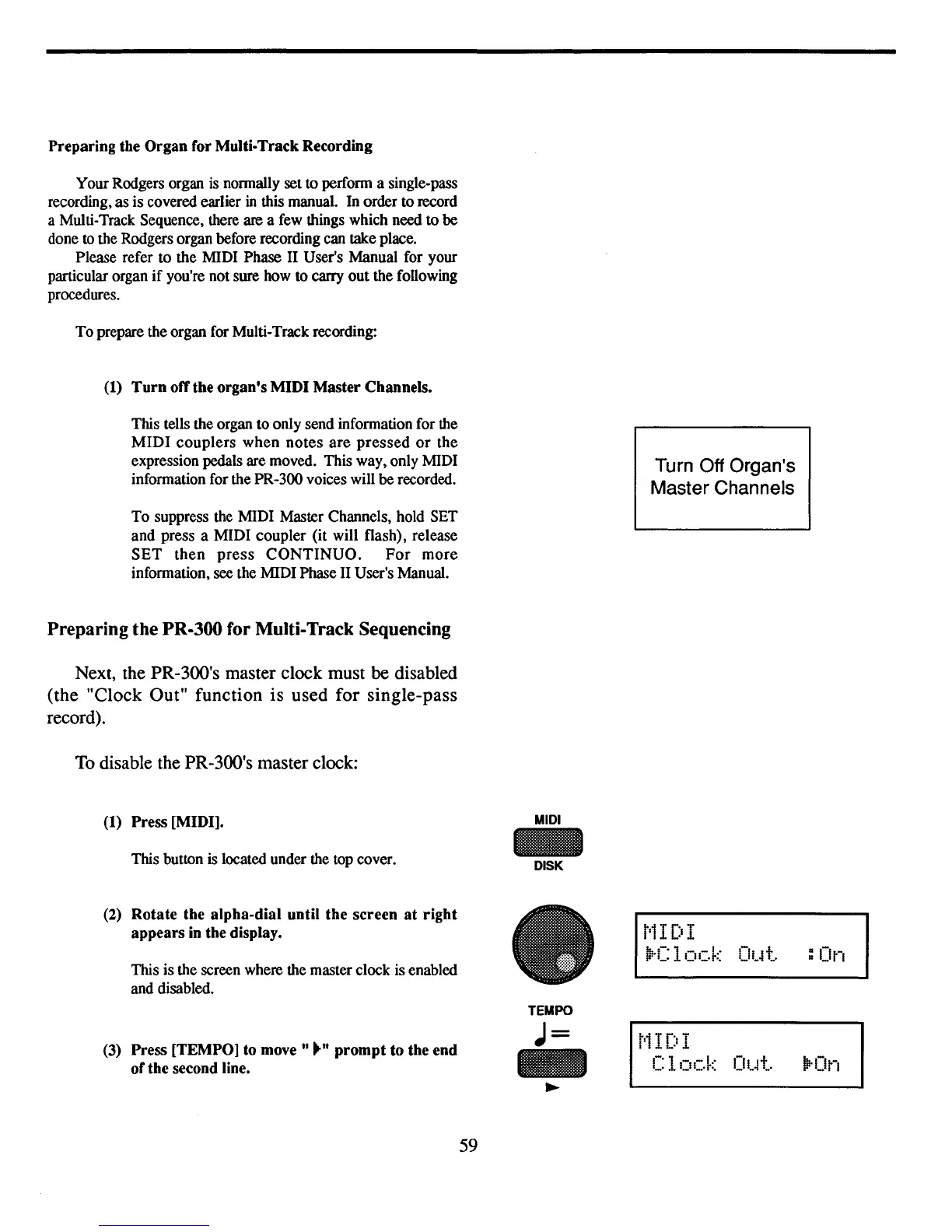
(1) Press [MIDI].
This button is located under the top cover.
MIDI
DISK
Turn Off Organ's
Master Channels
(2)
Rotate the alpha-dial until the screen
at
right
appears
in
the display.
This is the screen where the master clock is enabled
and disabled.
(3)
Press [TEMPO] to move ...... prompt to the end
ofthe second line.
59
t'1
I DI
~·r:
In.-.k
Ot~t.
:On
- - - .
TEMPO
J=
r'1
I
r'!
T
-
I
z..o
.a.
Clock
Out.
~'On
~



 To Next Page