Recording
Parts
2, 3
and
4
By following the instructions above, you were
able to record the fIrst part
of
a multi-track sequence.
Now it's time to record Parts 2, 3 and 4.
Go through the procedure above again; once for
Part
2,
once for Part 3 and once for Part 4, using the
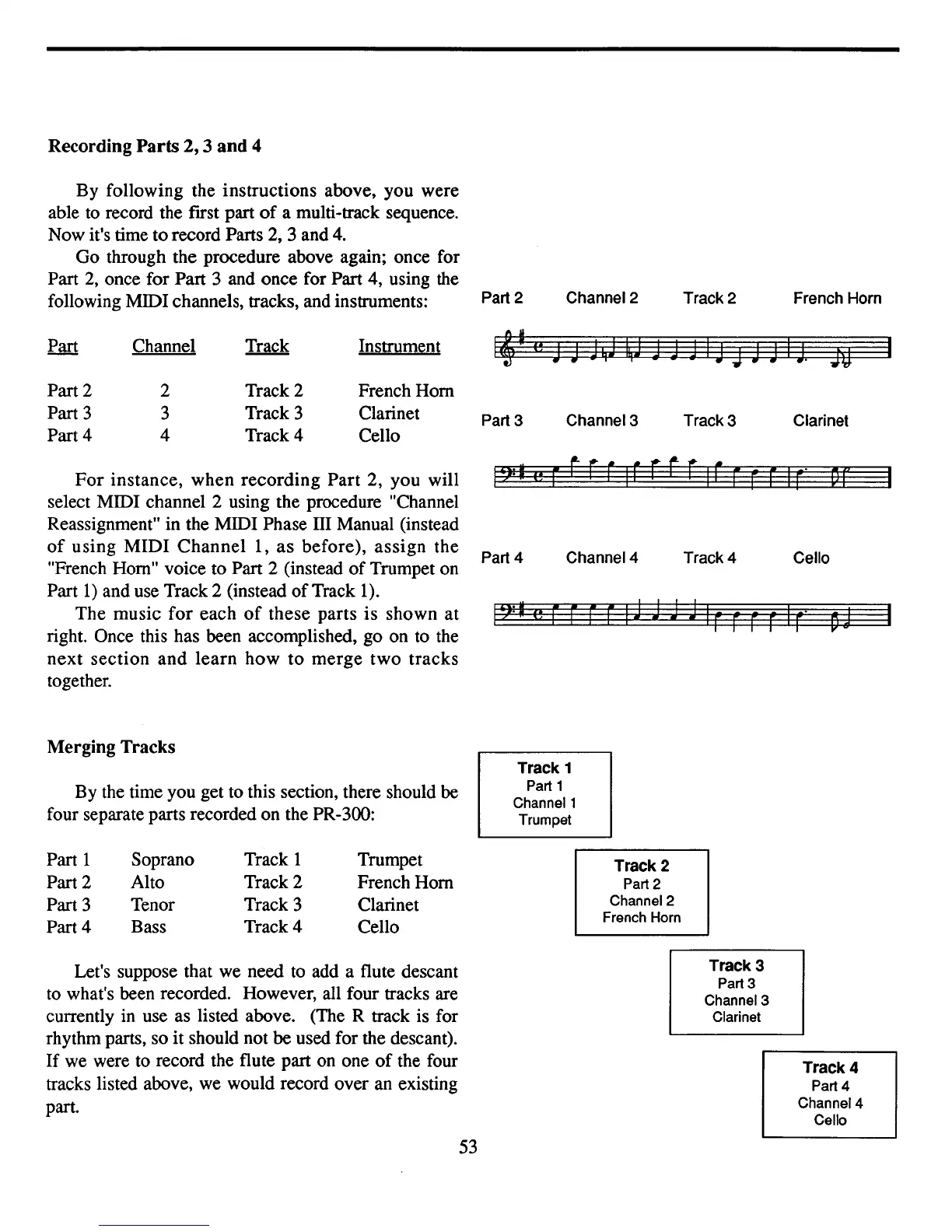
following MIDI channels, tracks, and instruments: Part 2
Channel 2
Track 2 French Horn
Channel Instrument
Part 2
Part 3
Part 4
2
3
4
Track 2
Track 3
Track 4
French Hom
Clarinet
Cello
Part
3 Channel 3
Track 3 Clarinet
For
instance, when recording Part 2, you will
select MIDI channel 2 using the procedure "Channel
Reassignment" in the MIDI Phase
TIl
Manual (instead
of
using MIDI
Channel
1,
as
before), assign the
"French Hom" voice to Part 2 (instead
of
Trumpet on
Part
1)
and use Track 2 (instead
of
Track
1).
The music
for
each
of
these parts
is
shown at
right. Once this has been accomplished, go on to the
next
section
and
learn
how
to
merge
two
tracks
together.
Part
4 Channel 4
Track 4 Cello
Merging Tracks
By the time you get to this section, there should be
four separate parts recorded on the PR-300:
Track 1
Part 1
Channel 1
Trumpet
Part 1
Part 2
Part 3
Part 4
Soprano
Alto
Tenor
Bass
Track 1
Track 2
Track 3
Track4
Trumpet
French Hom
Clarinet
Cello
Track 2
Part 2
Channel
2
French Horn
Let's suppose that we need to add a flute descant
to what's been recorded. However, all four tracks are
currently in use as listed above. (The R track is for
rhythm parts, so it should not be used for the descant).
If
we were to record the flute part on one
of
the four
tracks listed above, we would record over an existing
part.
53
Track 3
Part 3
Channel
3
Clarinet
Track 4
Part 4
Channel
4
Cello


 To Next Page