1'-
e
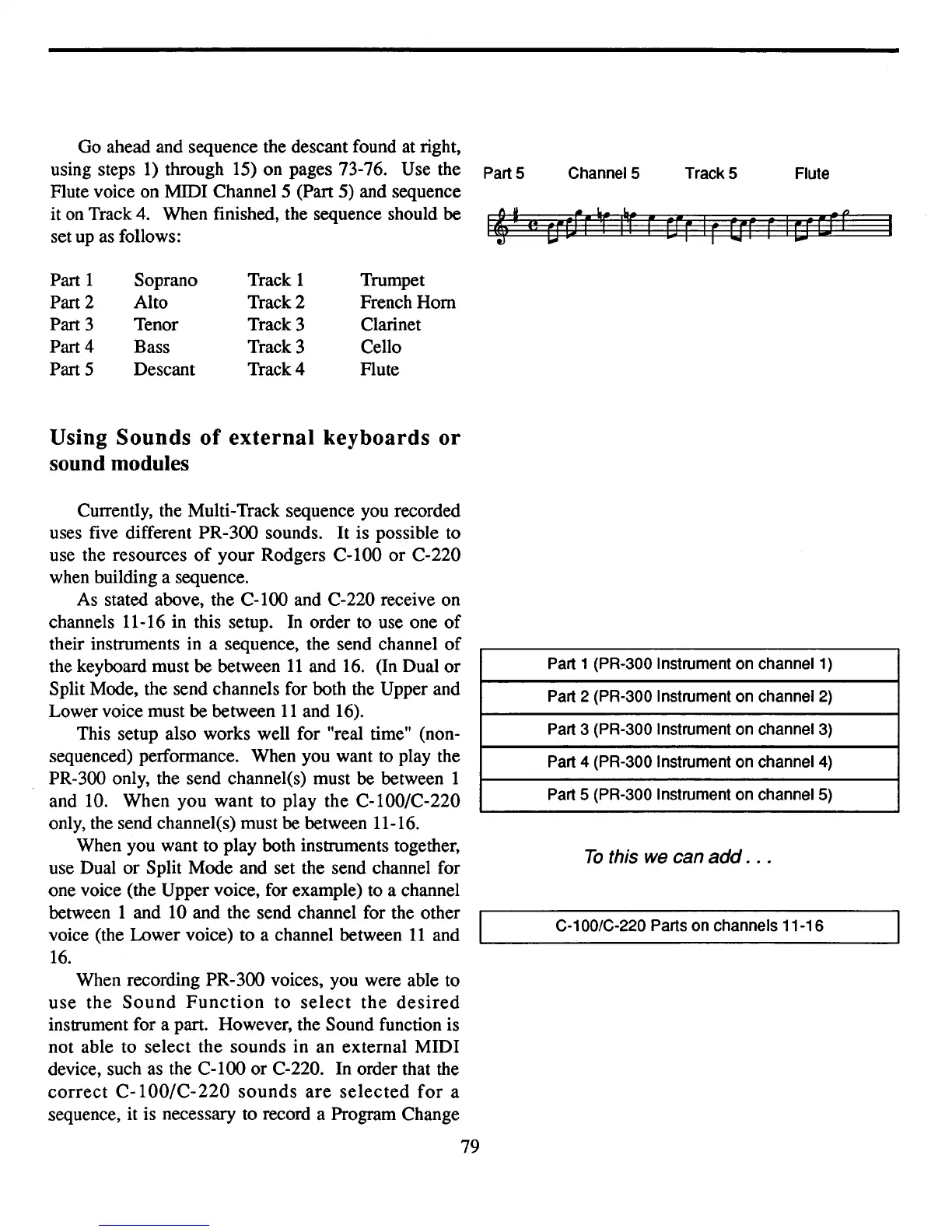
Go ahead and sequence the descant found at right,
using steps
1)
through 15) on pages 73-76. Use the
Flute voice on MIDI Channel 5 (Part 5) and sequence
it
on
Track 4. When finished, the sequence should be
set
up
as follows:
Part 1 Soprano Track 1 Trumpet
Part 2 Alto Track 2 French Horn
Part 3
Tenor Track 3 Clarinet
Part 4
Bass Track 3 Cello
Part 5 Descant Track 4 Flute
Using
Sounds
of
external
keyboards
or
sound modules
PartS ChannelS
Track 5 Flute
Currently, the Multi-Track sequence you recorded
uses five different PR-300 sounds. It is possible to
use the resources
of
your Rodgers
C-I00
or
C-
220
when building a sequence.
As stated above, the C-100 and C-220 receive on
channels 11-16 in this setup.
In
order to use one
of
their instruments in a sequence, the send channel
of
the keyboard must be between
11
and
16.
(In Dual or
Split Mode, the send channels for both the Upper and
Lower voice must be between
11
and 16).
This setup also works well for "real time" (non-
sequenced) performance. When you want to play the
PR-300 only, the send channel(s) must be between 1
and 10. When you want to play the C-I00/C-220
only, the send channel(s) must be between 11-16.
When you want to play both instruments together,
use Dual or Split Mode and set the send channel for
one voice (the Upper voice, for example) to a channel
between 1 and 10 and the send channel for the other
voice (the Lower voice) to a channel between
11
and
16.
When recording PR-300 voices, you were able to
use
the
Sound
Function
to
select
the
desired
instrument for a part. However, the Sound function is
not able to select the sounds in an external MIDI
device, such as the
C-l00
or
C-
220. In order that the
correct
C-I00/C-220
sounds
are
selected
for
a
sequence, it is necessary to record a Program Change
79
Part 1 (PR-300 Instrument on channel 1)
Part 2 (PR-300 Instrument on channel 2)
Part 3 (PR-300 Instrument on channel 3)
Part 4 (PR-300 Instrument on channel 4)
Part 5 (PR-300 Instrument on channelS)
To
this we can
add
.
..
C-100/C-220 Parts on channels 11-16



 To Next Page