To
merge Track 4 onto Track 3:
(1)
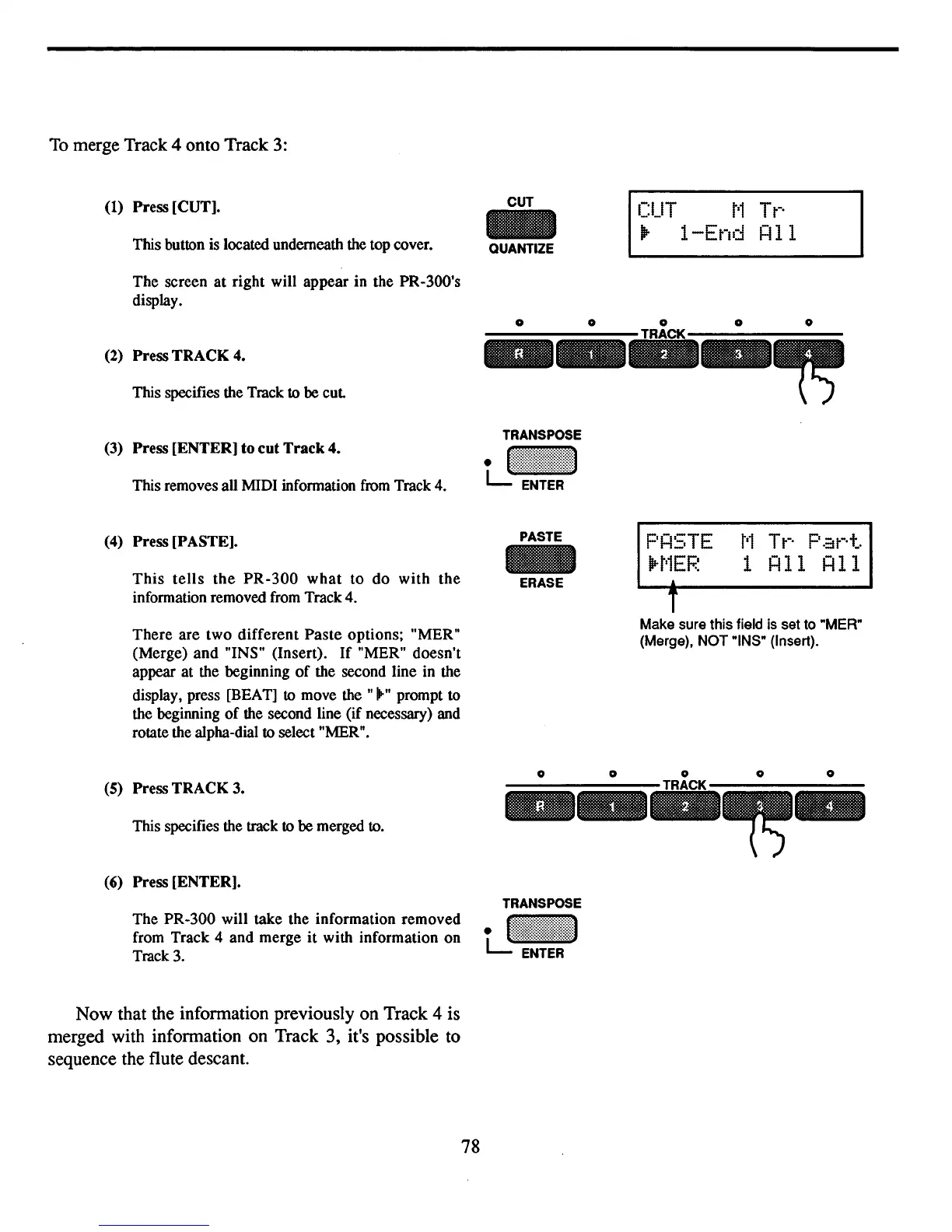
Press [CUT].
This button is located underneath the top cover.
The screen at right will appear in the PR-300's
display.
CUT
QUANTIZE
CUT
t'1
Tt-·
Ilr
1-End
!=Ill
This specifies the Track to be
cut
(2) Press TRACK
4.
o 0 0 0 0
..
_
..
_~
T
Make sure this field is set to "MER"
(Merge), NOT "INS" (Insert).
(3)
Press [ENTER] to cut
Track
4.
This removes all MIDI information
from
Track 4.
(4)
Press [PASTE].
This
tells
the
PR-300
what
to do
with
the
information removed from Track 4.
There
are
two
different
Paste
options; "MER"
(Merge) and "INS" (Insert).
If
"MER" doesn't
appear at the beginning
of
the second line in the
display, press [BEAT]
to
move the "
...
" prompt to
the beginning
of
the second line (if necessary) and
rotate the alpha-dial
to select "MER".
PASTE
ERASE
P!=I5TE
H'1EF.~
t'1
T
t-·
P
.::1
t-·
t..
1
!=Ill
!=Ill
(5)
Press TRACK 3.
This specifies the track
to
be merged to.
(6)
Press [ENTER].
The PR-300 will take the information removed
from Track 4 and merge
it
with information on
Track 3.
Now that the infonnation previously on Track 4 is
merged with infonnation on Track 3, it's possible to
sequence the flute descant.
o 0 0 0 0
..
_
..
~-
78



 To Next Page