87
Changing
the
Reverb
of
a
Part
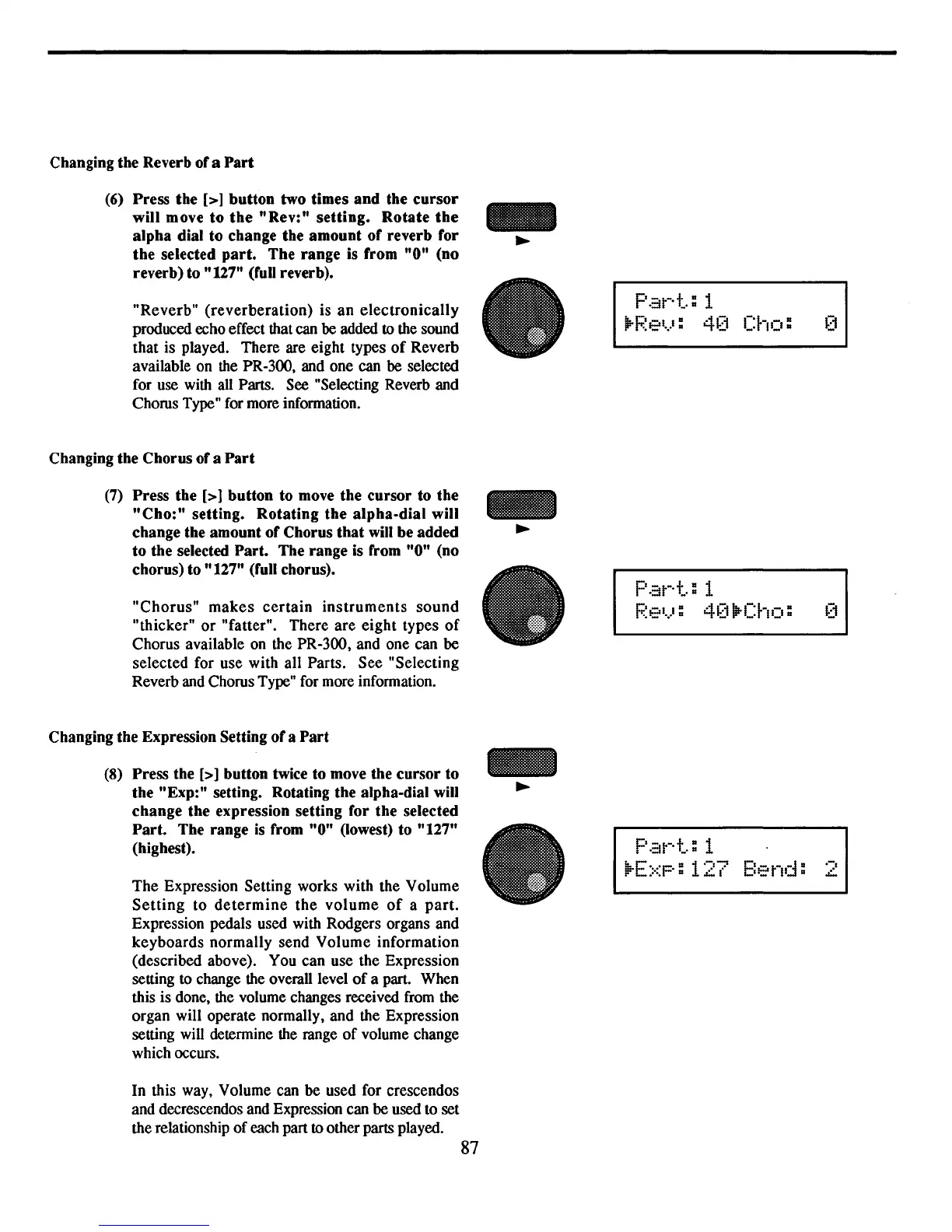
(6)
Press
the
[>]
button
two
times
and
the
cursor
will
move
to
the
"Rev:"
setting.
Rotate
the
alpha
dial
to
change
the
amount
of
reverb
for
the
selected
part.
The
range
is
from
"0"
(no
reverb)
to "127" (full reverb)•
"Reverb"
(reverberation)
is
an
electronically
produced echo effect that can
be
added to the sound
that is played. There are eight types
of
Reverb
available on the PR-300, and one can
be
selected
for use with all Parts. See "Selecting Reverb and
Chorus Type" for more information.
Changing
the
Chorus
of
a
Part
(7)
Press
the
[>]
button
to
move
the
cursor
to
the
"Cho:"
setting.
Rotating
the
alpha-dial
will
change the
amount
of
Chorus
that
will
be
added
to
the
selected
Part.
The
range
is from
"0"
(no
chorus) to
"127"
(full chorus)•
"Chorus"
makes
certain
instruments
sound
"thicker"
or
"fatter". There
are
eight
types
of
Chorus available on the PR-300, and one can
be
selected for use with all Parts.
See
"Selecting
Reverb and Chorus Type" for more information.
Changing
the
Expression Setting
of
a
Part
(8)
Press
the [>]
button
twice to move the
cursor
to
the
"Exp:"
setting. Rotating
the
alpha-dial will
change
the
expression
setting
for
the
selected
Part.
The
range
is from
"0"
(lowest) to
"127"
(highest).
The
Expression Setting works with the Volume
Setting
to
determine
the
volume
of
a
part.
Expression pedals used with Rodgers organs and
keyboards
normally
send
Volume
information
(described above). You can use the Expression
setting to change the overall level
of
a part. When
this is done, the volume changes received from the
organ will operate normally, and the Expression
setting will determine the range
of
volume change
which occurs.
In this way, Volume can
be
used for crescendos
and decrescendos and Expression can be used to set
the relationship
of
each part to other parts played.
•
•
Pat-·+":
1
Ij;-f;;~el.)
:
40
Cho:
Pat-·+":
1
Pel.):
4(1
\P-Cho:
F'.::lt-·t..:
1
ll:-E::<p:
127
Bend:
.-,
L



 To Next Page