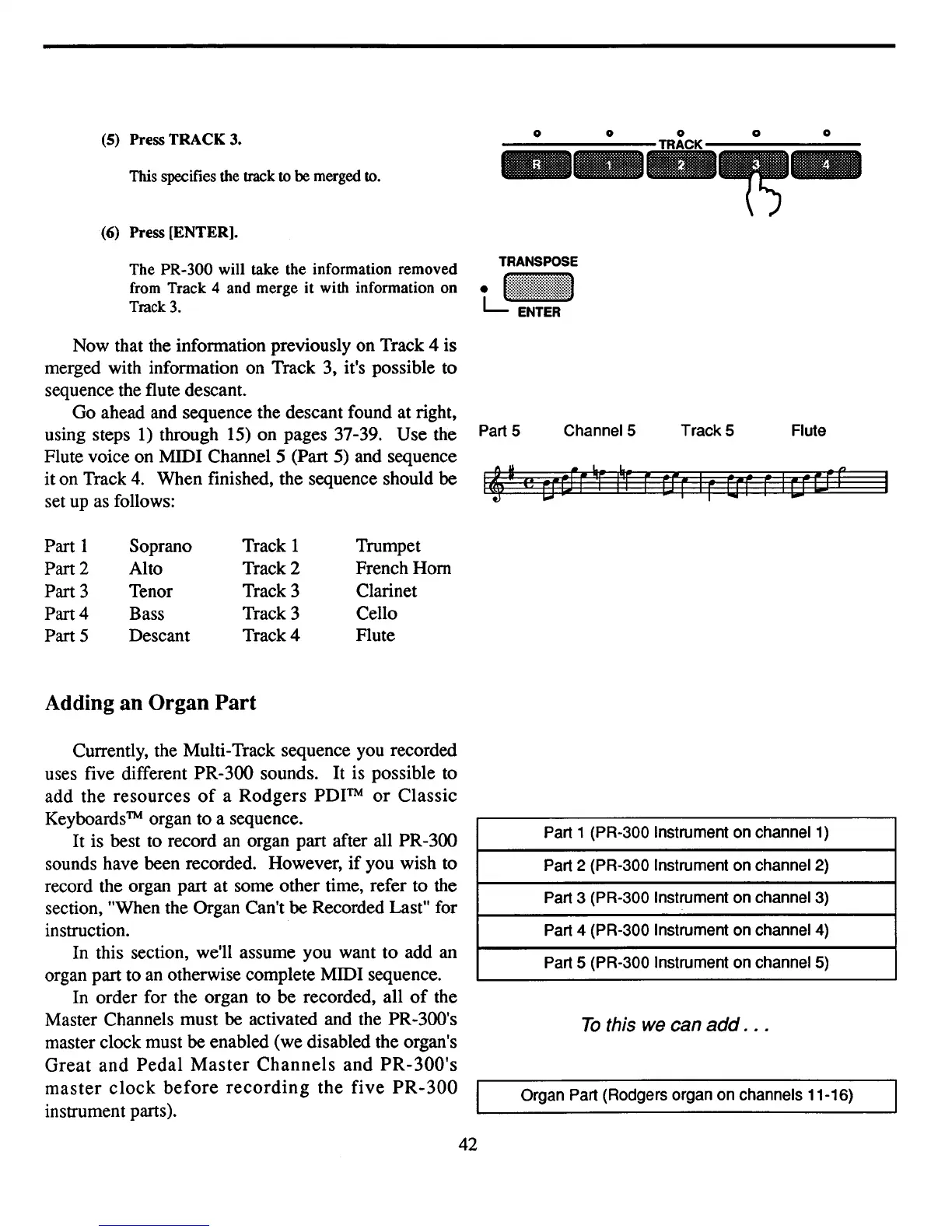
(5) Press TRACK 3.
This specifies the track
to be merged to.
(6) Press [ENTER].
The PR-300 will take the information removed
from Track 4 and merge it with information on
Tmck3.
o 0 0 0 0
.._
..
~-
TRANSPOSE
LJ~:::::!!~:!!:::~I
I~
I
(!
Now that the infonnation previously on Track 4 is
merged with infonnation on Track 3, it's possible to
sequence the flute descant.
Go ahead and sequence the descant found at right,
using steps
1)
through
15)
on pages 37-39. Use the
Flute voice on MIDI Channel 5 (Part
5)
and sequence
iton Track
4.
When finished, the sequence should be
set
up
as follows:
Part 1 Soprano
Track 1 Trumpet
Part 2 Alto Track 2
French Horn
Part 3 Tenor
Track 3 Clarinet
Part 4 Bass
Track 3 Cello
Part 5
Descant Track 4 Flute
Adding
an
Organ
Part
Part 5
Channel 5 Track 5 Flute
Currently, the Multi-Track sequence you recorded
uses five different PR-300 sounds. It is possible to
add the resources
of
a Rodgers
PDITM
or
Classic
Keyboards
TM
organ to a sequence.
It is best to record
an
organ part after all PR-300
sounds have been recorded. However,
if
you wish to
record the organ part at some other time, refer to the
section, "When the Organ Can't be Recorded Last" for
instruction.
In this section, we'll assume you want to add
an
organ part to
an
otherwise complete MIDI sequence.
In order for the organ to be recorded, all
of
the
Master Channels must be activated and the PR-300's
master clock must be enabled (we disabled the organ's
Great
and
Pedal
Master
Channels
and
PR-300's
master
clock
before
recording
the
five
PR-300
instrument parts).
42
Part 1 (PR-300 Instrument on channel
1)
Part 2 (PR-300 Instrument on channel 2)
Part 3 (PR-300 Instrument on channel 3)
Part 4 (PR-300 Instrument on channel
4)
Part 5 (PR-300 Instrument on channel 5)
To
this we can
add
.
..
Organ Part (Rodgers organ on channels 11-16)



 To Next Page