Listening to a Song on Disk, cont.
Using
the
Repeat
Play
Function
With the Repeat Play function, you can set Markers at
the beginning and end
of
a particular section
of
music
and instruct the PR-300 to repeat that section over and
over again.
The
PR-300 Markers set the boundaries for the Repeat Play
function. The two marker buttons (labeled "MARKER
A"
and
"MARKER B") are located on the left side
of
the unit near the
power switch. Marker A is used to set the beginning boundary
of
the
repeated section; Marker B is used to set the ending
boundary,
SONG
lCP2l
I
1
4.····4IirJ=12[1
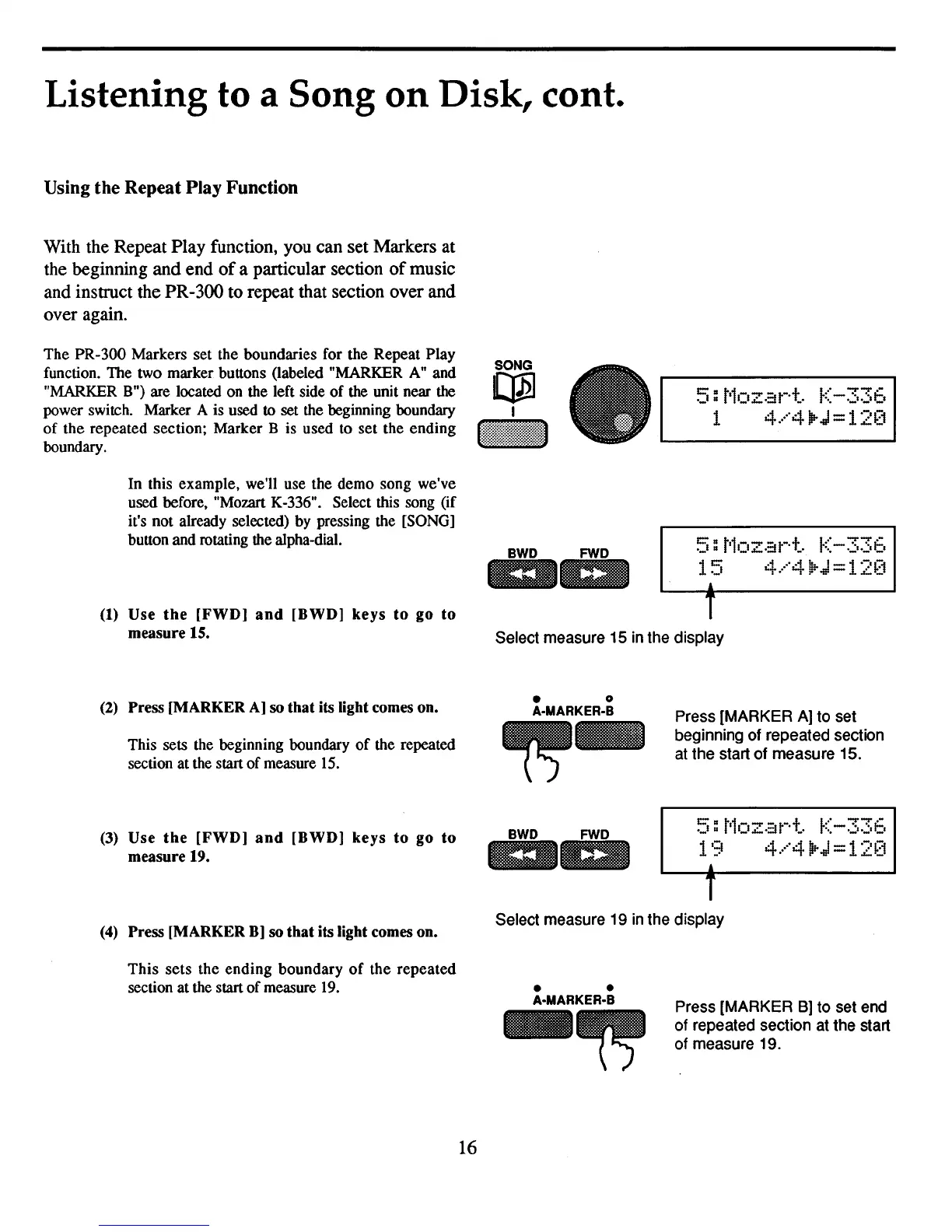
In this example, we'll use the demo song we've
used before, "Mozart K-336". Select this song (if
it's not already selected) by pressing the [SONG]
button and rotating the alpha-dial.
BWD
FWD
ilia
1m
(1)
Use
the
[FWD]
and
[BWD]
keys
to
go to
measure 15.
T
Select measure 15 in the display
(2)
Press [MARKER
A]
so that its light comes on.
This sets the beginning boundary
of
the repeated
section at the start
of
measure
15.
(3)
Use
the
[FWD]
and
[BWD]
keys
to
go
to
measure 19.
• 0
A-MARKER-B
Press [MARKER A] to set
beginning of repeated section
at the start of measure 15.
I:::'u
t'1-
.....
-
-t
l.·'
..,...,..-
,_I
u I_I..:..
-::I
t·
_.
p" - •
..:
••..:"::'
19
4.···"4IirJ
=
12[1
,
T
(4)
Press [MARKER
B)
so that its light comes on.
Select measure 19
in
the display
This
sets
the
ending
boundary
of
the
repeated
section at the start
of
measure
19.
16
• •
A·MARKER·B
Press [MARKER
B)
to set end
of repeated section at the start
of measure 19.



 To Next Page