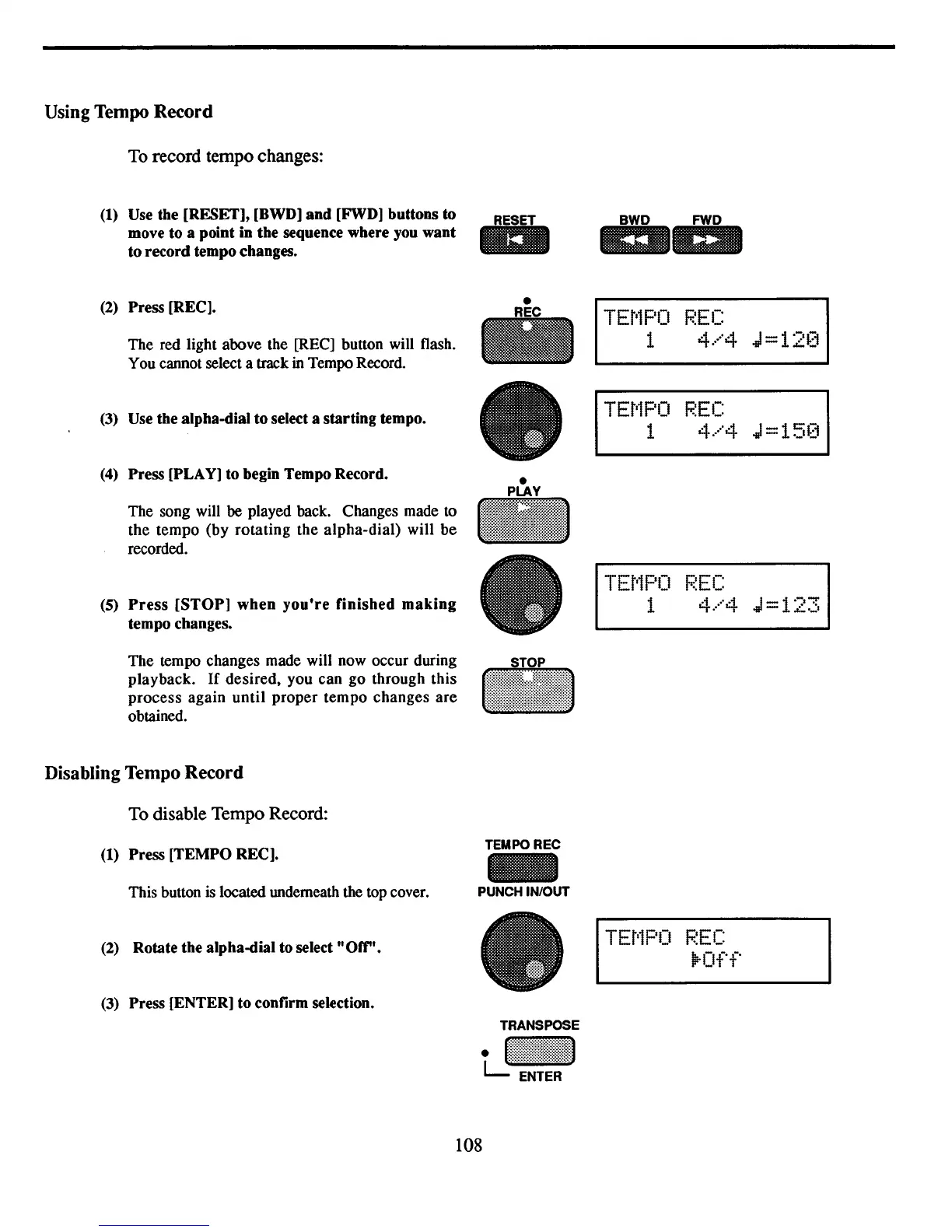
Using Tempo
Record
To
record tempo changes:
(1)
Use the [RESET], [BWD]
and
[FWD] buttons to
move to a point in the sequence where you want
to record tempo changes.
(2) Press [REC].
The red light above the [REC] button will flash.
You cannot select a track
in
Tempo Record.
(3) Use the alpha-dial
to
select a starting tempo.
(4)
Press [PLAY] to begin Tempo Record.
The song will
be played back. Changes made
to
the tempo (by rotating the alpha-dial) will be
recorded.
(5)
Press
[STOP]
when
you're
finished
making
tempo changes.
The tempo changes made will now occur during
playback.
If
desired. you can go through this
process again until proper tempo changes are
obtained.
Disabling Tempo
Record
To disable Tempo Record:
(1) Press [TEMPO REC].
This button
is
located underneath the top cover.
(2)
Rotate the alpha-dial to select "Off".
(3)
Press [ENTER] to confirm selection.
RESET
l1li
TEMPOREC
-
PUNCH IN/OUT
TEt'1PO
F.~EC
1
4.···'4
J=12(i
TEt'1PO
F.~EC
1
4.···'4
J=15(i
TEt'1PO
F.~EC
1
4.···'4
J=123
TEt'1PO
F.~EC
ll:-Off
108



 To Next Page