PR-300
Sound
Function
The PR-300's as sound source has a wide variety
of
quality sounds which can be used to create many different
styles
of
music. The PR-300's Sound Function is an easy way to control these different sounds and use
different effects such as Pan, Reverb and Chorus.
Selecting PR·300 Sounds
The sound source
of
the PR-300 has 16 different
parts.
Each
of
these
different
parts
can
be
controlled
by
the corresponding MIDI channel (i.e
.•
Part 1 can
be
controlled by MIDI channel
I,
Part 2
can
be controlled by MIDI channel
2,
etc.)
All parts (except part 10) can use any
of
the 317
instruments
of
the PR-300. Part 10 can use
of
any
the 10 PR-300 drum kits.
Here's how to use the Sound Function to control
PR-300 sounds.
(1)
Press the
[SOUND]
button.
This button is located underneath the top cover
of
thePR-300.
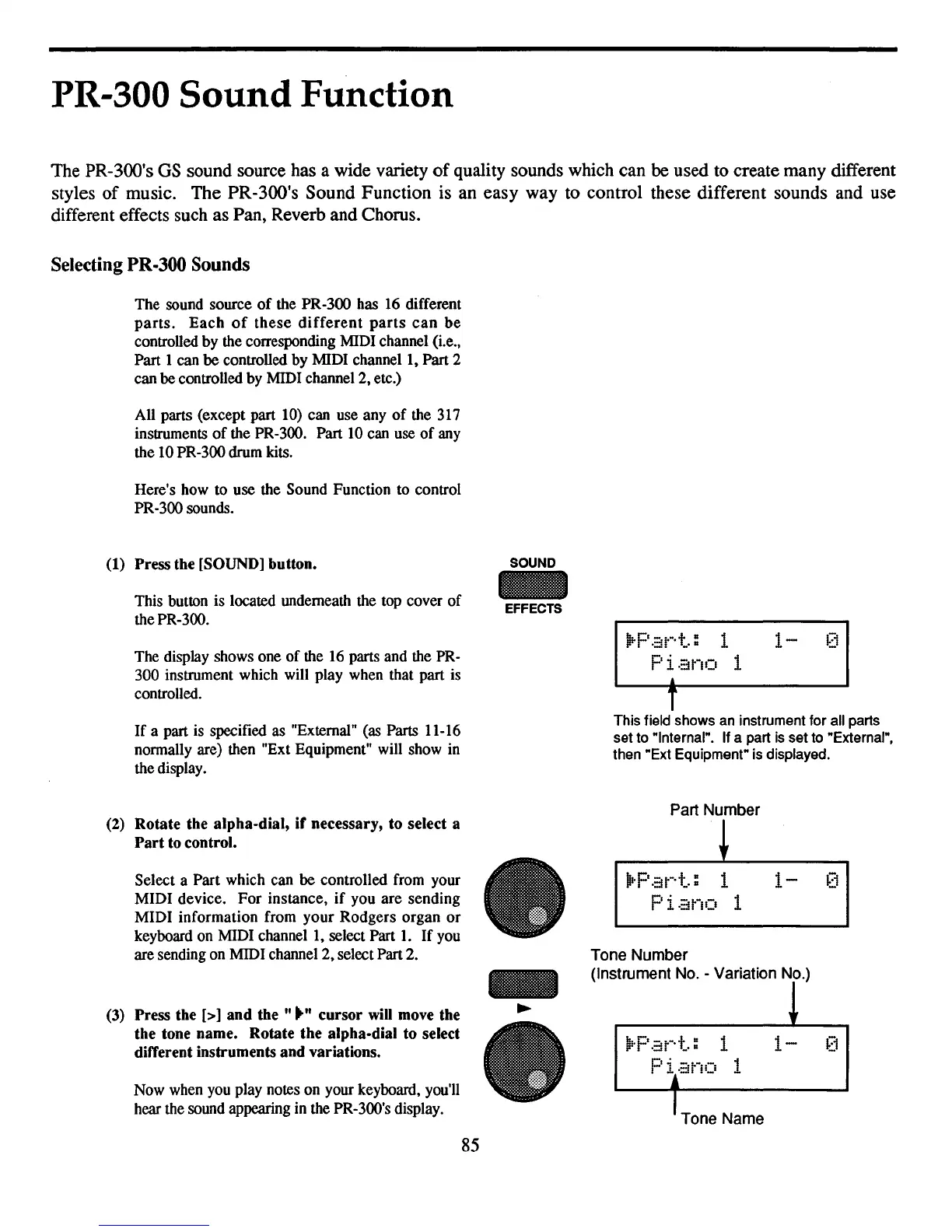
The display shows one
of
the 16 parts and the PR-
300 instrument which will play when that part is
controlled.
If
a part is specified as "External" (as Parts 11-16
normally are) then "Ext Equipment" will show in
the display.
(2)
Rotate the alpha-dial,
if
necessary, to select a
Part
to
control.
Select a
Part
which can be controlled from your
MIDI
device.
For
instance,
if
you
are
sending
MIDI
information from
your
Rodgers
organ
or
keyboard on MIDI channel
I,
select Part
1.
If
you
are sending on MIDI channel
2,
select Part 2.
(3)
Press the [>] and
the"""
cursor will move the
the tone name. Rotate the alpha-dial to select
different instruments and variations.
Now when you play notes on your keyboard. you'll
hear the sound appearing in the PR-300's display.
SOUND
EFFECTS
-
•
.Part=
1
1-
0
Piano
1
1
T
This field shows
an
instrument for all parts
set to "Internal". If a part
is
set to "External".
then "Ext Equipment" is displayed.
Part Number
~
.IOP
.::it-·t = 1
1-
F
'l·
-~-
- 1
·::li
II_I
Tone Number
(Instrument No. - Variation No.)
Tone Name
85



 To Next Page