Selecting PR·300 Sounds with ProgramChanges
The Sound Function, as described earlier, is one way
to
select
PR-300 sounds. There is another
way
to select PR-300 sounds
without even touching the PR-300 through
Program
Change
messages.
A Program Change is a MIDI message which can
be
sent from
the Rodgers organ to the PR-300
to
select a sound. Each ofthese
messages has a value between 1 and 128. When a program
change is sent from the Rodgers organ to the PR-300, a sound
which corresponds to
the
program change number sent is
selected. What's more, Program Changes can
be
stored in the
combination
action
of
the
Rodgers
organ
with
organ
registrations,
allowing
both
PR-300
sounds
and
organ
registrations to be selected with the press
of
a combination
piston.
Let's start by selecting a sound
for
MIDI channel 1
by
sending a
program change from the Rodgers organ to the PR-300.
Right now, the PR-300 should have "Harpsichord"
selected for Part 1 (which is controlled from the
Great
manual
when
"MIDI
ON GREAT" is
activated). Let's assume that you would like
to
use
the PR-300's "Piano 3" voice for Part 1 instead.
The PR-300's "Piano
3"
voice has been assigned
Program Change #3. So, we will send Program
Change #3 on MIDI channel 1
to
select the "Piano
3"
voice for Part
1.
To send a program change from your Rodgers
organ to the PR-300:
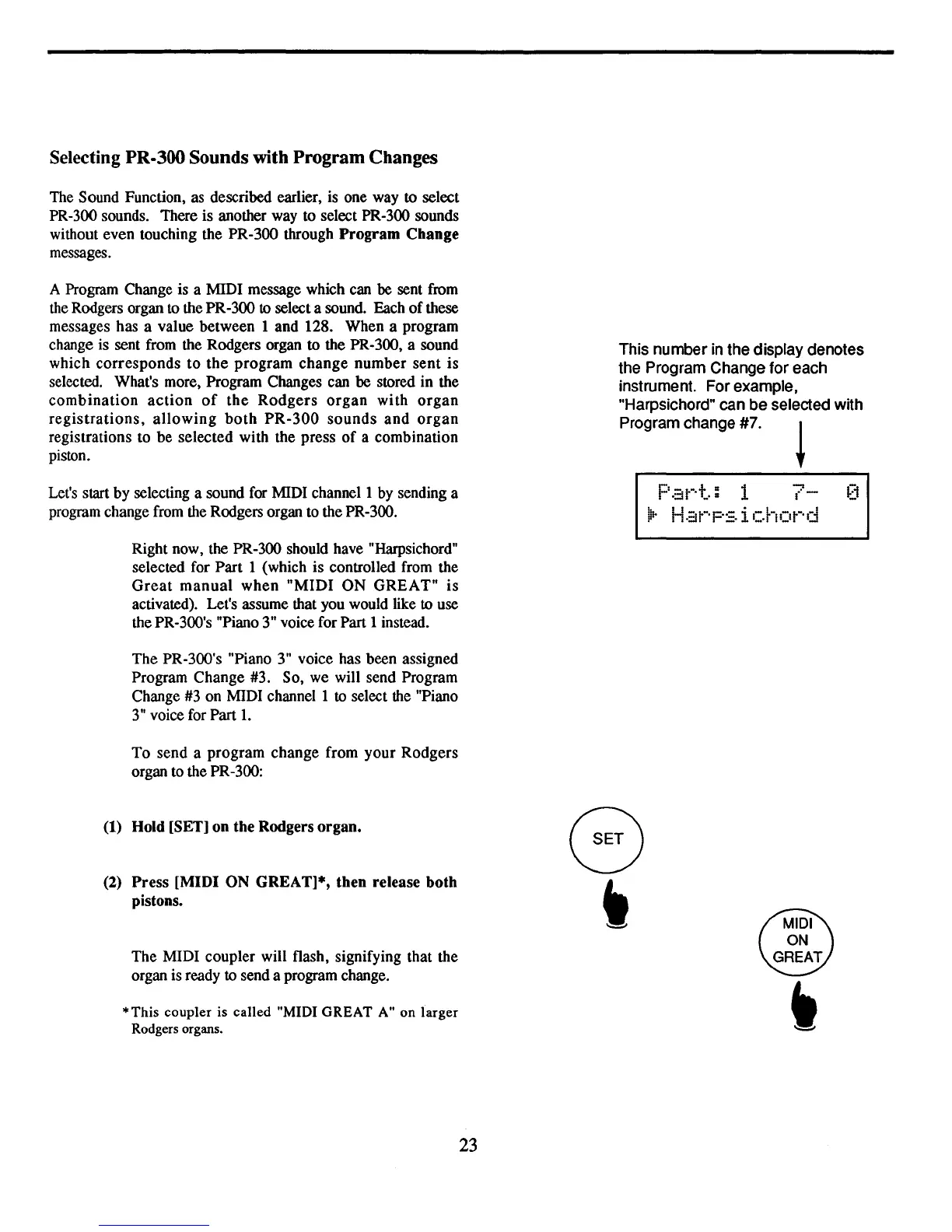
This number in the display denotes
the Program Change
for
each
instrument. For example,
"Harpsichord" can
be
selected with
Program change
#7.
~
P.;jt-·t.:
1
7-
Ilt-
H.::it-·p:=.
i chot-'d
(1) Hold [SET] on the Rodgers organ.
(2)
Press
[MIDI ON GREAT]*, then release
both
pistons.
The MIDI coupler will flash, signifying that the
organ is ready to send a program change.
*This
coupler
is
called
"MIDI
GREAT
A" on
larger
Rodgers organs.
23



 To Next Page