Listening to a Song
on
Disk,
cont.
Starting Playback from the Middle
of
a Song
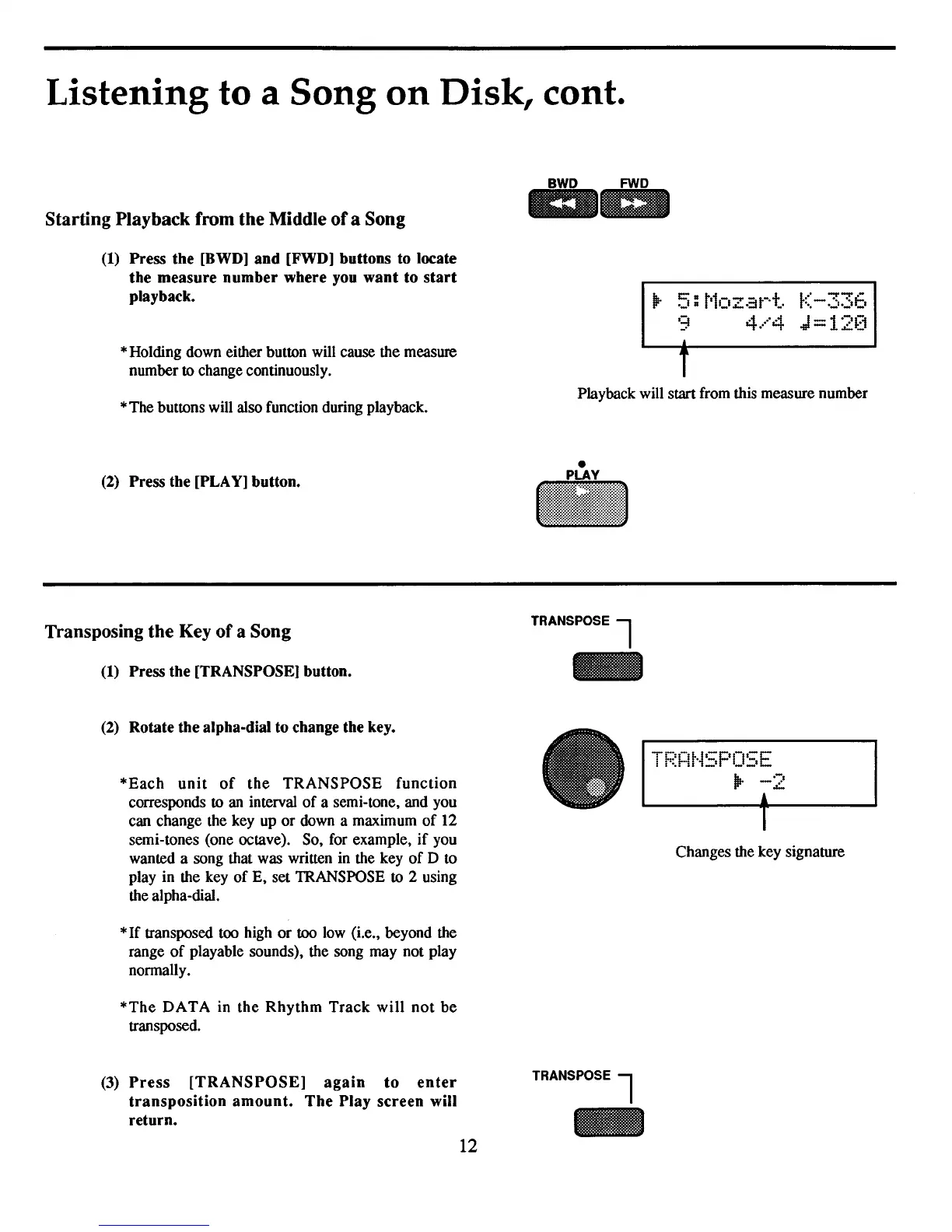
(1)
Press
the
[BWD]
and
[FWD]
buttons
to
locate
the
measure
number
where
you
want
to
start
playback.
*Holding down either button will cause the measure
number to change continuously.
*The buttons will also function during playback.
(2)
Press
the
[PLAY]
button.
Transposing
the
Key
of
a Song
(1)
Press
the
[TRANSPOSE]
button.
(2)
Rotate
the
alpha-dial
to
change
the
key.
*Each
unit
of
the
TRANSPOSE
function
corresponds to an interval
of
a semi-tone, and you
can change the key up
or
down a maximum
of
12
semi-tones (one octave). So, for example,
if
you
wanted a song that was written in the key
of
D to
play in the key
of
E,
set
lRANSPOSE
to 2 using
the alpha-dial.
*
If
transposed too high
or
too low (i.e., beyond the
range
of
playable sounds), the song may not play
nonnally.
*The
DATA
in
the
Rhythm
Track
will
not
be
transposed.
(3)
Press
[TRANSPOSE]
again
to
enter
transposition
amount.
The
Play
screen
will
return.
12
BWD
FWD
mII
__
'3
4.····4
.J
=12[1
T
Playback will start from this measure number
•
•
TRANSPOSE l
T-'
_.
I-i'-F'
- '-E
• !
••
:'1-1,-.
-.
11-.I I
••
II
_
I
Changes the key signature
TRANSPOSE l



 To Next Page