A Note
for
people using other keyboards .
..
The procedure outlined above is very typical for situations
where a MIDI keyboard (or other type
of
MIDI controller) is
playing the PR-300. To access sounds
of
the PR-300, you will
need to
send
on channels 1-10;
to
access
sounds
of
other
equipment used in your setup, you will need to send on channels
which the other equipment receives.
To achieve separate control
of
equipment in your MIDI
setup, the receive channels for each module are usually different
from
other
modules in the setup. As you found
out
in the
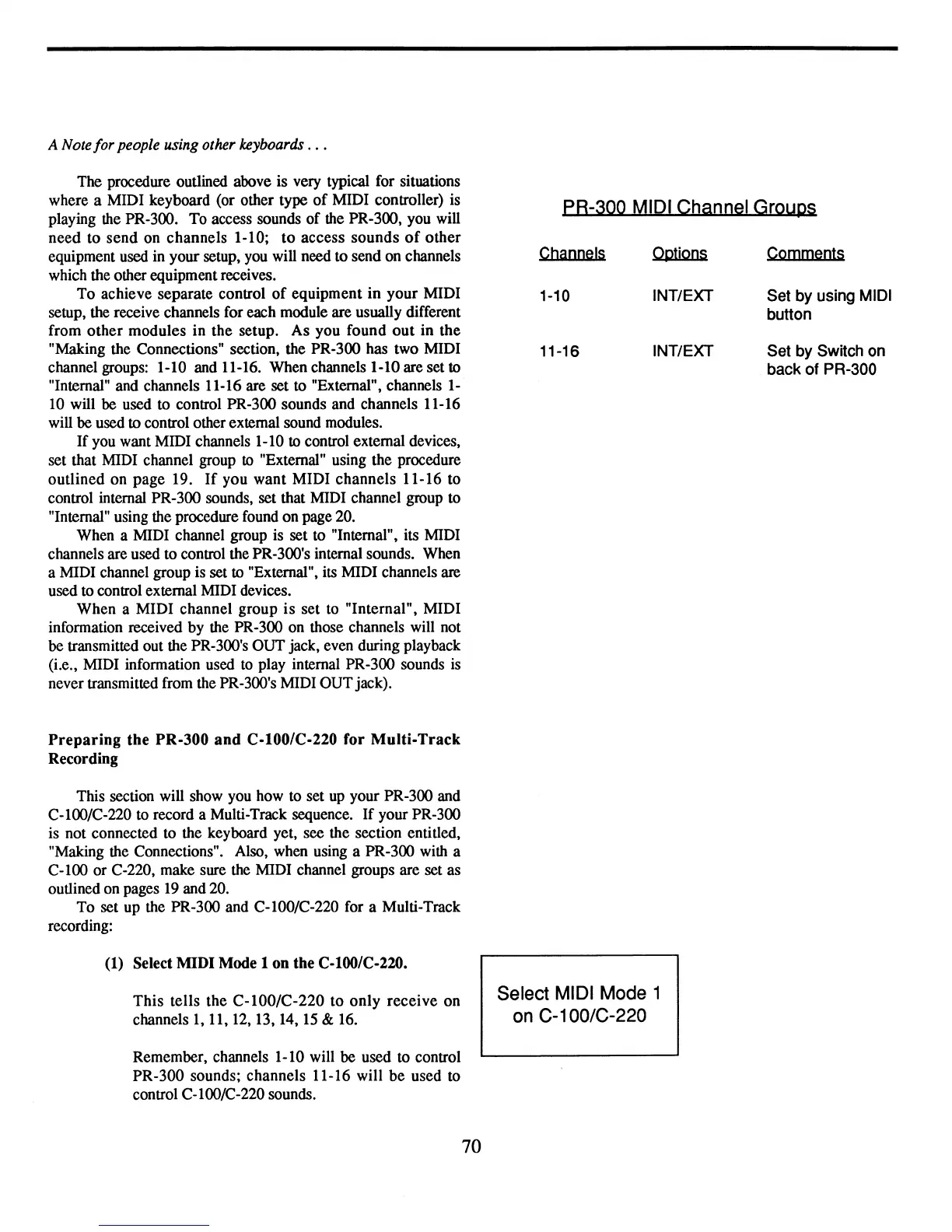
"Making the Connections" section, the PR-300 has two MIDI
channel groups: 1-10 and 11-16. When channels 1-10 are set
to
"Internal" and channels 11-16 are set to "External", channels
1-
10
will
be
used to control PR-300 sounds and channels 11-16
will
be
used
to
control other external sound modules.
If you want MIDI channels 1-10
to control external devices,
set that MIDI channel group to "External" using the procedure
outlined on page 19.
If
you want MIDI channels 11-16 to
control internal PR-300 sounds, set that MIDI channel group to
"Internal" using the procedure found on page 20.
When a MIDI channel group is set to "Internal", its MIDI
channels are used to control the PR-300's internal sounds. When
a MIDI channel group is set
to
"External", its MIDI channels are
used to control external MIDI devices.
When a MIDI channel group
is
set to "Internal", MIDI
information received by the PR-300 on those channels will not
be transmitted out the PR-300's OUT jack, even during playback
(Le., MIDI information used
to
play internal PR-300 sounds
is
never transmitted from the PR-300's MIDI OUT jack).
Preparing
the PR-300
and
C-I00/C-220
for
Multi-Track
Recording
This section will show you how to set
up
your PR-300 and
C-l00/C-220 to record a Multi-Track sequence.
If
your PR-300
is not connected to the keyboard yet, see the section entitled,
"Making the Connections". Also, when using a PR-300 with a
C-l00
or C-220, make sure the MIDI channel groups are set as
outlined on pages
19
and 20.
To set up the PR-300 and C-I00/C-220 for a Multi-Track
recording:
(1)
Select MIDI Mode 1 on the
C-l00/C-220.
This tells the
C-I00/C-220
to
only
receive
on
channels
1,
11,
12,
13, 14,
15
&
16.
Remember, channels 1-10 will be used to control
PR-300 sounds; channels 11-16 will
be
used to
control C-l00/C-220 sounds.
70
PB-3QQ
MIDI Channel Groups
Channels Options Comments
1-10
INT/EXT Set by using MIDI
button
11-16 INT/EXT
Set by Switch on
back of PR-300
Select MIDI Mode 1
on
C-100/C-220



 To Next Page