Refer to the Owner's Manual for the C-lOO
or
C-
220 for information on selecting MIDI Modes.
(1)
Press
[MIDI]
on
the
PR-300.
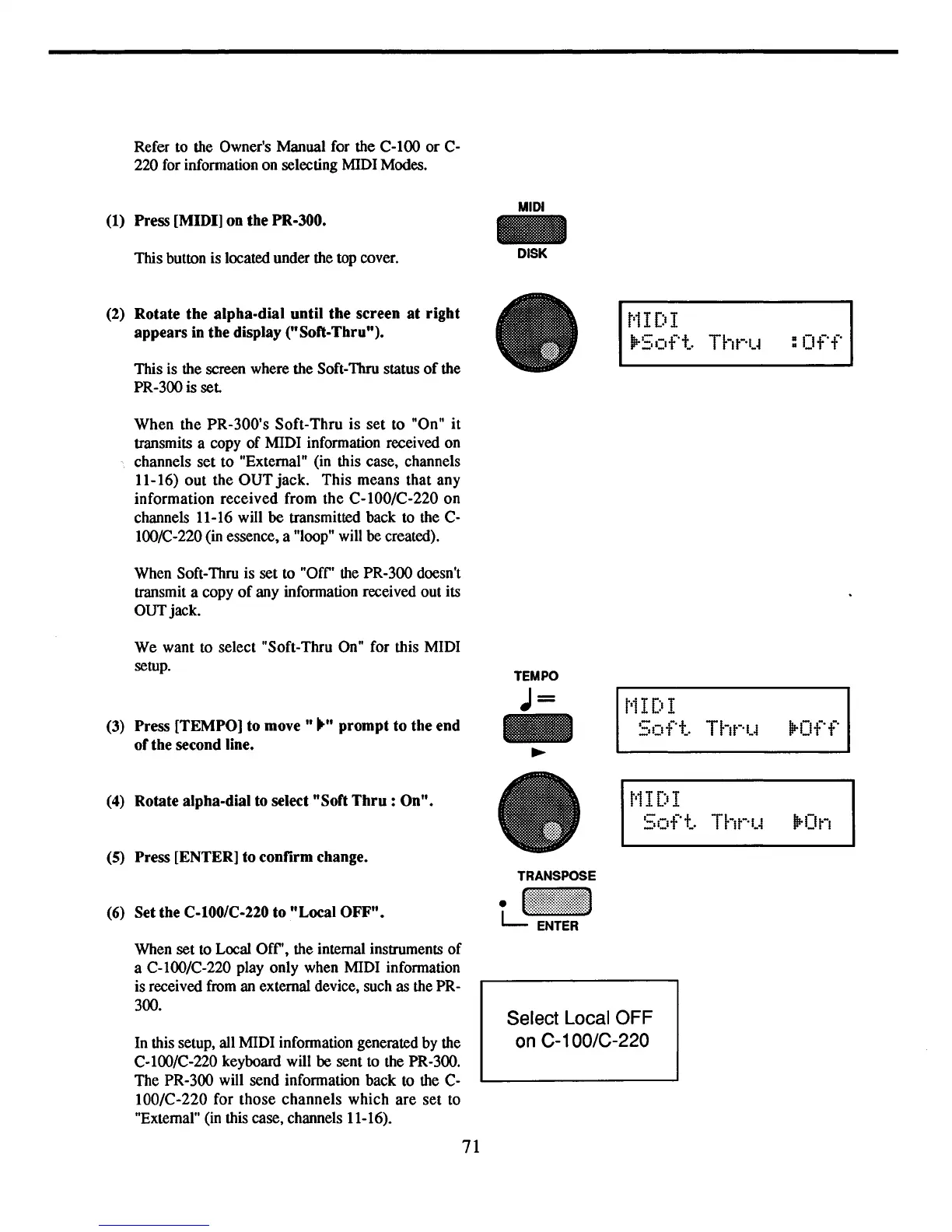
This button is located under the top cover.
(2)
Rotate
the
alpha-dial
until
the
screen
at
right
appears
in
the
display
("Soft-Thru").
This is the screen where the Soft-Thru status
of
the
PR-300 is
set
When
the
PR-300's
Soft-Thru
is
set
to
"On"
it
transmits a copy
of
MIDI information received on
channels set
to
"External" (in this case, channels
11-16)
out
the
OUT
jack.
This
means that any
information
received
from
the
C-100/C-220
on
channels 11-16 will be transmitted back to the C-
lOO/C-220 (in essence, a "loop" will be created).
When Soft-Thru is set to "OfC' the PR-300 doesn't
transmit a copy
of
any information received out its
OUTjack.
MIDI
-
DISK
t'11
DI
"'-0::'
-
t-·t
po-
_,I_I
_'
:Off
We
want to select "Soft-Thru On" for this MIDI
setup.
(3) Press
[TEMPO]
to
move"
....
prompt
to
the
end
of
the
second line.
TEMPO
J=
-
~
t'1
IDI
50ft..
Thr'IJ
lP-Off
(4)
Rotate
alpha-dial
to select
"Soft
Thru
:
On".
(5)
Press
[ENTER]
to
confirm
change.
(6)
Set
the
C-I00/C-220
to
"Local
OFF".
TRANSPOSE
LJ!!~~~!!~:;!!!!:~:I
t'1
I DI
50ft..
Tht-'IJ
lP-On
When set to Local OfC', the internal instruments
of
a C-lOO/C-220 play only when MIDI information
is received from an external device, such as the PR-
300.
In this setup, all MIDI information generated by the
C-lOO/C-220 keyboard will be sent to the PR-300.
The PR-300 will send information back to the C-
IOO/C-220 for
those
channels
which
are
set
to
"External" (in this case, channels 11-16).
71
Select Local OFF
on
C-1
OO/C-220



 To Next Page