Changing the Volume
Using
an Expression Pedal
Normally, the volume
of
Parts is controlled from
external MIDI devices, such
as
a Rodgers organ or a
Rodgers keyboard equipped with
an
expression pedal.
If
the device you are using to control the PR-300
doesn't allow you to change the volume
of
PR-300
parts, you can attach a compatible expression pedal to
the PR-300 and change the volume
of
PR-300 parts
by
moving the pedal.
Connecting
an
Expression Pedal
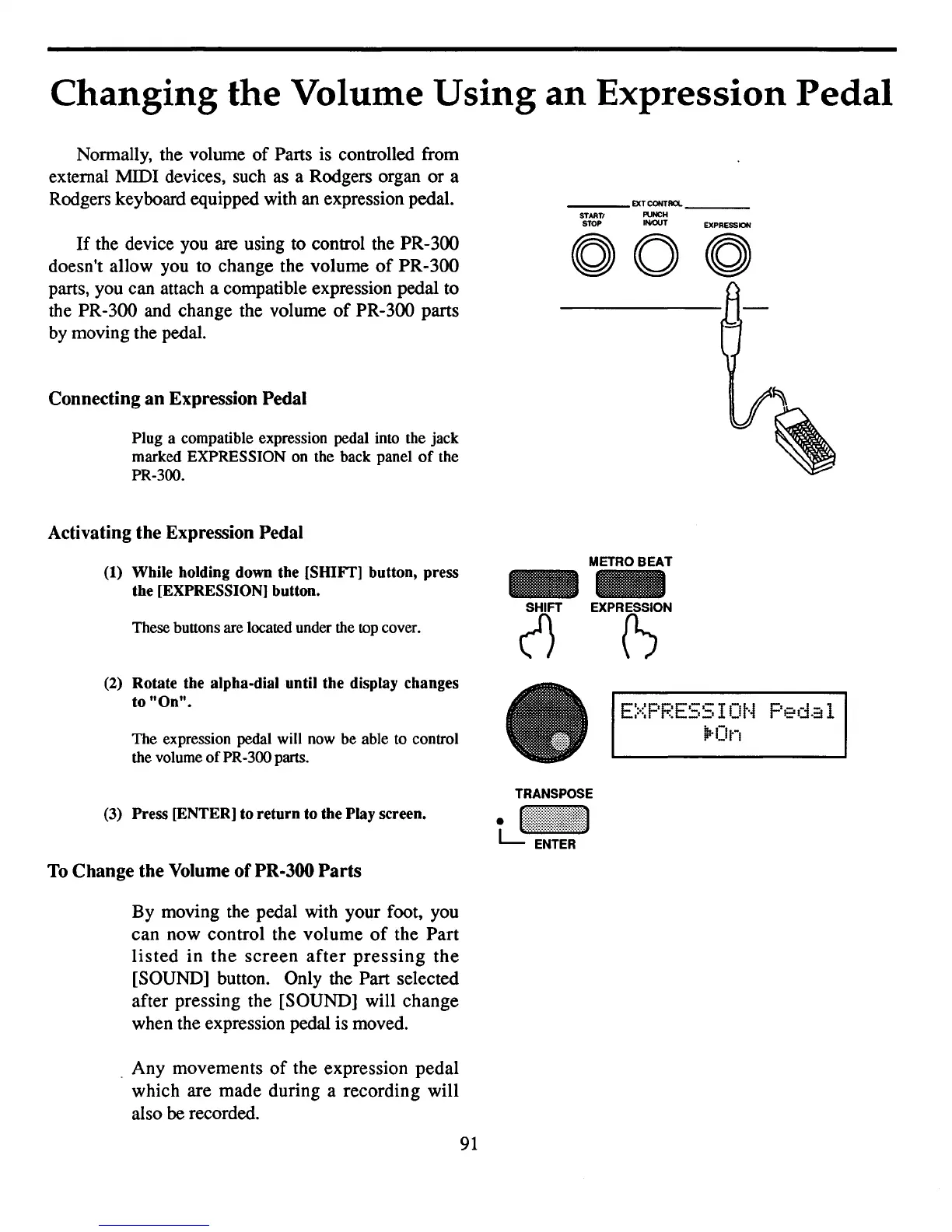
Plug a compatible expression pedal into the jack
marked EXPRESSION on the back panel
of
the
PR-300.
Activating the Expression Pedal
___
EXTCONTROl.
_
STARTI
PUNCH
STOP
INIOUT
EXPRESSION
(1) While holding down the [SIDFf] button, press
the [EXPRESSION] button.
METRO
BEAT
EXPRli)
These buttons are located under the
top
cover.
(2) Rotate the alpha-dial until the display changes
to
"On".
The expression pedal will now be able to control
the volume
of
PR-300 parts.
(3)
Press [ENTER] to return to the Play screen.
To
Change the Volume
of
PR·300
Parts
By moving the pedal with your foot, you
can now control the volume
of
the Part
listed
in
the
screen
after
pressing
the
[SOUND] button. Only the Part selected
after pressing the [SOUND] will change
when the expression pedal is moved.
. Any movements
of
the expression pedal
which are made during a recording will
also be recorded.
91
(1)
•
E::-::PF.~E55
I
Ot-4
Peda
1
"'On



 To Next Page