Other PR-300 Features
This executes the settings for
SOUND and EFFECTS.
This button enables
or
disables the
Punch IN/OUT record feature.
This button turns on
or
off the Tempo
record feature.
This selects the type of Chorus and
Reverb used by the PR-300.
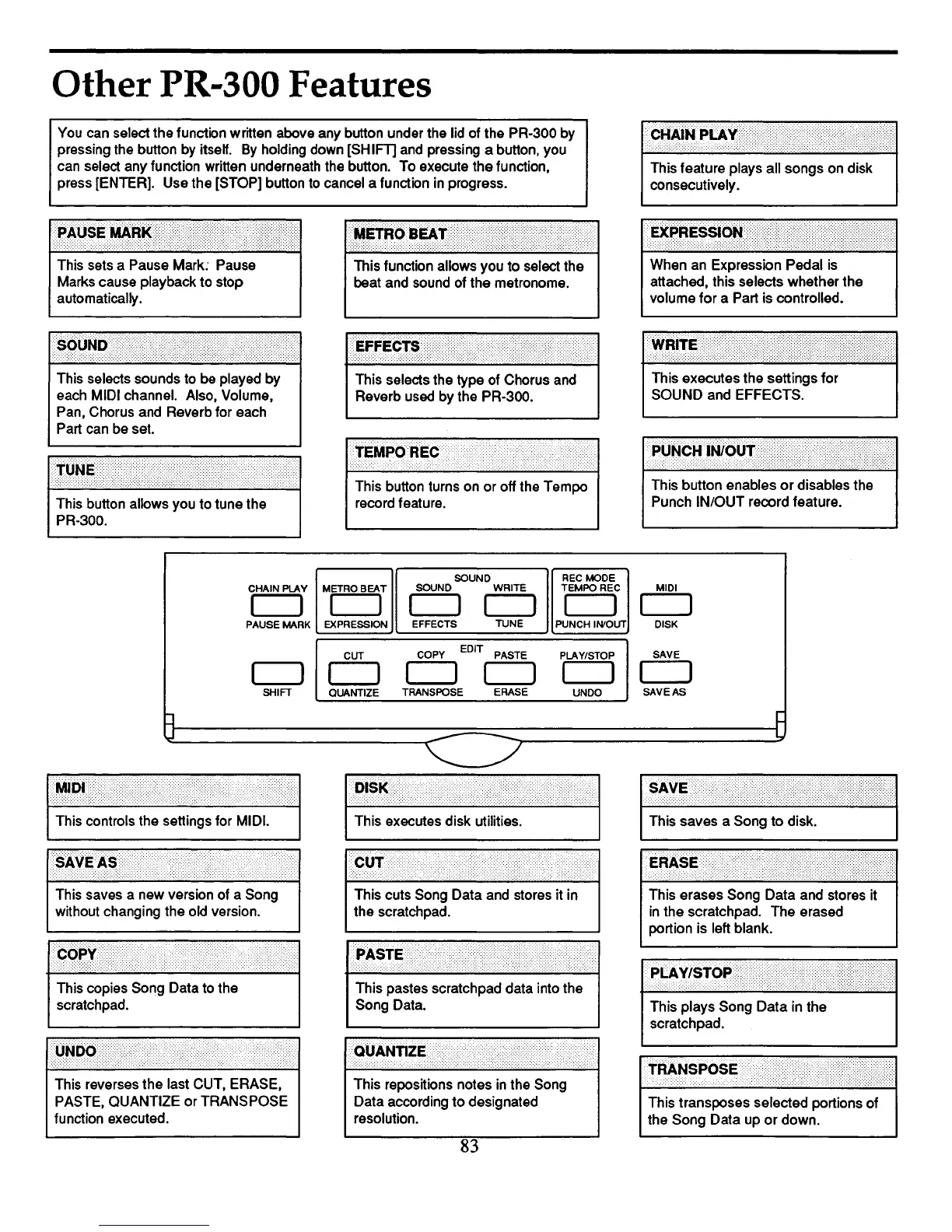
You can select the function written above any button under the lid of the PR-300 by
pressing the button by itself.
By
holding down [SHIFT] and pressing a button, you
can select any function written underneath the button. To execute the function,
press [ENTER]. Use the [STOP] button to cancel a function in progress.
This button allows you to tune the
PR-300.
SOUND
RECMODE
CHAIN PLAY
METRO BEAT
SOUND WRITE
TEMPOREC
MIDI
CJ
CJ
CJ
CJ
CJ
CJ
PAUSE MARK
EXPRESSION
EFFECTS
TUNE
PUNCH
IN/OUT DISK
CUT
COPY
EDIT PASTE
PLAY/STOP
SAVE
CJ
CJ
CJ
CJ
CJ
SHIFT
QUANTIZE
TRANSPOSE
ERASE
UNDO
SAVE AS
t:l
~
u
-
L.
This controls the settings for MIDI.
This saves a new version of a Song
without changing the old version.
This reverses the last CUT, ERASE,
PASTE, QUANTIZE
or
TRANSPOSE
function executed.
This repositions notes
in
the Song
Data according
to
designated
resolution.
This transposes selected portions of
the Song Data up
or
down.
83



 To Next Page