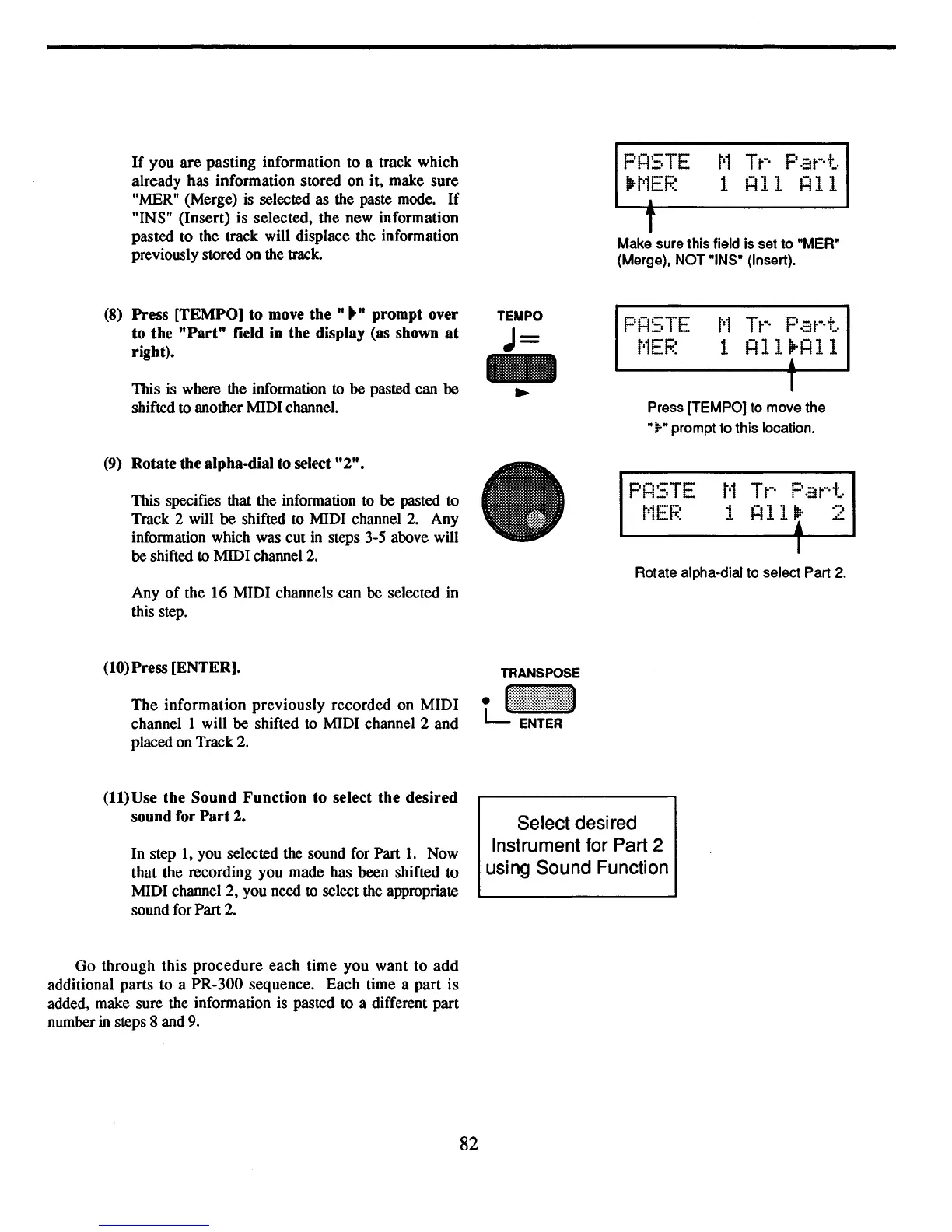
If
you are pasting information to a track which
already has information stored on it, make sure
"MER" (Merge) is selected as the paste mode.
If
"INS" (Insert) is selected, the new information
pasted to the track will displace the information
previously stored on the track.
PRSTE
MTr
Part
1Irt'1EF.~
1 R11 R11
1
T
Make sure this field is set to "MER"
(Merge), NOT "INS" (Insert).
T
Press [TEMPO] to move the
"j;." prompt to this location.
(8)
Press [TEMPO] to
move
the"""
prompt over
to the
"Part"
field in the display (as shown
at
right).
This is where the information
to
be pasted can be
shifted to another MIDI channel.
TEMPO
J=
PRSTE
t·1EF.~
t'1
Tt-·
Pat-·t
1
RllrRll
(9)
Rotate the alpha-dial to select
"2".
This specifies that the information
to
be
pasted to
Track 2 will
be
shifted to MIDI channel
2.
Any
information which was cut
in
steps 3-5 above will
be shifted to MIDI channel
2.
Any
of
the 16 MIDI channels can be selected in
this step.
(10)
Press [ENTER].
The
information previously recorded on MIDI
channel 1 will be shifted
to
MIDI channel 2 and
placed on Track 2.
TRANSPOSE
tJi::iii!!~i:!:::::1
PR5TE
t'1EF.~
I
Rotate alpha-dial to select Part 2.
(11)
Use the Sound Function to select the desired
sound for
Part
2.
In step
1,
you selected the sound for Part
1.
Now
that the recording you made has been shifted to
MIDI channel 2, you need to select the appropriate
sound for Part
2.
Go
through this
procedure
each time you want to
add
additional parts to a PR-300 sequence. Each time a part is
added, make sure the information is pasted to a different part
number
in
steps 8 and
9.
82
Select desired
Instrument for Part 2
using Sound Function



 To Next Page