The PR-300 also allows you to shift information
from one MIDI channel to another using the Cut and
Paste functions.
If
you have a keyboard which doesn't
allow you to change the send channel, you can utilize
multiple MIDI channels using the procedure outlined
below.
For this example, we'll use MIDI
channell
as our
only send channel. Refer to the previous section
if
you have any
questions
about the steps
outlined
below.
(1)
Using the Sound Function, select the desired
instrument for
Part
1.
If
your keyboard uses a different send channel, use
the part for that channel.
Select an Instrument
for Part 1 using
Sound Function
(2)
Record
a
part
on
Track
1 using
the
Sound
selected in step
1.
Any empty track could be used.
Record a part using
MIDI channel
1.
Now that the ftrst part has been recorded, we will
shift it to another channel.
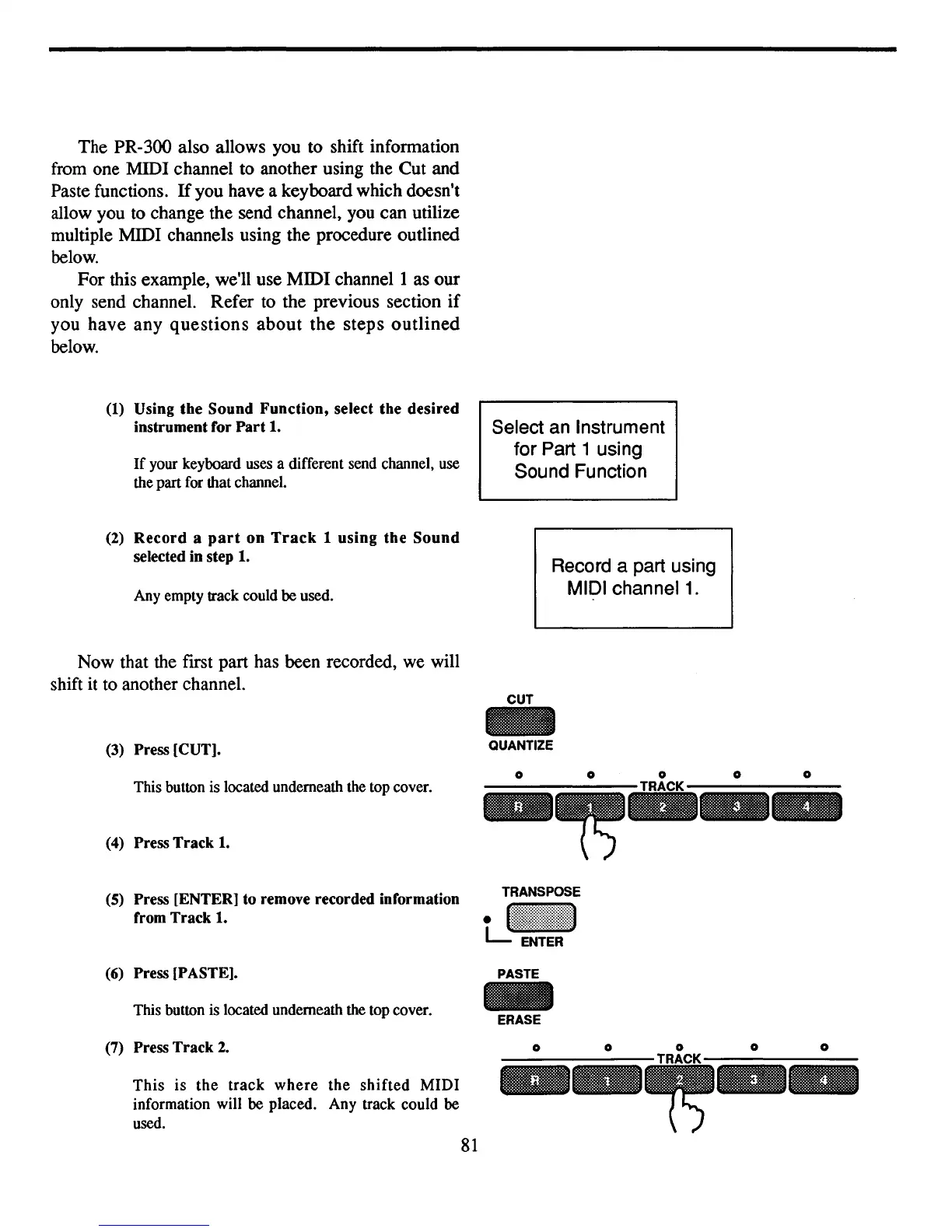
CUT
(3)
Press [CUT].
QUANTIZE
o
oo
o 0
--------TRACK--------
--
(4)
Press Track
1.
This button is located underneath the top cover.
(5)
Press [ENTER] to remove recorded information
from Track 1.
(6)
Press [PASTE].
This button is located underneath the top cover.
PASTE
-
ERASE
--
(7)
Press Track
2.
This
is
the
track
where
the
shifted
MIDI
information will be placed. Any track could be
used.
81
o
o



 To Next Page