*This piston
is
labeled [MIDI GREAT
A]
on larger
Rodgers organs.
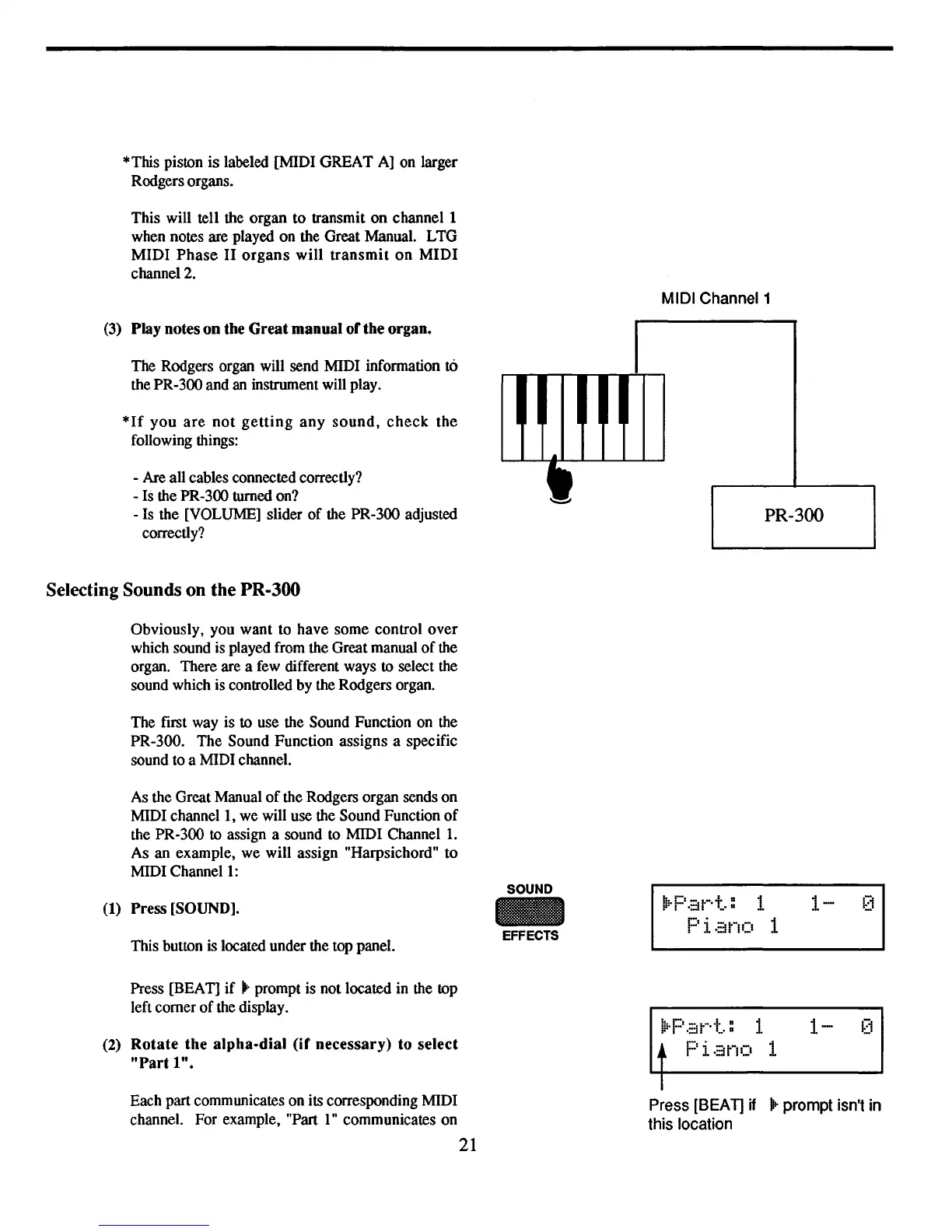
This will tell the organ to transmit on channel 1
when notes are played on the Great Manual. LTG
MIDI
Phase
II
organs
will
transmit
on
MIDI
channel 2.
(3)
Play notes on the Great manual of the organ.
The Rodgers organ will send MIDI information to
thePR-300 and
an
instrument will play.
*If
you
are
not
getting
any
sound,
check
the
following things:
- Are all cables connected correctly?
-
Is
the PR-300 turned on?
-
Is
the [VOLUME] slider
of
the PR-300 adjusted
correctly?
Selecting Sounds on the PR·300
Obviously, you want to have some control over
which sound is played from the Great manual
of
the
organ. There are a few different ways
to
select the
sound which is controlled by the Rodgers organ.
The first way is to use the Sound Function on the
PR-300. The Sound Function assigns a specific
sound to a MIDI channel.
As the Great Manual
of
the Rodgers organ sends on
MIDI
channell,
we will use the Sound Function
of
the PR-300
to
assign a sound to MIDI
Channell.
As an example, we will assign "Harpsichord" to
MIDI
Channell:
MIDI Channel 1
..
•
PR-300
(1) Press
[SOUND].
This button is located under the top panel.
Press [BEAT]
if
.. prompt is not located in the top
left comer
of
the display.
(2)
Rotate the alpha-dial (if necessary) to select
"Part
1".
SOUND
EFFECTS
b
•.
C'
-
t-.t
a 1
~.
I
-::I
_.
a
Pi.::ino 1
~.p
.::it-·t.
: 1
Pi.::ino 1
1-
[1
1-
[1
Each part communicates on its corresponding MIDI
channel. For example, "Part
1"
communicates on
21
Press [SEAT]
if
.~
prompt isn't in
this location


 To Next Page