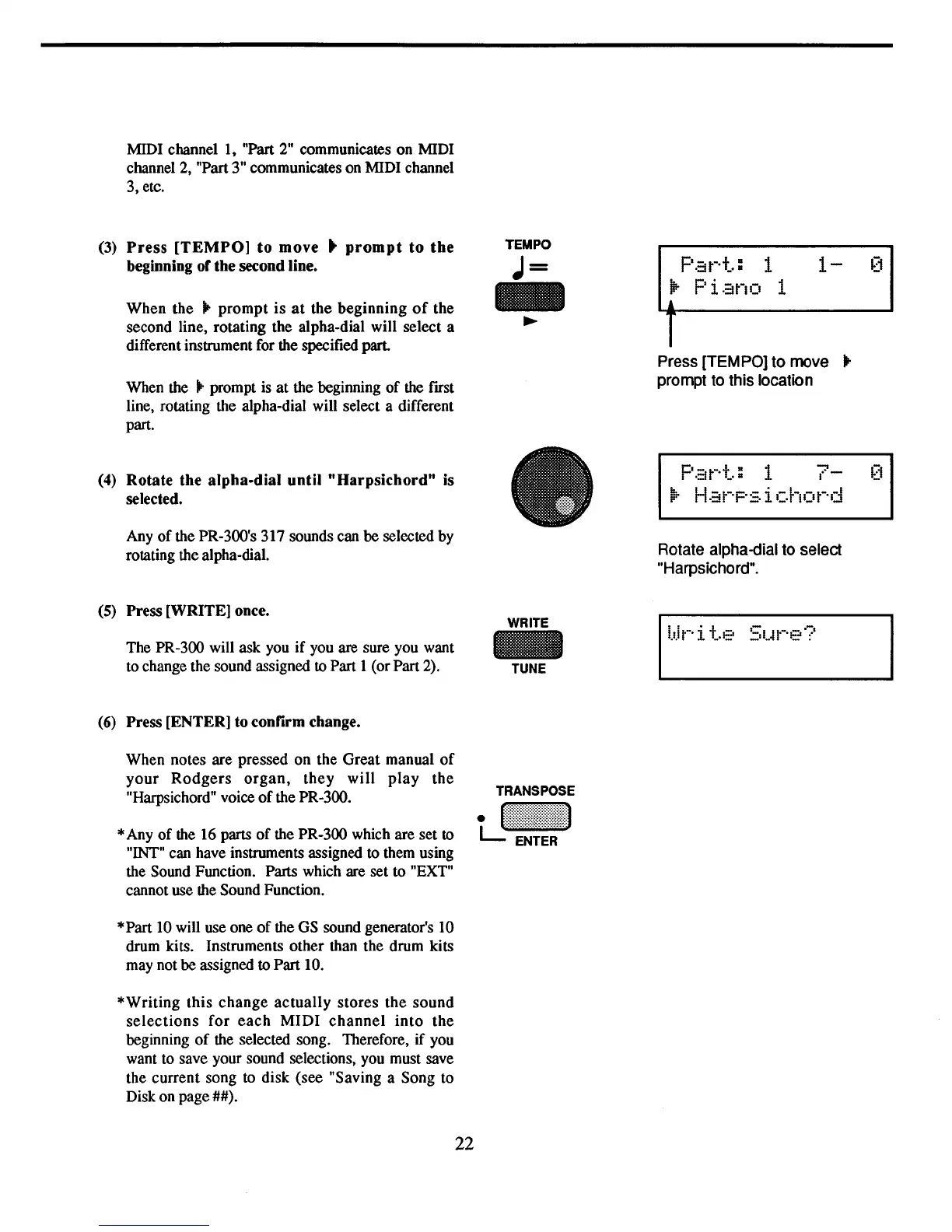
Press [TEMPO]
to
move
...
prompt to this location
MIDI channel
I,
"Part
2"
communicates on MIDI
channel 2, "Part 3" communicates on MIDI channel
3, etc.
(3)
Press
[TEMPO]
to
move"
prompt
to
the
beginning of the second line.
When the
...
prompt
is
at
the beginning
of
the
second line, rotating the alpha-dial will select a
different instrument for the specified part.
When the
...
prompt
is
at
the beginning
of
the fust
line, rotating the alpha-dial will select a different
part.
TEMPO
J=
-
~
Pat-·+":
1
lP-
Piano
1
1-
[1
(4)
Rotate the alpha-dial
until
"Harpsichord"
is
selected.
Any
of
the PR-300's 317 sounds can be selected by
rotating the alpha-dial.
(5)
Press [WRITE] once.
The PR-300 will ask you if you are sure you want
to change the sound assigned
to Part I (or Part
2).
(6)
Press [ENTER] to confirm change.
When notes are pressed on the Great manual
of
your
Rodgers
organ,
they
will
play
the
"Harpsichord" voice
of
the PR-300.
*Any
of
the 16 parts
of
the PR-300 which are set to
"!NT"
can have instruments assigned to them using
the Sound Function. Parts which are set to "EXT"
cannot use the Sound Function.
*Part
10
will use one
of
the
GS
sound generator's 10
drum kits. Instruments other than the drum kits
may not be assigned
to Part 10.
*Writing this change
actually
stores the
sound
selections
for
each
MIDI
channel
into
the
beginning
of
the selected song. Therefore, if you
want to save your sound selections, you must save
the current song
to
disk (see "Saving a Song to
Disk on page
##).
22
WRITE
-
TUNE
Pat-·+":
1
7-
[1
j!;.
H.:H-·P:=,
i
chot-'d
Rotate alpha-dial to select
"Harpsichord".



 To Next Page