This
is
called "Enabling/Disabling MIDI Master
Channels"
in your organ's Owner's Manual.
On Classic Keyboards™ organs, make sure you
disable transmission
of
MIDI information on the
Great and Pedal Master Channels.
If
the organ you are using has single expression,
you will need
to
also disable the transmission
of
MIDI information on the Swell Master Channel.
Preparing the PR-300 for Multi-Track Sequencing
Next, the PR-300's master clock must
be
disabled
(the "Clock Out" function is used for single-pass
record).
To
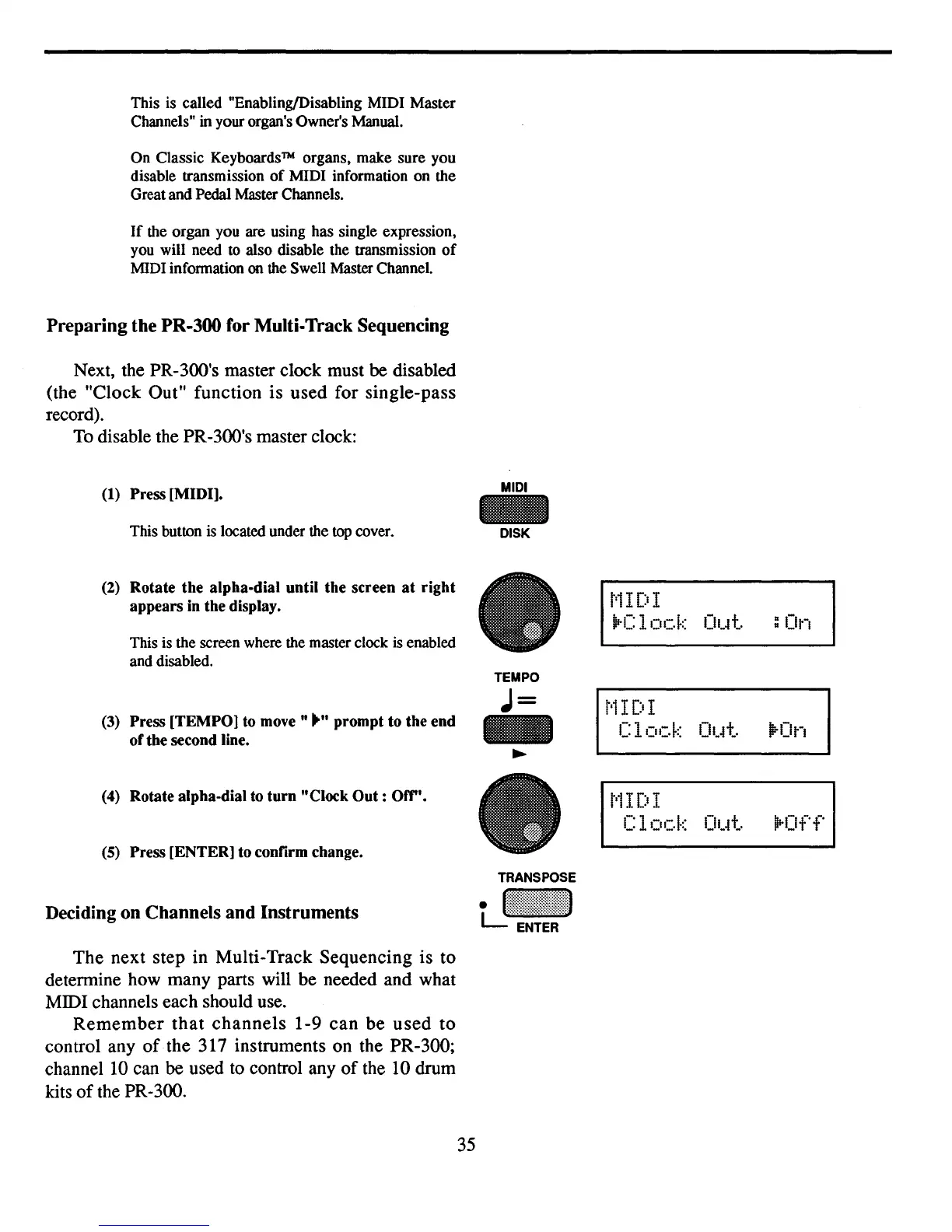
disable the PR-300's master clock:
(1) Press [MIDI].
This button
is
located under the
top
cover.
(2) Rotate the alpha-dial until the screen
at
right
appears in the display.
This is the screen where the master clock
is
enabled
and disabled.
(3) Press [TEMPO] to
move"""
prompt to the end
ofthe second line.
(4) Rotate alpha-dial to
turn
"Clock
Out:
Off".
(5) Press [ENTER] to confirm change.
Deciding on Channels and Instruments
The next step in Multi-Track Sequencing is to
determine how many parts will be needed and what
MIDI channels each should
use.
Remember
that
channels
1-9 can be
used
to
control any
of
the 317 instruments on the PR-300;
channel
10
can
be
used
to
control any
of
the
10
drum
kits
of
the PR-300.
MIDI
-
DISK
TEMPO
J=
t'iIDI
jrC
1
ock
Ot~t.
t'1
IDI
1_:
1
ock
Ot~t.
t'1
IDI
Clock
Out.
:On
li'-On
35



 To Next Page