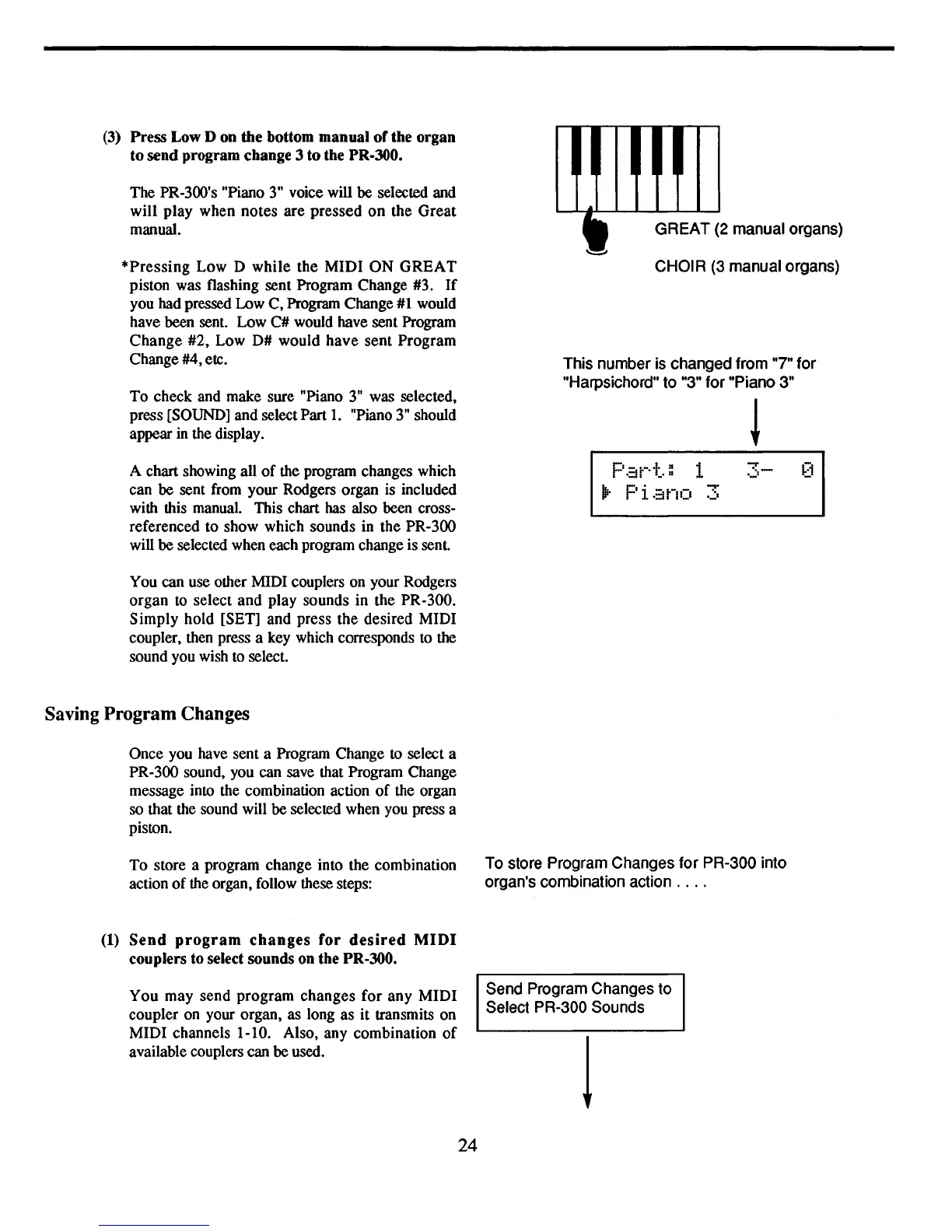
(3) Press Low D on the bottom manual
of
the organ
to send program change 3
to
the PR·JOO.
The PR-300's "Piano
3"
voice will be selected and
will play when notes are pressed
on
the Great
manual.
*Pressing
Low D while the MIDI
ON
GREAT
piston was flashing sent Program Change #3.
If
you had pressed Low C, Program Change
#1
would
have been sent. Low C# would have sent Program
Change
#2, Low D# would have sent Program
Change #4, etc.
To check and make sure "Piano
3"
was selected,
press [SOUND] and select Part
1.
"Piano
3"
should
appear
in
the display.
A chart showing all
of
the program changes which
can be sent from your Rodgers organ
is
included
with this manual. This chart has also been cross-
referenced to show which sounds in the PR-300
will be selected when each program change is sent.
You can use other MIDI couplers on your Rodgers
organ to select and play sounds in the PR-300.
Simply hold [SET] and press the desired MIDI
coupler, then press a key which corresponds to the
sound you wish
to
select.
Saving
Program
Changes
Once you have sent a Program Change to select a
PR-300 sound, you can save that Program Change
message into the combination action
of
the organ
so that the sound will be selected when you press a
piston.
To store a program change into the combination
action
of
the organ, follow these steps:
(1)
Send
program
changes
for
desired
MIDI
couplers to select sounds on the
PR-JOO.
You may send program changes for any MIDI
coupler on your organ, as long as
it
transmits on
MIDI channels 1-10. Also, any combination
of
available couplers can be used.
24
GREAT (2 manual organs)
CHOIR (3 manual organs)
This number is changed from "7" for
"Harpsichord" to "3" for "Piano 3"
Par-t.: 1
3-
1Ir
Pi
-::ino
3
To store Program Changes for PR-300 into
organ's combination action
....
Send Program Changes to
Select PR-300 Sounds
1



 To Next Page