I::'
a
t'1-
-r
- - t
t.··
77
.-
._1 a U..:..-::it·_· r··.-.
.:.
•.
.:..t.
(5)
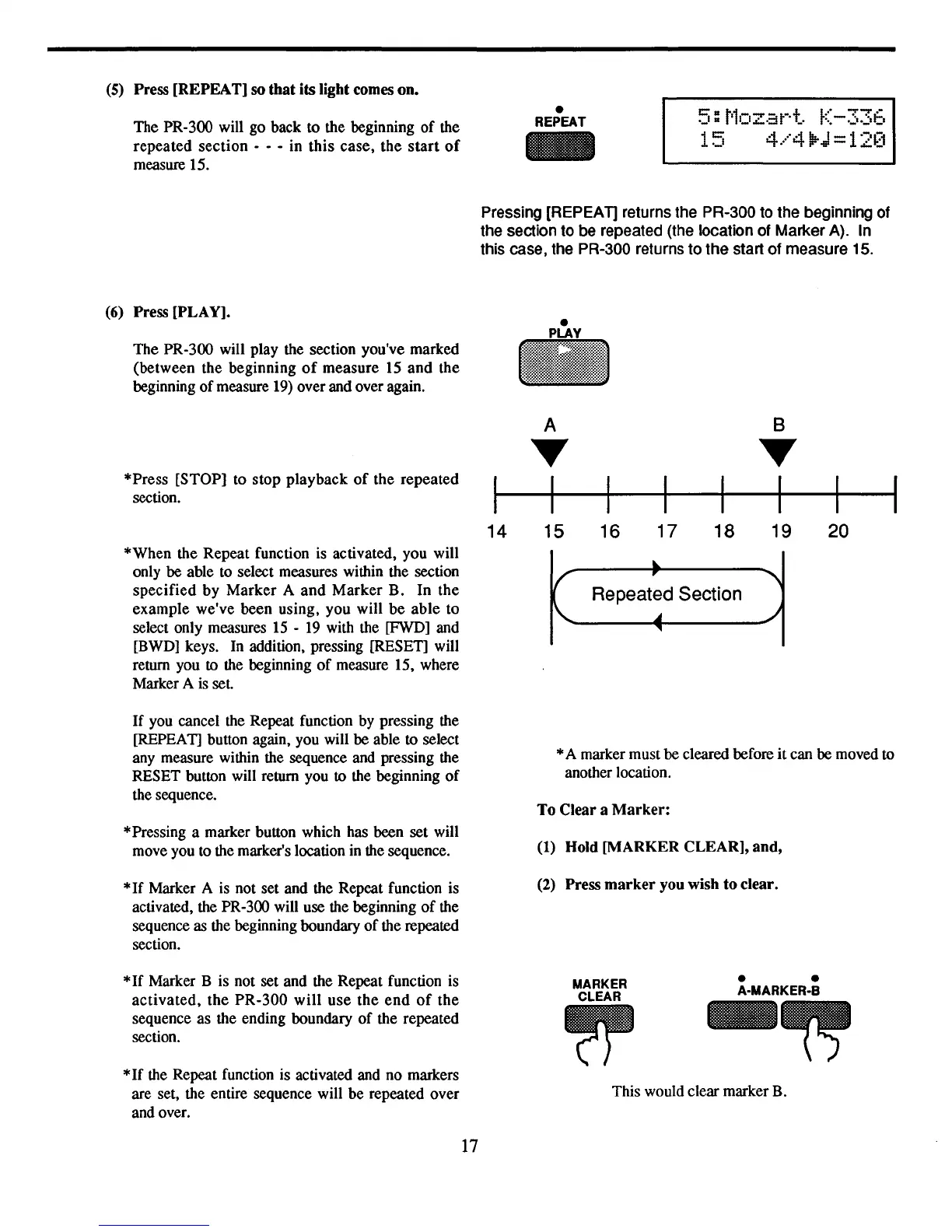
Press [REPEAT] so that its light comes on.
The PR-300 will go back to the beginning
of
the
repeated
section
- - - in this case, the
start
of
measure 15.
•
REPEAT
15
4
,"411:.
1-1'-"-1
••
F'
-Hi
-
.a::.t"':
(6)
Press [PLAY].
The PR-300 will play the section you've marked
(between the beginning
of
measure 15 and the
beginning
of
measure
19)
over and over again.
Pressing [REPEAT] returns the PR-300 to the beginning of
the section to be repeated (the location of Marker A). In
this case, the PR-300 returns to the start of measure 15.
*Press [STOP] to stop playback
of
the repeated
section.
14
A
•
I
15 16
17 18
B
•
I
19
20
*When the Repeat function
is
activated, you will
only be able to select measures within the section
specified by Marker A and Marker B. In the
example we've been using, you will
be
able to
select only measures
15
-
19
with the [FWD] and
[BWD] keys.
In
addition, pressing [RESET] will
return you
to
the beginning
of
measure 15, where
Marker A
is
set.
Repeated Section
If
you cancel the Repeat function by pressing the
[REPEAT] button again, you will be able
to
select
any measure within the sequence and pressing the
RESET button will return you to the beginning
of
the sequence.
*Pressing a marker button which has been set will
move you to the marker's location in the sequence.
*
If
Marker A is not set and the Repeat function is
activated, the PR-300 will use the beginning
of
the
sequence as the beginning boundary
of
the repeated
section.
*A marker must be cleared before
it
can be moved to
another location.
To Clear a
Marker:
(1)
Hold [MARKER CLEAR], and,
(2)
Press
marker
you wish to clear.
This would clear marker B.
*If Marker B is not set and the Repeat function is
activated,
the PR-300
will
use the
end
of
the
sequence as the ending boundary
of
the repeated
section.
*If
the Repeat function is activated and no markers
are set, the entire sequence will be repeated over
and over.
17
MARKER
CLEAR
• •
A-MARKER-B



 To Next Page