Local OFF is a mode where activated organ stops
can
be
played from an external MIDI device,
but
not from the organ's keyboards and pedalboard.
This allows you to control external
MIDI
devices
from
the
organ
(such
as
the
PR-300)
without
playing activated stops
of
the organ. The organ
part previously recorded on the PR-300 will
be
heard.
(5) Record
the
additional PR·300 sounds using
the
procedure
outlined on pages 40·41.
Sequence
additional
PR-300 parts
PDJTM
Organs
only
.
..
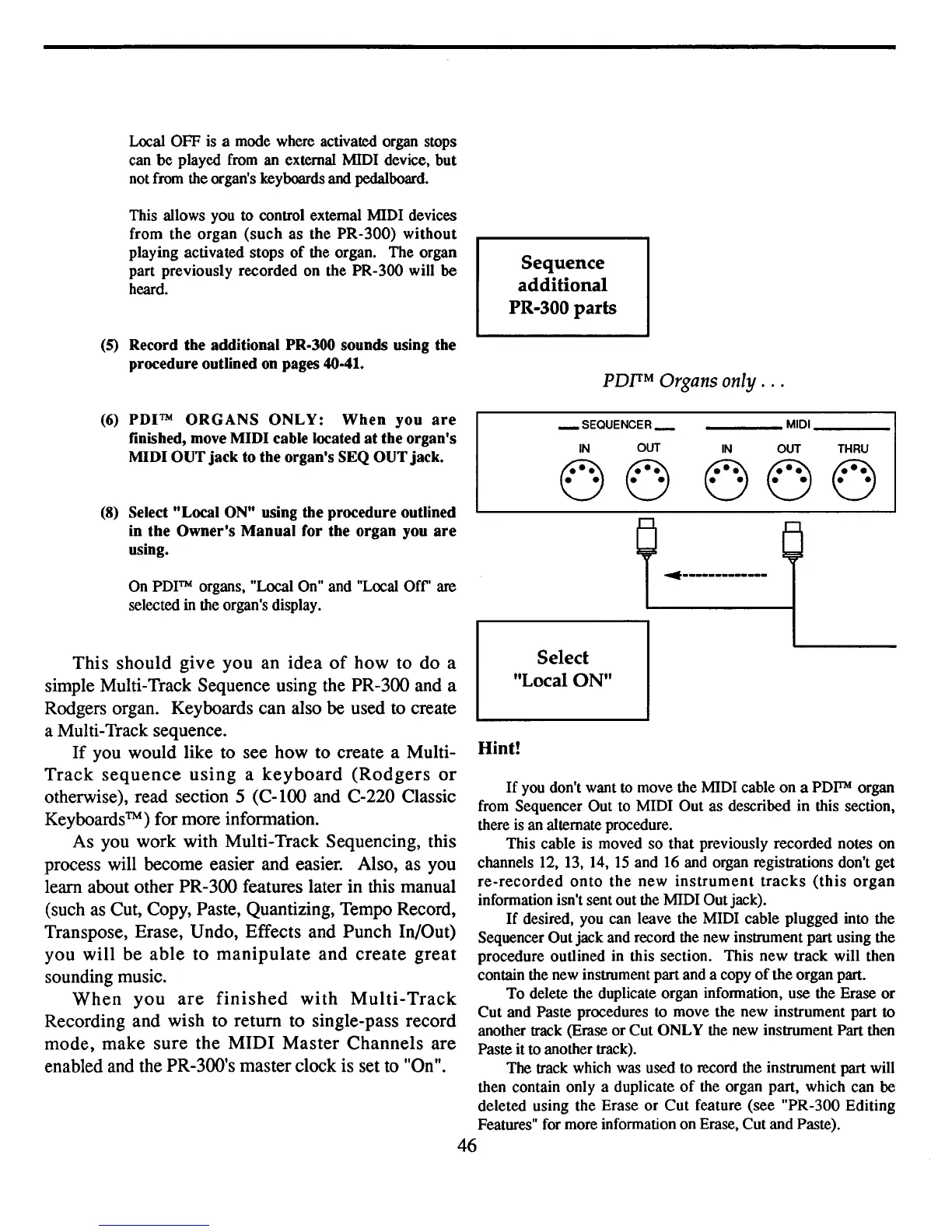
(6)
PDITM
ORGANS
ONLY:
When
you
are
finished, move
MIDI
cable located
at
the
organ's
MIDI
OUT
jack
to
the
organ's
SEQ
OUT
jack.
(8) Select ttLocal ON
tt
using
the
procedure
outlined
in
the
Owner's
Manual
for
the
organ
you
are
using.
_
SEQUENCER_
IN
OUT
00
____
MIDI
_
IN
OUT
THRU
000
If
you don't want to move the MIDI cable
on
a
PDITM
organ
from Sequencer Out to MIDI Out as described in this section,
there is an alternate procedure.
This cable is moved so that previously recorded notes on
channels 12, 13, 14,
15
and 16 and organ registrations don't get
re-recorded
onto
the
new
instrument
tracks
(this
organ
information isn't sent out the MIDI Outjack).
If
desired, you can leave the MIDI cable plugged into the
Sequencer Out jack and record the new instrument part using the
procedure outlined in this section. This
new
track will then
contain the new instrument partand a copy
of
the organ part.
To
delete the duplicate organ information, use the Erase
or
Cut
and Paste procedures to move the new instrument part
to
another track (Erase
or
Cut
ONLY
the new instrument Part then
Paste it to another track).
The track which was used to record the instrument part will
then contain only a duplicate
of
the organ part, which can be
deleted using the Erase
or
Cut
feature (see "PR-300 Editing
Features" for more information on Erase, Cutand Paste).
46
On
PDITM
organs, "Local On" and "Local
Off'
are
selected in the organ's display.
This should give you an idea
of
how to do a
simple Multi-Track Sequence using the PR-300 and a
Rodgers organ. Keyboards can also
be
used
to
create
a Multi-Track sequence.
If
you would like to see how to create a Multi-
Track
sequence
using
a
keyboard
(Rodgers
or
otherwise), read section 5
(C-lOO
and C-220 Classic
Keyboards
TM)
for more information.
As you work with Multi-Track Sequencing, this
process will become easier and easier. Also, as you
learn about other PR-300 features later in this manual
(such
as
Cut, Copy, Paste, Quantizing, Tempo Record,
Transpose, Erase, Undo, Effects and Punch In/Out)
you will be able to manipulate and create great
sounding music.
When
you
are
finished
with
MuIti-
Track
Recording and wish to return to single-pass record
mode, make sure the MIDI Master Channels are
enabled
and
the PR-300's master clock is set
to
"On".
~.
__
._
..
_--_.-
Select
"Local ON"
Hint!


 To Next Page
 Loading...