To
prepare the organ and
PR
-300 to record the
organ part:
(1)
Enable
the
Great
and
Pedal
MIDI
Master
Channels using the procedure outlined in the
Owner's Manual for your organ.
Turn on Great Master
Channel
This
is
found under the "MIDI Master Channels"
section
of
the organ's MIDI Phase III Manual.
Turn on Pedal Master
Channel
If
the MIDI Master Channels are not re-enabled,
the organ part will not be recorded.
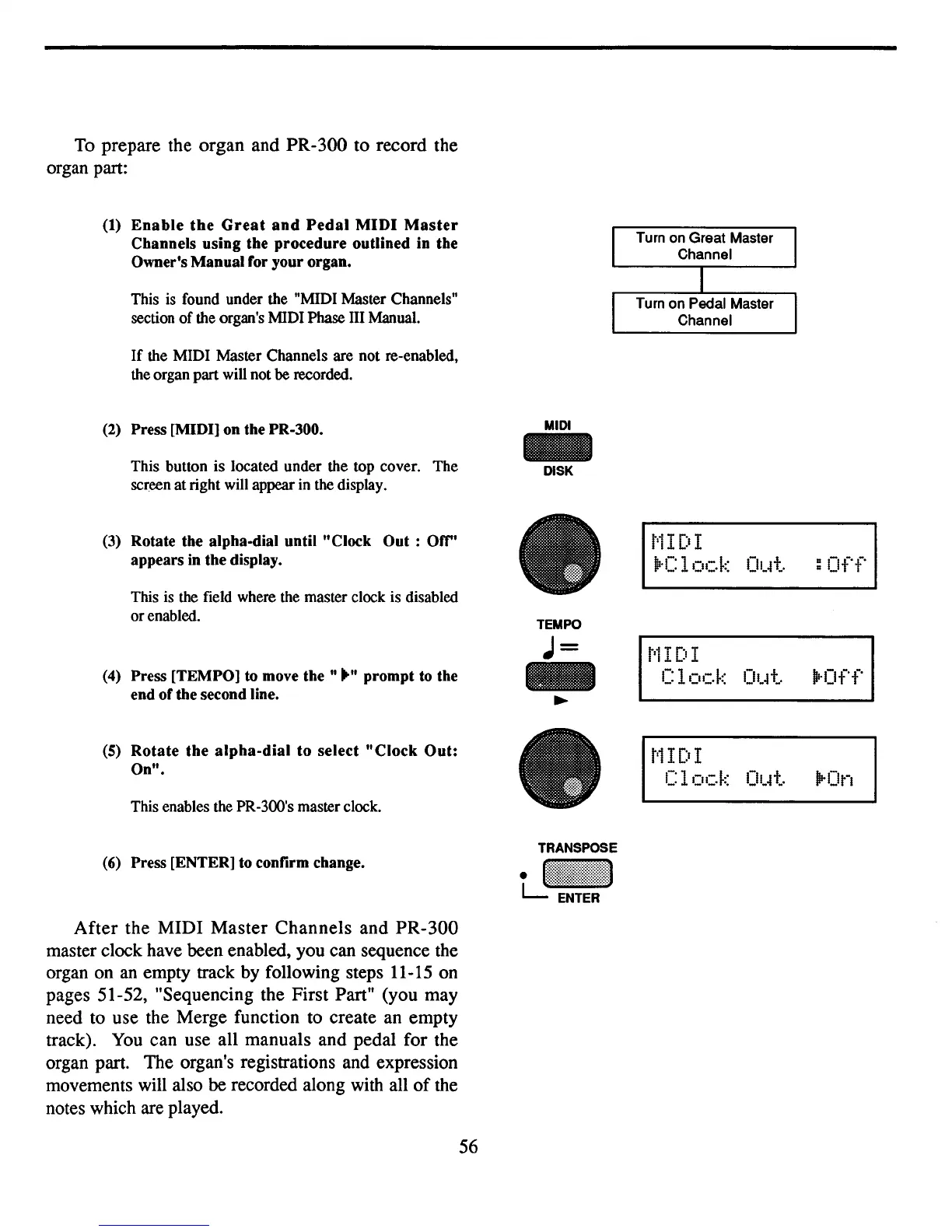
(2) Press [MIDI] on the PR-300.
This button
is
located under the top cover.
The
screen atright will appear in the display.
MIDI
DISK
t'i
I DI
~'Clock
Otrt.
:Off
TEMPO
J=
t'iI
DI
-
Clock
Ot4t !lrOff
~
t'iI
[:t
I
Clock
Ot4t
!irOn
(3) Rotate the alpha-dial until "Clock
Out:
orr'
appears in the display.
(5) Rotate the
alpha-dial
to
select
"Clock
Out:
On".
(4) Press [TEMPO] to move
the"
.... prompt to the
end of the second line.
This is the field where the master clock is disabled
or
enabled.
This enables the PR-300's master
clock.
(6)
Press [ENTER] to confirm change.
TRANSPOSE
tJ~~~~~!!~!!~~:~:1
After the MIDI Master Channels and PR-300
master clock have been enabled, you can sequence the
organ on
an
empty track by following steps 11-15 on
pages 51-52, "Sequencing the First Part" (you may
need to use the Merge function to create an empty
track).
You
can use all manuals and pedal for the
organ part. The organ's registrations and expression
movements will also be recorded along with all
of
the
notes which are played.
56



 To Next Page