(3)
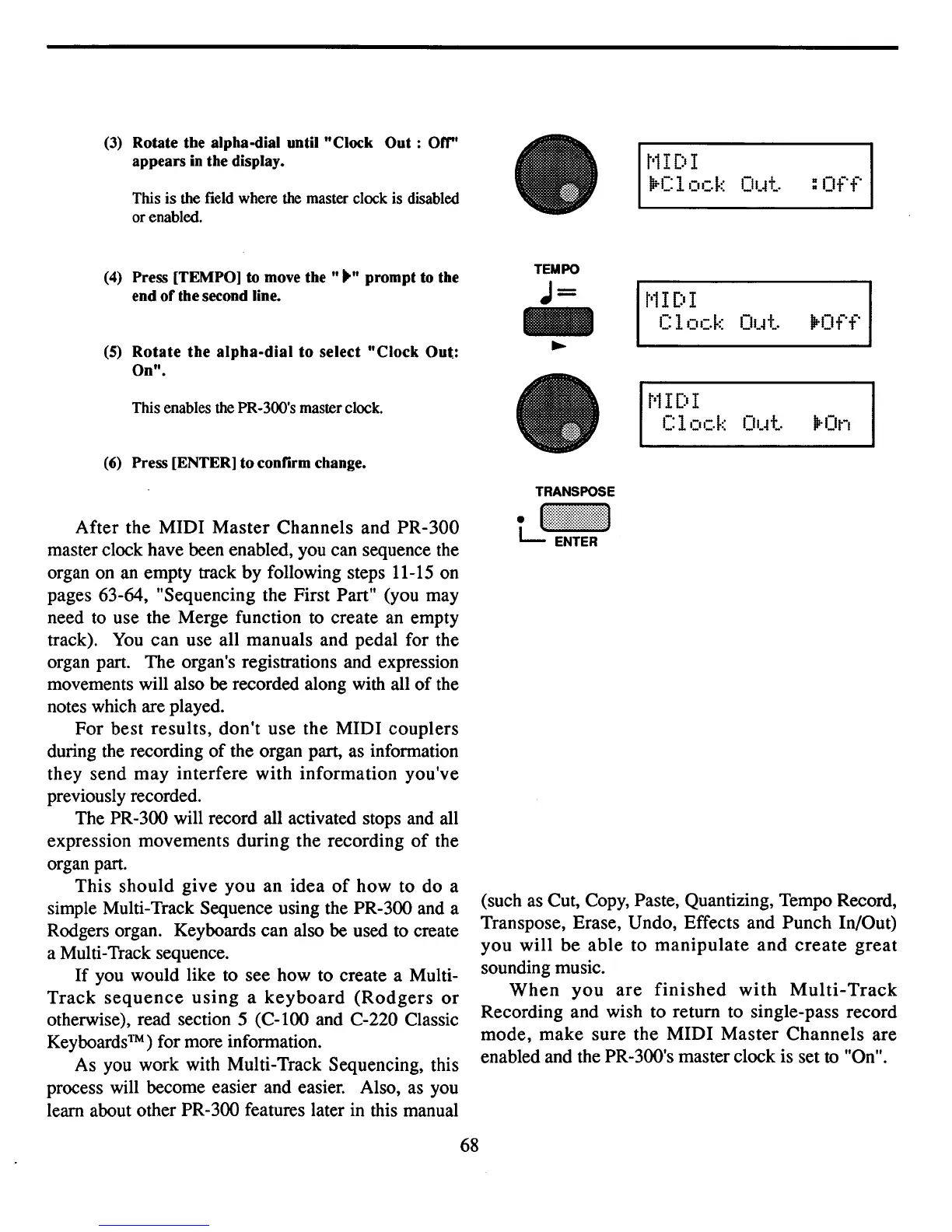
Rotate
the
alpha-dial
until
"Clock
Out:
Off't
appears
in
the
display.
This
is
the field where the master clock is disabled
orenabled.
t
'
1I
[:t
I
\irC
1
ock
Ol.~t.
:
Off
t'l
I
[:t
I
Clock
Ol.~t.
lP-Off
(4)
Press
[TEMPO]
to
move
the
tt
"tt
prompt
to
the
end
or
the
second
line.
(5) Rotate the alpha-dial to select "Clock Out:
On".
This enables the PR-300's master clock.
(6)
Press
[ENTER]
to
confirm
change.
TEMPO
J=
t
'
1I
[:t
I
Clock
Ol.~t.
lP-On
After the
MIDI
Master
Channels and
PR-300
master clock have been enabled, you can sequence the
organ on an empty track by following steps 11-15 on
pages 63-64, "Sequencing the First Part" (you may
need to use the Merge function to create an empty
track).
You
can use all manuals and pedal for the
organ part. The organ's registrations and expression
movements will also be recorded along with all
of
the
notes which are played.
For
best
results,
dontt use the
MIDI
couplers
during the recording
of
the organ part, as information
they send
may
interfere with information you've
previously recorded.
The PR-300 will record all activated stops and all
expression movements during the recording
of
the
organ part.
This
should
give
you
an
idea
of
how
to do a
simple Multi-Track Sequence using the PR-300 and a
Rodgers organ. Keyboards can also be used to create
a Multi-Track sequence.
If
you would like to see how to create a Multi-
Track
sequence
using
a
keyboard
(Rodgers
or
otherwise), read section 5
(C-l00
and C-220 Classic
Keyboards™) for more information.
As you work with Multi-Track Sequencing, this
process will become easier and easier. Also, as you
learn about other PR-300 features later in this manual
68
(such
as
Cut, Copy, Paste, Quantizing, Tempo Record,
Transpose, Erase, Undo, Effects and Punch In/Out)
you
will
be
able
to
manipulate
and
create
great
sounding music.
When
you
are
finished
with
Multi-Track
Recording and wish to return to single-pass record
mode,
make
sure the
MIDI
Master
Channels
are
enabled and the PR-300's master clock is set to "On".



 To Next Page