SLT12 User Manual
128
ZH-HY: first easing curve; YH-HZ: second easing curve.
HZ-ZH: straight line; HY-YH: circular curve.
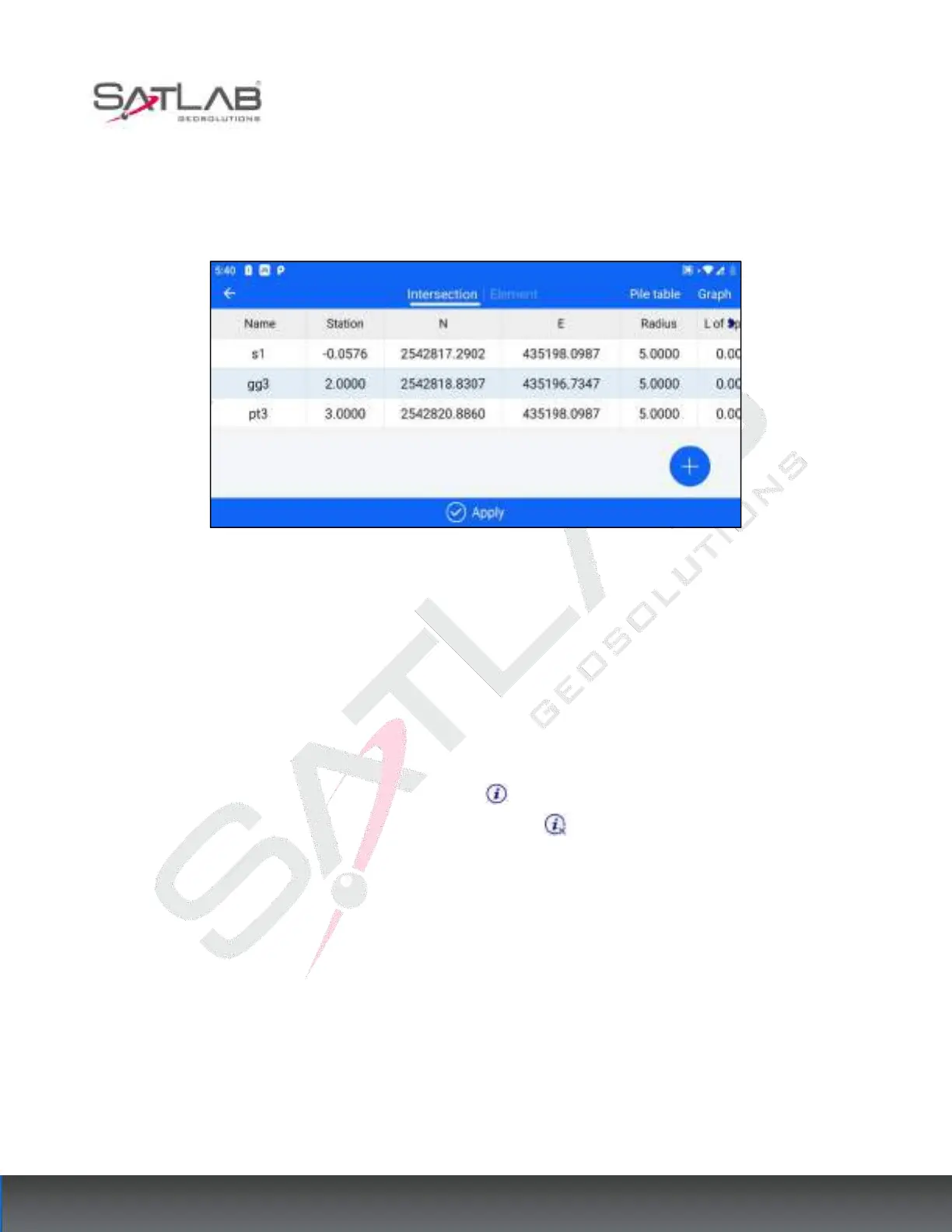
Select [Intersection Method] to enter the intersection table data editing interface.
Figure 11- 7
[Add]: Click the "+" button to add the intersection data, get the intersection name, N, E, intersection mileage
(only the mileage of the first two points need to be entered), and arc radius, the first easing curve length, the
second easing curve length from the straight curve table, if the radius and curve length is corresponding to the
intersection point, then enter it; if not, then do not enter it.
[Graph]: The data under the current intersection method list is automatically formed into a graph preview to see
if the graph is correct.
"Line Auxiliary Points": Click the icon on the right side to display the corresponding auxiliary points and
auxiliary dashed lines in the preview map, and click the icon again to make the auxiliary points disappear.
[Apply]
:
After the intersection method has been edited, click "Apply" to update the latest data.



 To Next Page