SLT12 User Manual
194
17.4.2 Adjust
1. Adjust the horizontal angle reading with the horizontal micro hand wheel to the correct
reading after eliminating C.
R + C = 190°13′40″ - 15″ = 190°13′25″.
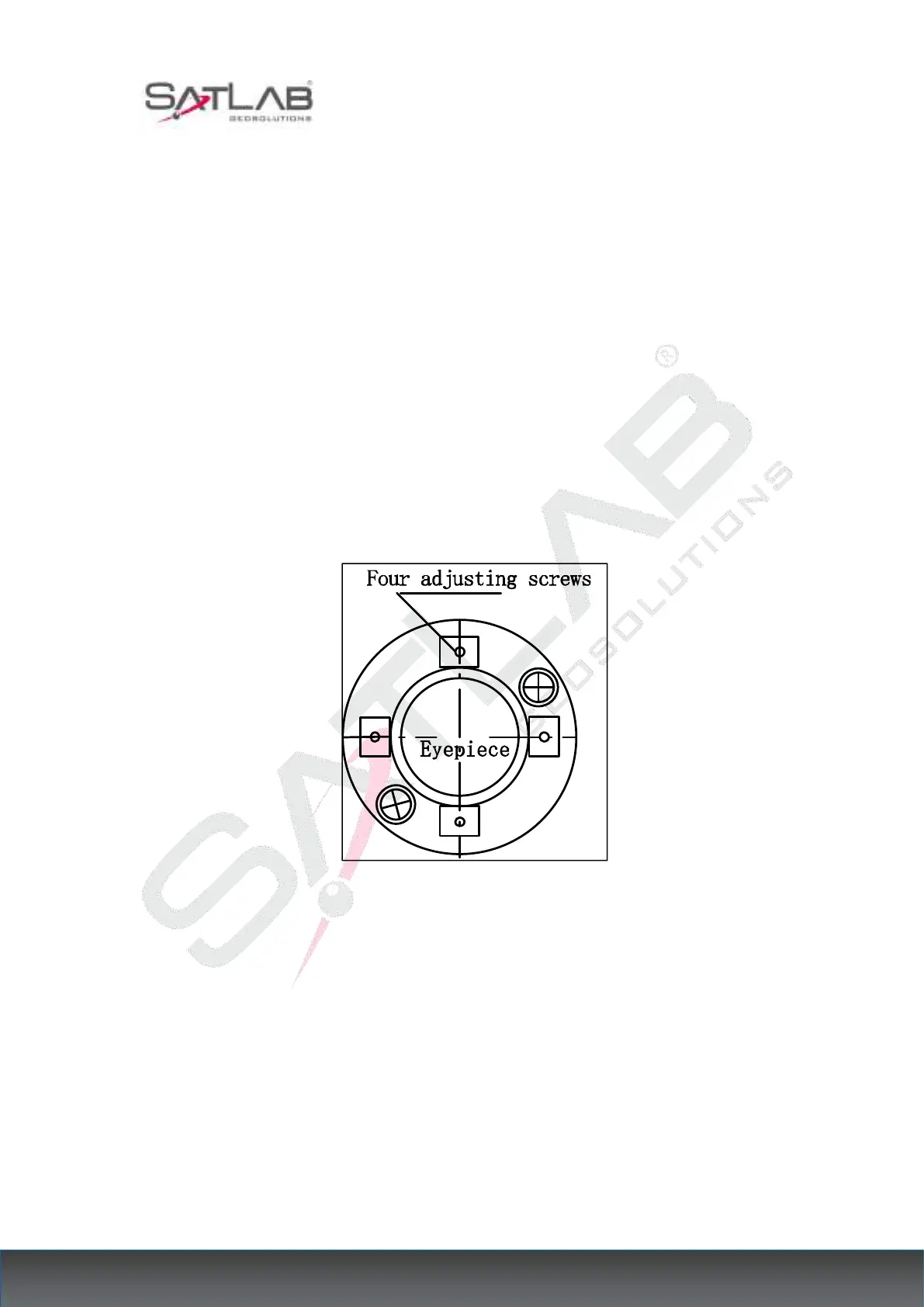
2. Remove the shield of the dividing board located between the telescope eyepiece and the
focusing handwheel, adjust the horizontal cross-wire correction screws on the dividing board,
loosen the screws on one side first, and then tighten the screws on the other side, move the
dividing board so that the center of the cross-wire is aligned with the target A.
3. Repeat the test program, and correct until|2C|<10″ meets the requirements.
4. Tighten the calibration screw and install the cover back to the original position.
Figure 17- 3
Note: The photoelectric coaxially should be checked after calibration.
17.5 Vertical Index Spread and Vertical Index Zero Setting
17.5.1 Check
1. After placing and leveling the instrument, make the pointing of the telescope and the center
of the instrument consistent with the joint line of either foot spiral X. Screw the horizontal
brake hand wheel.



 To Next Page