SLT12 User Manual
42
2. Set the coordinates of the survey site, the point name of the backsight point, the instrument height, and the
target height. Coordinates can be set by "list point selection" or "input".
3. Click on "OK" to complete the station hindsight.
6.1.4 Free Station
Free Station is usually used in conjunction with [Free Station correction] (see Chapter 9). The operation steps are
as follows.
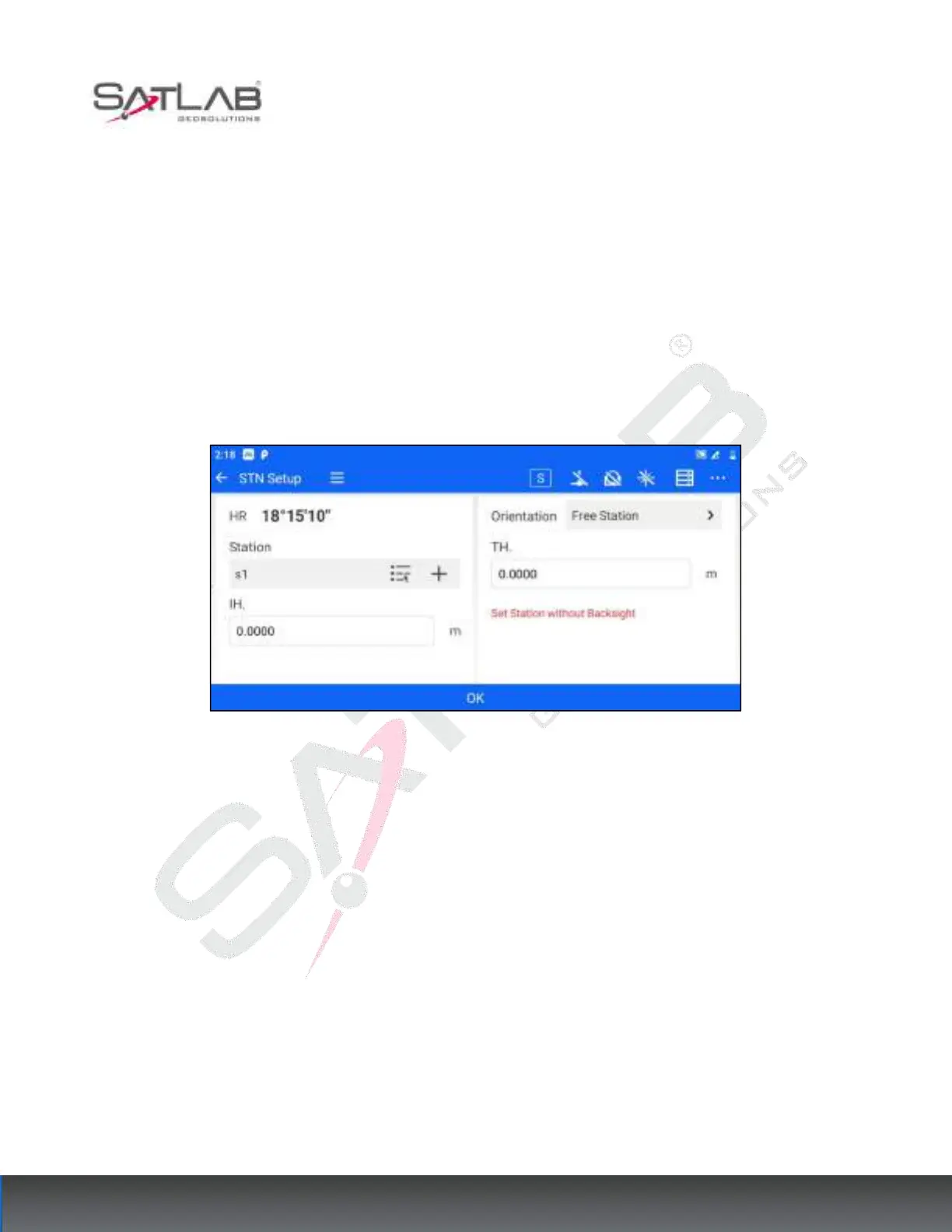
After the user sets up the total station at the survey site, enter the [STN Setup] and select the orientation method
Free Station.
Figure 6- 9
2. Set the coordinates of the survey site, instrument height, and target height. Coordinates can be set by "list
point selection" or "input".
3. Click on "OK" to complete the station hindsight.
6.2
BS Check
After the user set the station, if you want to check whether the current Backsight direction horizontal angle and
the recorded Backsight point direction horizontal angle are consistent, you can use the Backsight check function,
which can be accessed through [STN Setup] - [BS Check].
If the current station setting method is "By Known PT", the "Meas." and "Reset" buttons are displayed on the
Backsight inspection screen.



 To Next Page