SLT12 User Manual
127
link pile list.
[Edit]: Click a broken link pile and select the "Edit" button to modify the pile name, previous mileage, and next
mileage of the pile, click "OK" to finish the modification.
[Delete]: Click a broken pile, select the "Delete" button, and click "OK" to delete the selected broken pile.
[Apply]: After finishing adding and modifying the broken link pile, click the "Apply" button, it will return to
the "Road Design" interface and prompt "broken link data has been updated".
11.1.2 Flat Section Design Line
The flat section design supports the use of the intersection method and the line element method. The intersection
method is based on certain conventions (e.g. single intersection line defines the combination of line elements
within the intersection as gently-rounded-curved-gently), and has certain expression restrictions on the line shape;
while using the line element method, the line shape can be arbitrarily combined, and for complex curves, such as
ovoid lines, multi-intersection curves, virtual intersections, and other data, the line element method is available
to define the line, and the line element method defines the line to support the folded line.
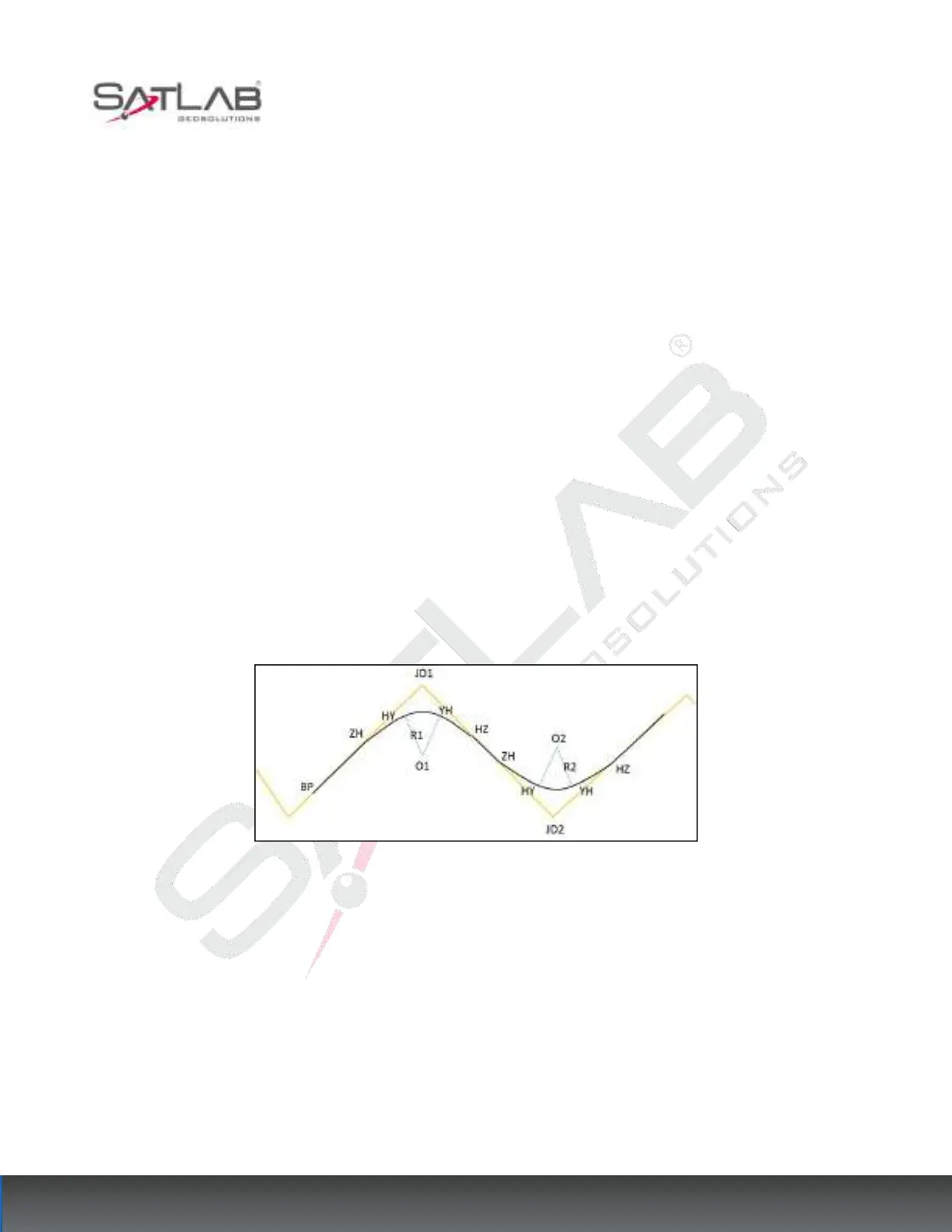
Intersection method
Figure 11- 6
Intersection: The intersection of two adjacent lines (JD1, JD2...)
ZH: the point where the line intersects the first easing curve, i.e. the starting point of the first easing curve.
HY: the point where the first easing curve intersects the circular curve, i.e. the end of the first easing curve.
YH: the point where the circular curve intersects the second easing curve, i.e. the starting point of the second
easing curve.
HZ: the point where the second easing curve intersects the straight line, i.e. the end of the second easing curve.



 To Next Page