SLT12 User Manual
61
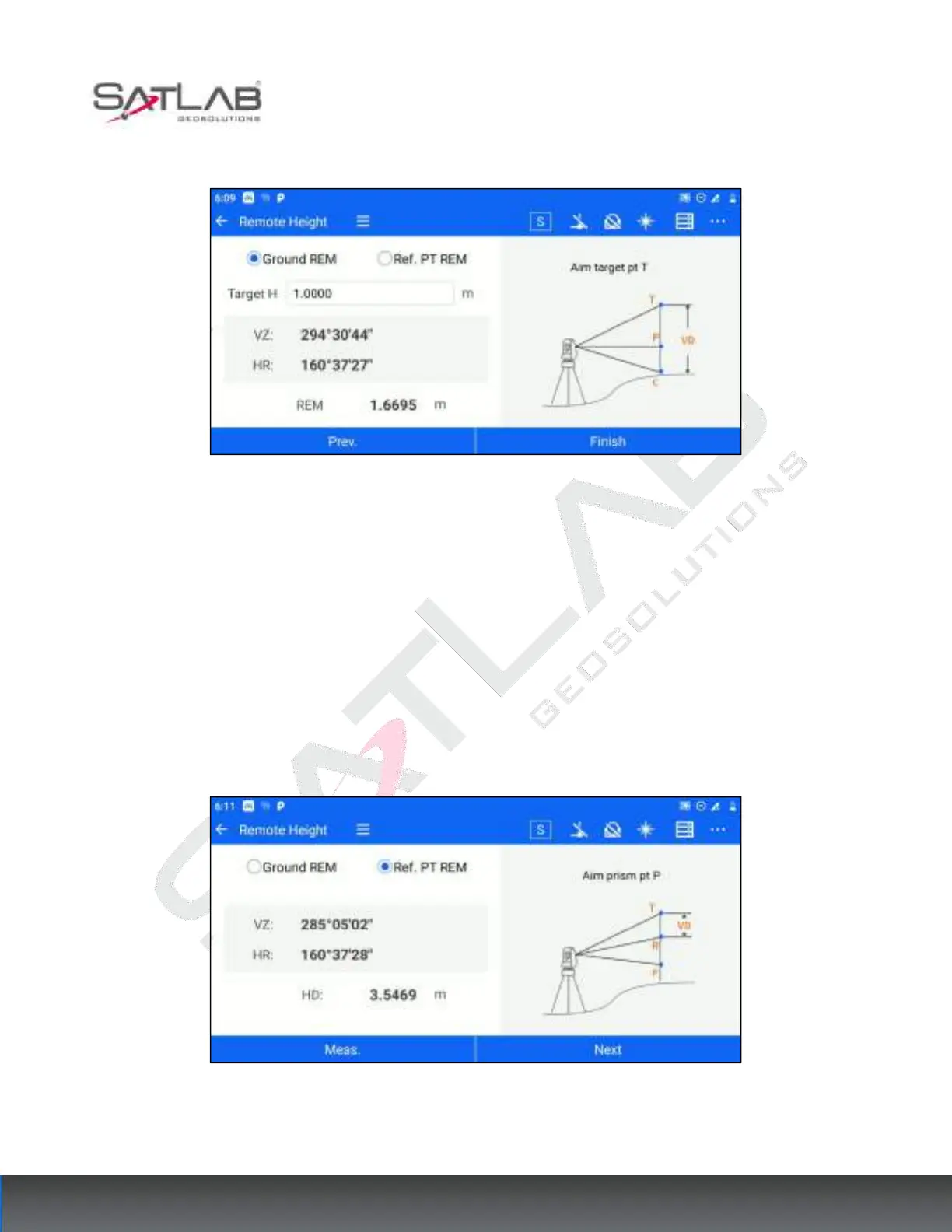
2. Aim at the target point T, Get the value of REM in real-time.
Figure 7- 17
[Prev.]: Return to the previous step, you can view the previous measurement information.
[Finish]: Restart the REM.
7.6.2 Reference Point REM
The ground overhang height is used to calculate the distance from the target point to the reference point without
filling in the target height. The operation steps are as follows.
1. The user enters [MLM] and selects "Ref. PT REM". Aim at the prism P and click [Meas.] to get the angle and
distance information. Then click [Next].
Figure 7- 18
2. Aim at the reference point R, the software calculates the reference elevation difference in real time, click
[Next].



 To Next Page