SLT12 User Manual
27
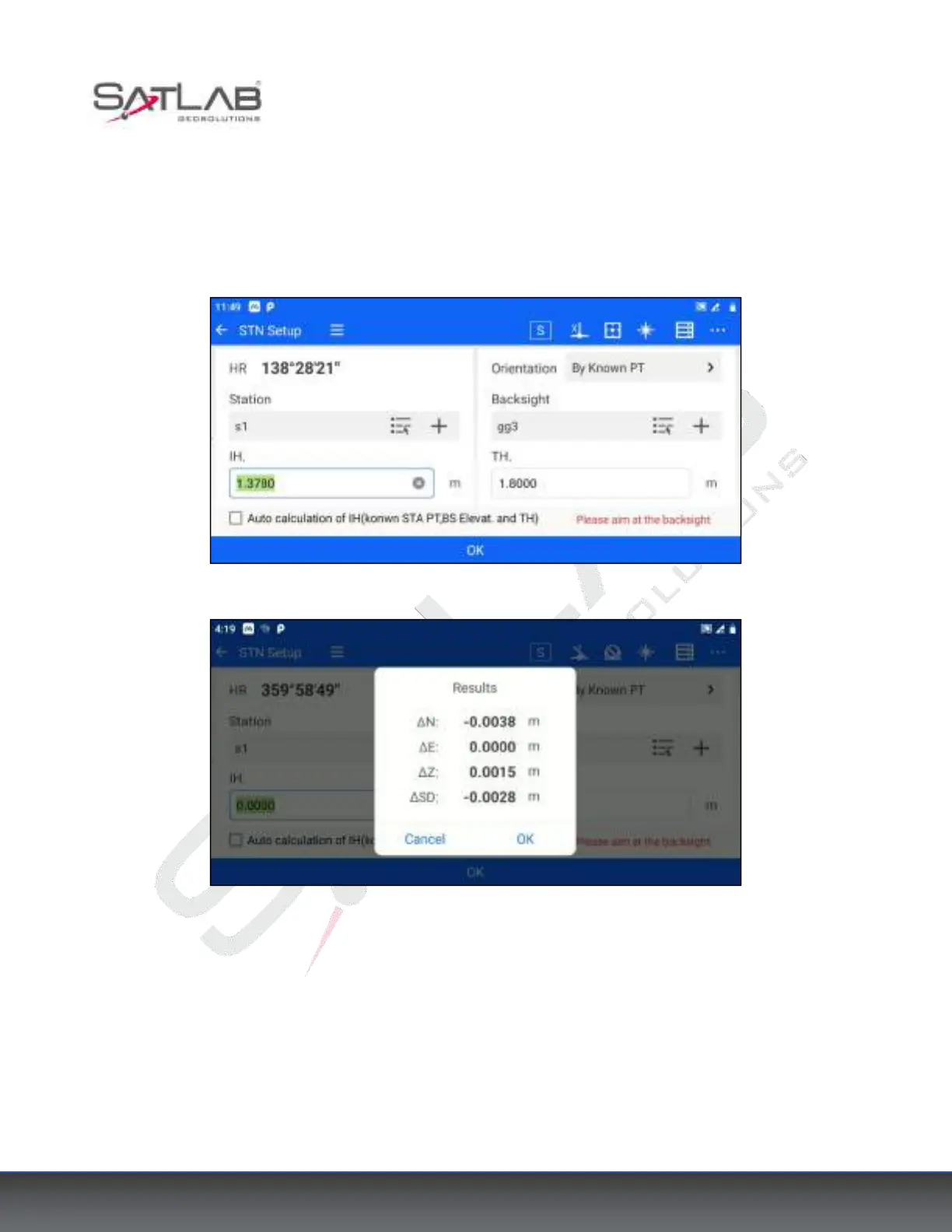
2. Click [Station] - [STN Setup], and choose "By Known PT" as the orientation method. Set the coordinates of
known point A for the station, set the coordinates of known point B for the backsight point, and enter the
instrument height and target height correctly.
3. Click "OK" after aligning the backsight point, a measurement difference check box will pop up. If the
difference value is within the acceptable range, click "OK" to complete the station setup.
Figure 4- 8
Figure 4- 9
4.3.4 Data Acquisition
The software supports various data acquisition programs such as Coordinate Measurement, Offset Measurement,
Missing Line Measurement (MLM), Remote Elevation Measurement (REM), Line & Extend Point measurement,
and Line & Angle Point measurement. Here is an example of Coordinate Measurement.
1. Click [Measurement] - [Measure] or [Collection] - [Measure] to enter the coordinate measurement interface.



 To Next Page