SLT12 User Manual
146
Figure 12- 8
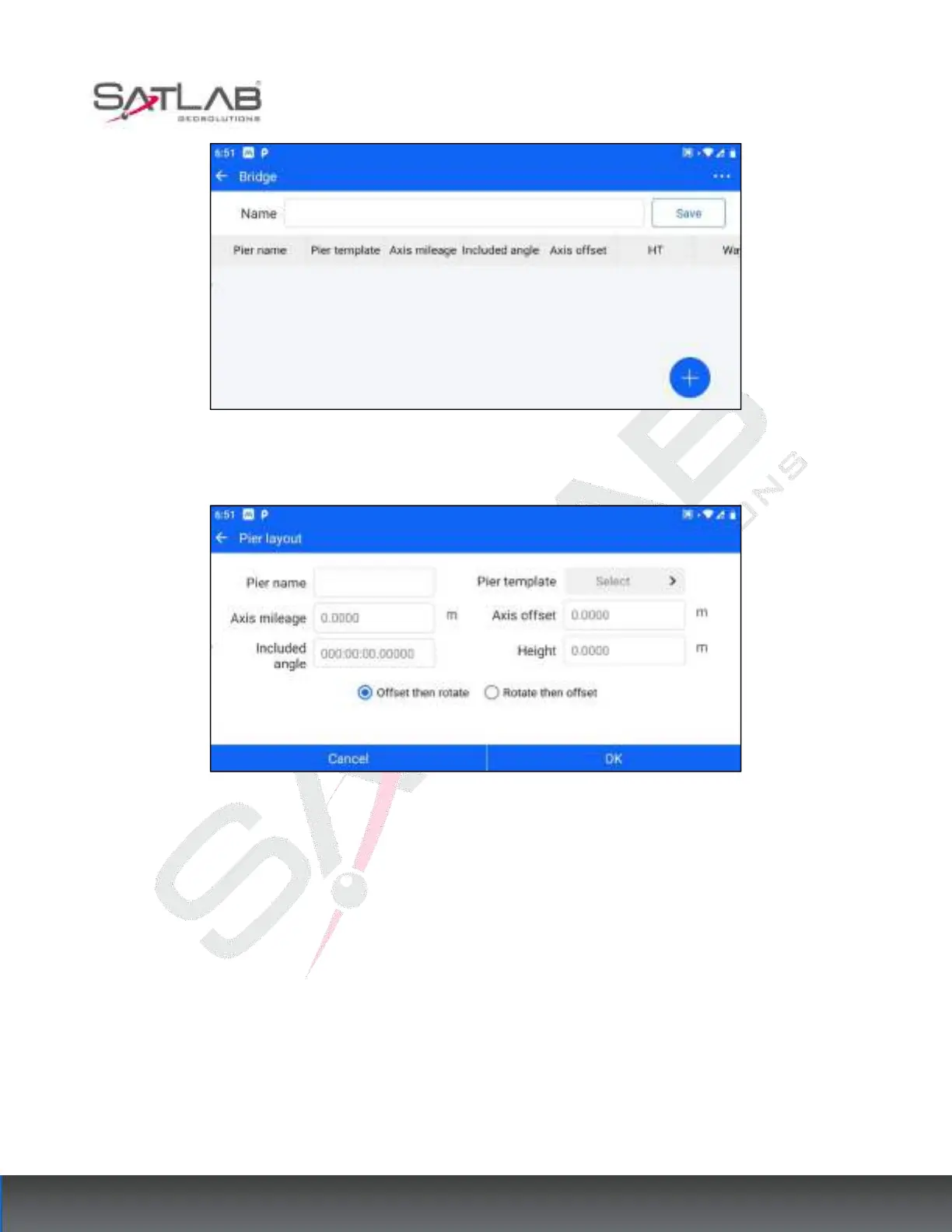
4. In the new bridge interface, click the hover "+" button to enter the pier layout interface.
Figure 12- 9
The parameters to be set are pier name, pier template selection, axis mileage, axis offset, axis angle, and
elevation. If the user selects the pier template as oblique intersection slope distance / oblique intersection vertical
distance, the axis line angle is not editable, and it is directly displayed as the angle in the template by default.
Check "offset then rotate": use the axis as a reference, first offset based on "axis offset", then rotate based on
"axis angle".
Check "Rotate then Offset": the axis is used as the reference, and the rotation is based on the "axis angle" first,
and then the offset is based on the "axis offset".
5. After the pier arrangement is complete, click "OK" to return to the bridge's new interface, the bottom will
correspond to the bridge just added piers.



 To Next Page