SLT12 User Manual
148
slope. The steps of cone slope design are as follows.
1. Pre-requisite: have been in the [Road] - [Road Design] module to design a road (including at least the flat
section).
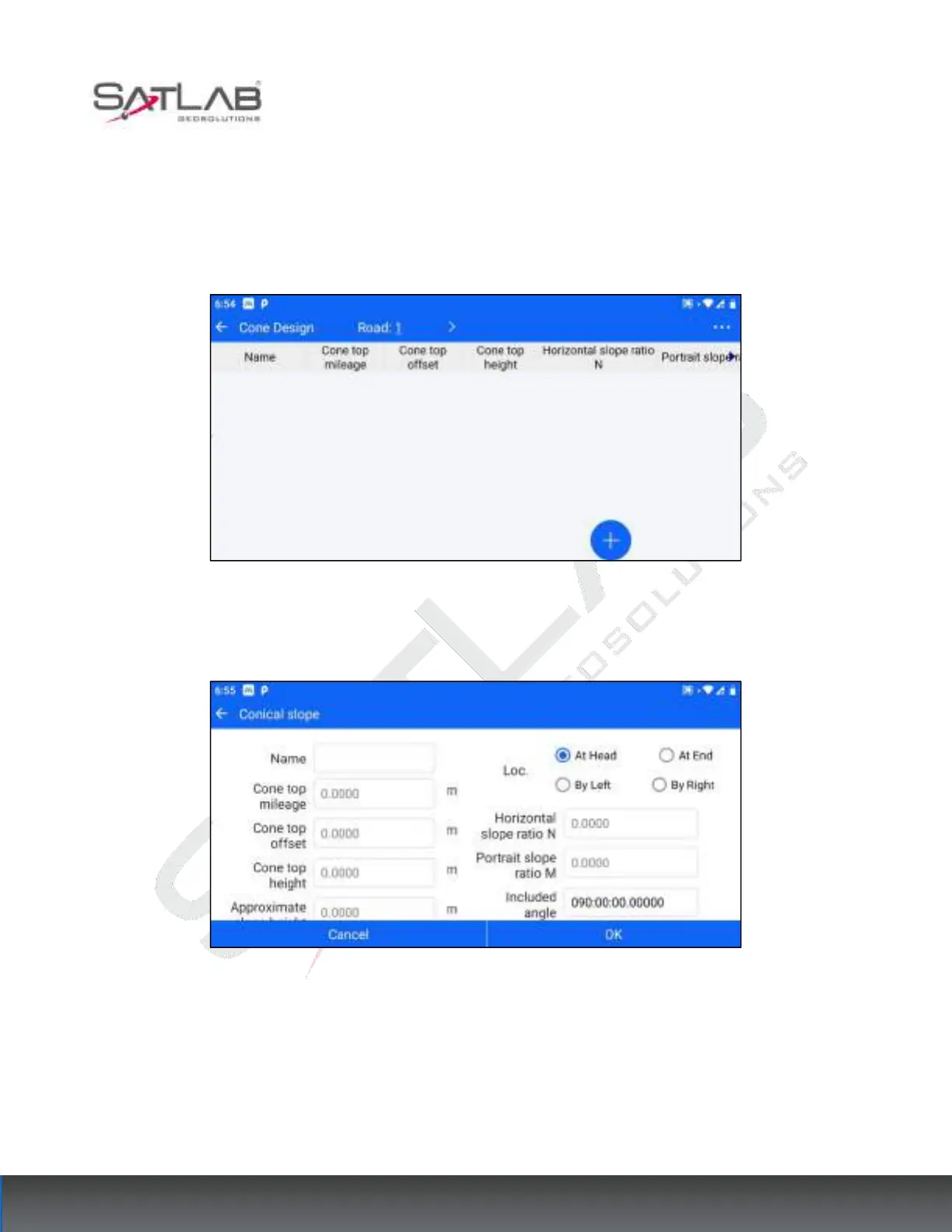
2. Enter [Cone Design] and select the designed road in the top bar.
Figure 12- 12
3. After choosing the road, click the "+" hover button at the bottom right corner to enter the cone slope design
interface.
Figure 12- 13
The parameters to be set are cone slope name, position, cone top mileage, cone top offset, cone top elevation,
approximate slope height, transverse slope ratio N, longitudinal slope ratio M, and axial pinch angle.
The approximate slope height, horizontal slope ratio N and vertical slope ratio M cannot be less than 0.
4. After the cone slope setting is finished, click "OK" to return to the cone slope design library, that is, to
complete a cone slope design.



 To Next Page