www.schaerer.com Troubleshooting
PASCA_TOUCHIT_EN
V02 | 07.2013
146
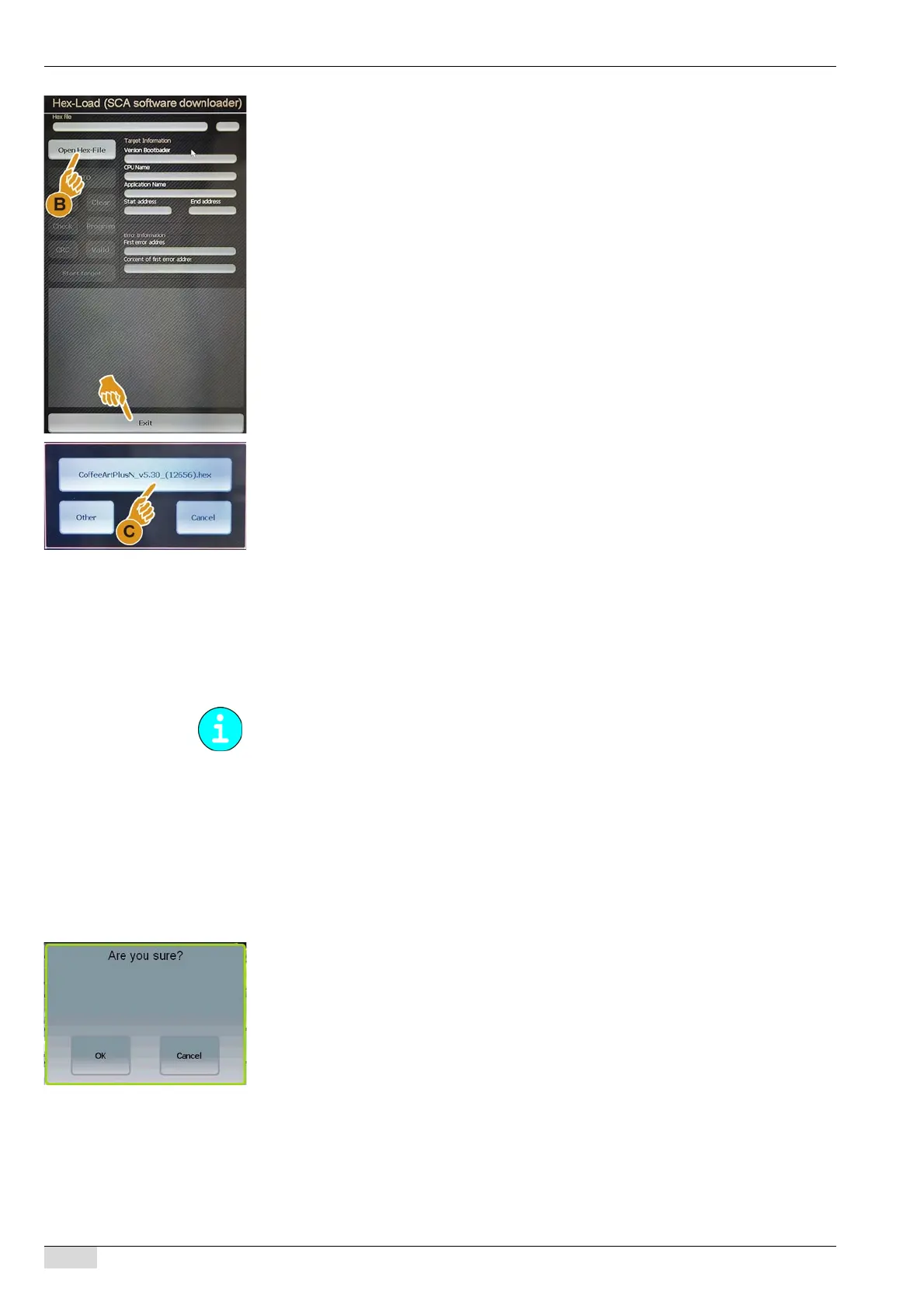
The touch screen display changes to the "Hex load (Update SCA Software download-
er)" mode.
► Select the [Open Hex-File] (B) field in the displayed "Hex-Load" menu.
The "CoffeeArtPlusN_v5.30_(12656).hex" window opens.
► Select the [CoffeeArtPlusN_v5.30_(12656).hex] (C) field.
The file selected for the SCA software is loaded into the CPU.
The [Auto] field is activated.
► Select the [Auto] field.
More data are loaded and listed in the next 5 min.
After the loading procedure is completed, the last message that appears is "Start target
PASSED".
► Select the [Exit] field.
The touch screen display changes back to the "Bootloader TouchIT".
► Select the [Start TouchIT] field .
5.) Execute a master reset.
► Select the "System" menu.
► Select the "System Parameters" submenu.
► Switch on the "3 Edit system parameters" parameter.
An instruction to enter a PIN appears.
► Enter PIN [9119] into the field.
The "Master Reset" system parameter can now be accessed.
► Select the [Master Reset] field.
The message "Are you sure?" appears.
► Confirm with [OK].
The settings and counters are cleared.
The machine restarts.
The machine changes to the "Standby" mode.
A master reset is required if the CPU was already used in another machine. Otherwise, con-
tinue with step 7.














 To Next Page