37
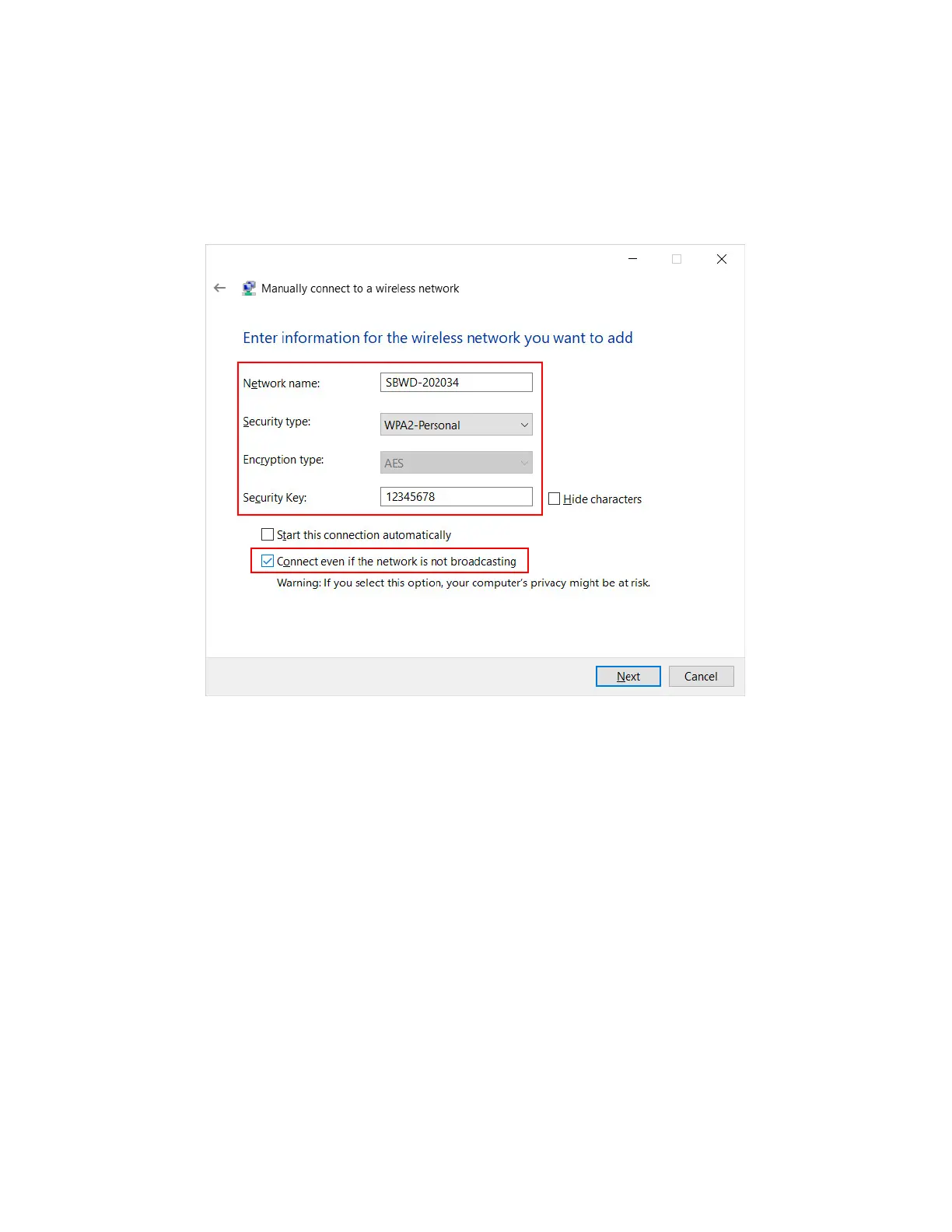
5. The Manually connect to a wireless network window appears. Type in or select the
following information.
Network name: The SSID of the ScreenBeam 960 receiver
Security type: WPA2 Personal
Encryption type: AES
Security key: 12345678 (default)
6. Check Connect even if the network is not broadcasting. Click Next. The receiver’s
SSID will be added to the laptop soon.
7. The laptop will connect to the SSID automatically if the “Start this connection
automatically” option is checked. Otherwise, go to the Networks page and connect to
the SSID.



 To Next Page