Installation Of Frequency Inverter
V800 Series High Performance Closed-Loop Vector Inverter User Manual
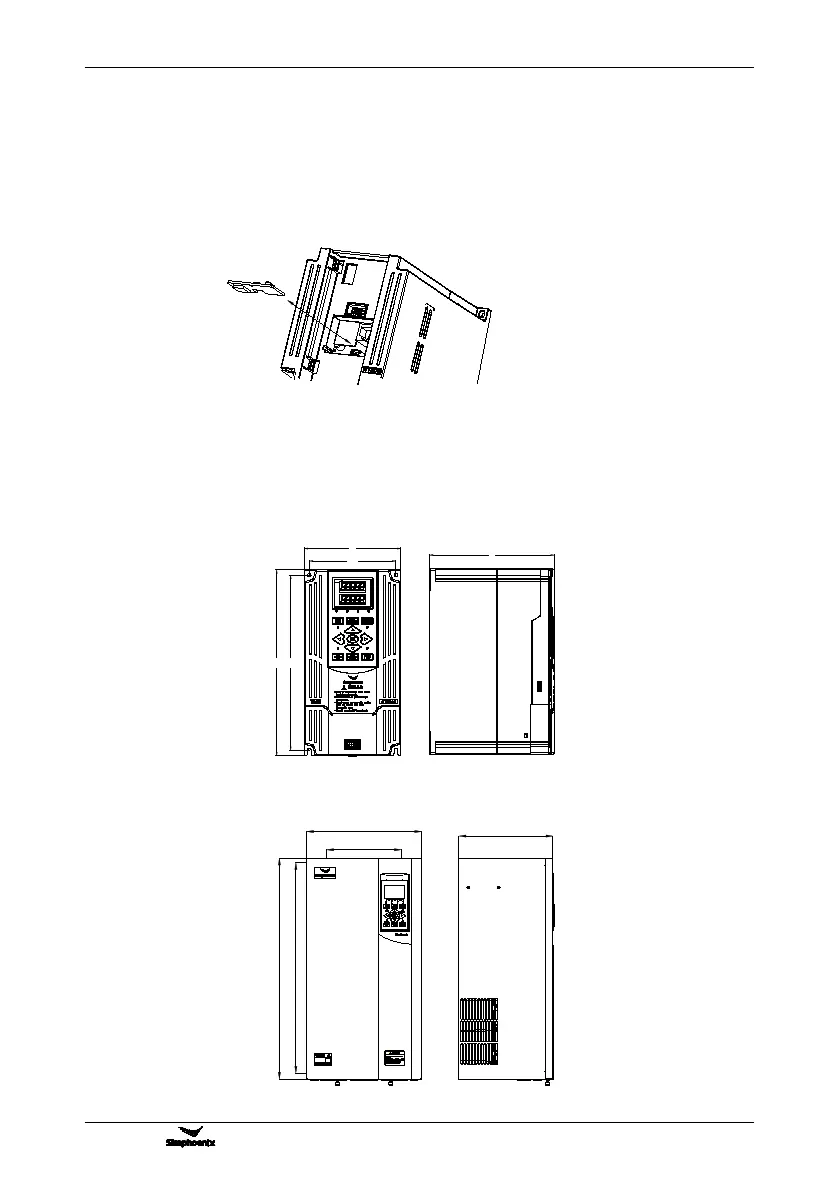
3.6.2 installation of type II function card
Install the function card on the control panel through the guide slot and USB plug,as 3-7-B demonstrate .
apply to the inverter model below V800-4T0030G/4T0040P.
Installation:
① Take the keyboard out.
② Zero in the square functional expansion card at guiding slot, keep the USB plug downward and use the
index finger or the middle finger to press it into the bottom.
3.7 INSTALLATION SIZE OF FREQUENCY INVERTER
Type I suitable model: V800-4T0007G/4T0011P ~ V800-4T0300G/4T0370P
Type II suitable model: V800-4T0370G/4T0450P ~ V800-4T3150G/4T3500P
Figure 3-7-B installation and disassemble of type II function card
W
H
W1
H1
D
4T0450G/4T0550P
62.5KVA 95A/72.7KVA 115A



 To Next Page