Operation And Simple Running Of Frequency Inverter
V800 Series High Performance Closed-Loop Vector Inverter User Manual
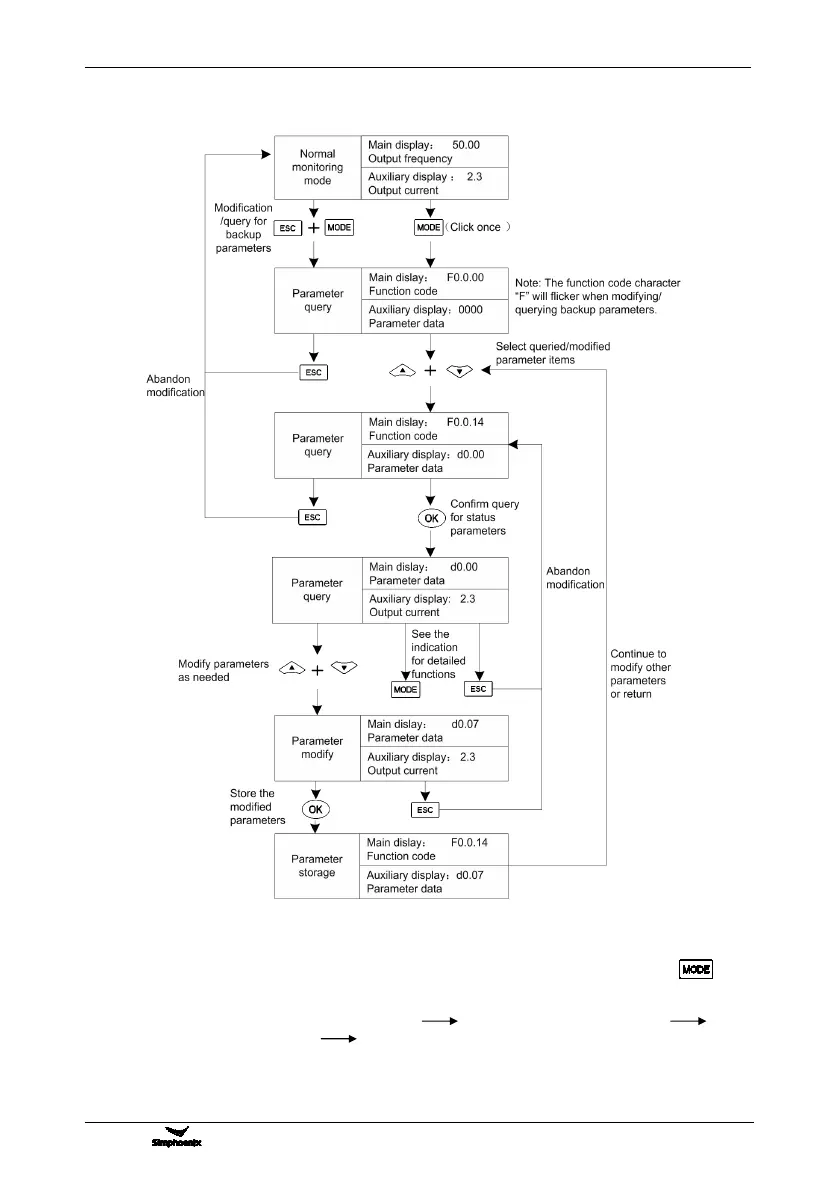
2) Parameter query and modification (e.g.)
Remark: In this status, the auxiliary display column will display the following in turn by pressing
key
repeatedly.
Default auxiliary monitoring parameters (original state) EROM regional numerical value
parameter values at initial energizing backup parameters in operation panel, the numerical value will
flicker when “EROM regional numerical value”, “parameter values at initial energizing” and “backup
parameters in operation panel” are displayed.
Figure 5-2 Parameter check and modification



 To Next Page