Creating and Viewing Reports
9.
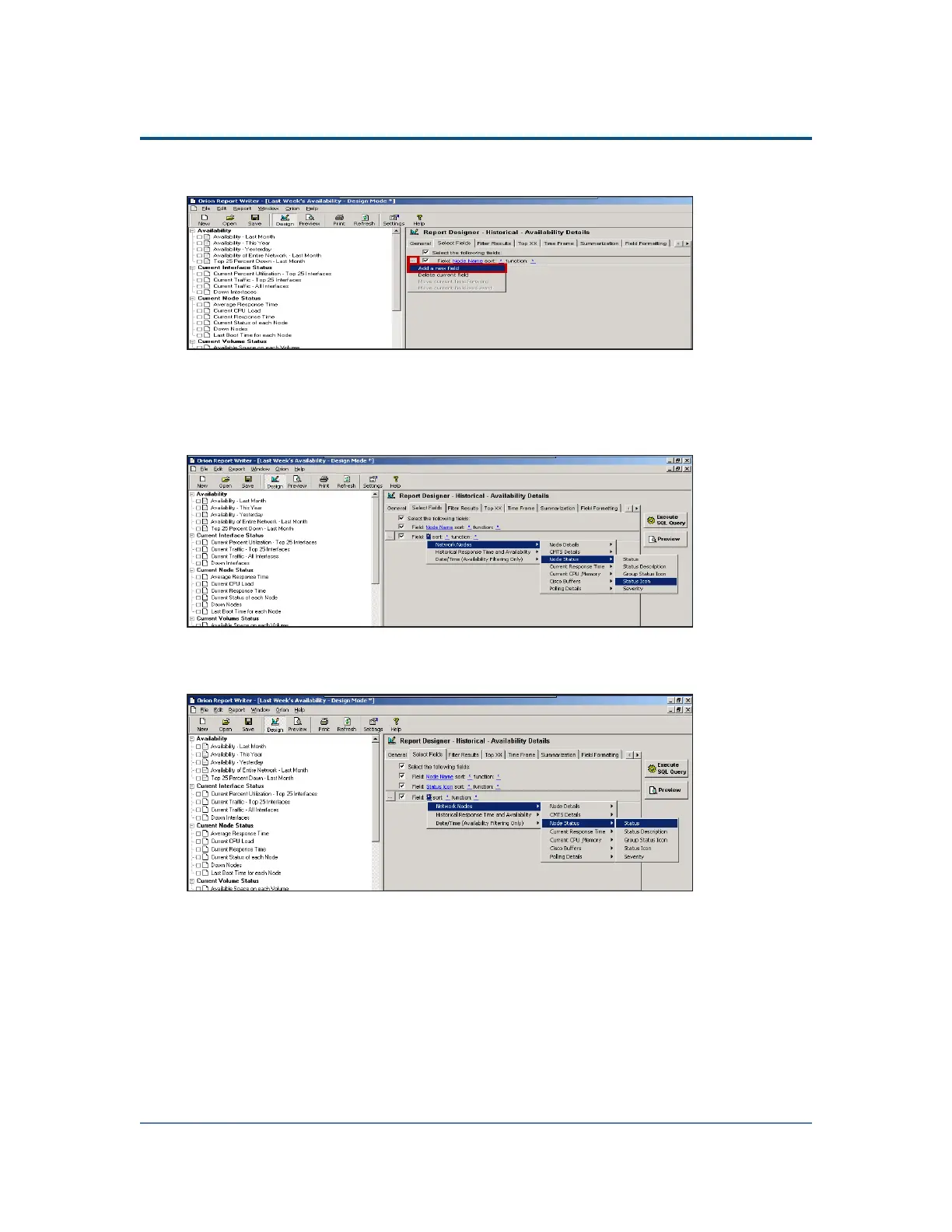
Click Browse (...), and then select Add a new field.
10.
Click the Field asterisk, and then select Network Nodes > Node Status > Status
Icon.
Note: While this field makes a distinct visual difference for a report viewed in
color, it will make little or no difference if printed in black and white.
11. Click Browse (...), and then select Add a new field.
12.
Click the Field asterisk, and then select Network Nodes > Node Status > Status.
275



 To Next Page