D-1
Appendix D Lok-to-Clock LabView Interface
Overview
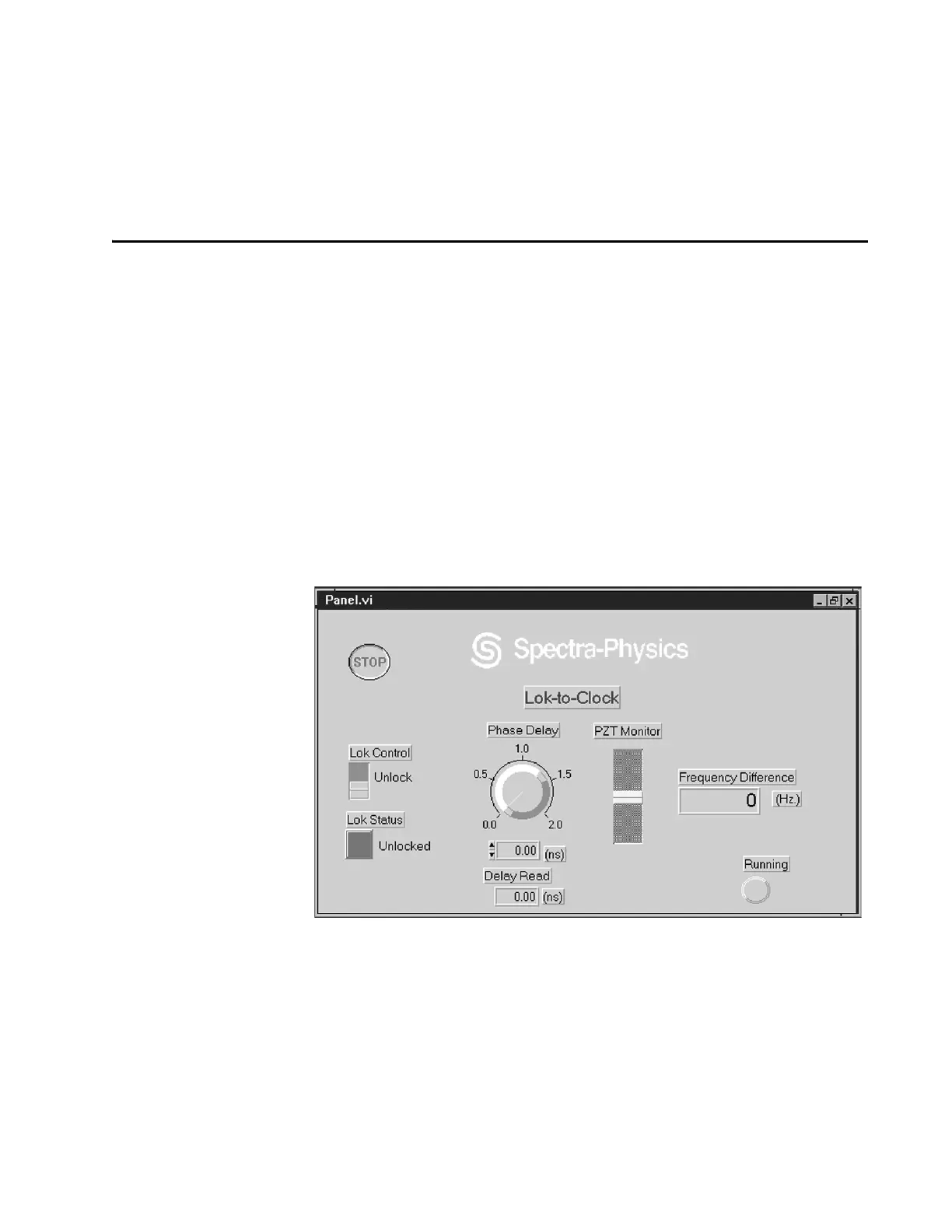
This sections describes the controls and indicators of the LabView
™
Win-
dows
®
software (P/N 0453-4740) available from Spectra-Physics. The soft-
ware runs on an
IBM-PC with LabView installed and mimics the functions
of the Model 3930 Lok-to-Clock
®
electronics module. Because LabView
and the Model 3930 function in parallel and because LabView overrides
the controller in a one second cycle, some controller functions should be
disabled when LabView. For example, if LabView is on and the LOK CON-
TROL
is set to “on” in LabView but turned “off” on the controller, LabView
will reset Lok to “on” in about one second. Also, for consistent results,
“turn off” the coarse and fine timing adjustment controls on the Model
3930 by turning them fully clockwise.
Figure D-1: The Lok-to-Clock LabView Control Panel
Setup
1. Connect a serial interface cable between the RS-232 interface on the PC
to the RS-232-C connector on the back of the Model 3930 electronics
module. Refer to Chapter 8 regarding cable wiring requirements.
2. Turn on the pc and start Windows. Then, from the Windows Control
Panel, select the Com port you are using for the RS-232 interface and
set it for 9600 baud, no parity, 8 data bits, one stop bit, using the XON/
XOFF
protocol.



 To Next Page