Tsunami Mode-Locked Ti:sapphire Laser
5-10
3. Verify the internal gray photodiode cable is connected between the
photodiode pc board and J
4
on the laser head pc board.
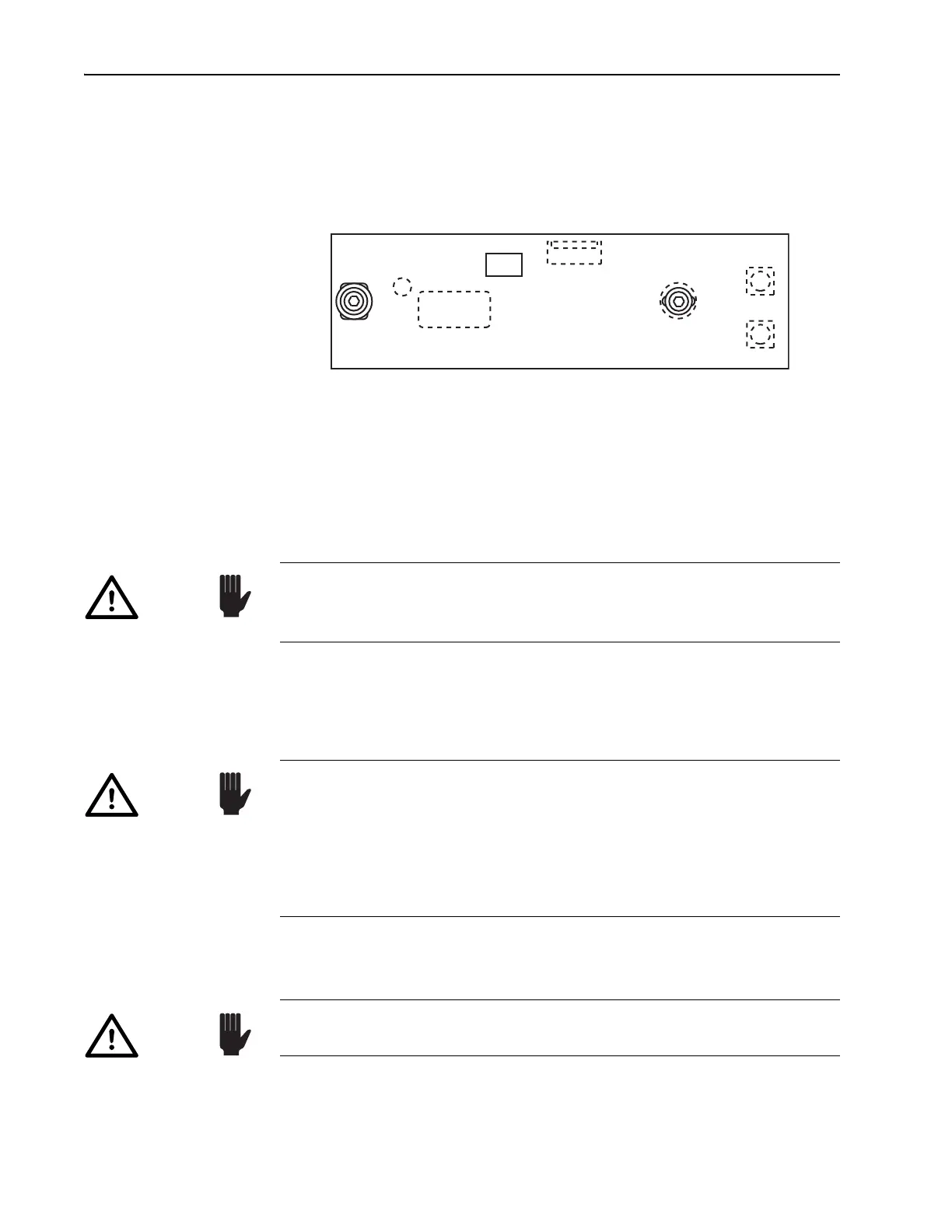
4. Verify the two internal photodiode coaxial cables are connected
between the photodiode board (Figure 5-5) and the appropriate input
bezel connector (Figure 4-1).
Figure 5-5: Photodiode PC Board
There are two sine wave photodiode output signals, one for the Model
3955 Tsunami electronics module and one for the Model 3930 Lok-to-
Clock electronics module. Because these signals have different ampli-
tudes, it is important that the pc board connectors are attached to their
respective BNC connectors on the input bezel.
5. Verify the external RF and photodiode coaxial cables and the main sig-
nal cable between the Model 3955 electronics module and the laser
head are properly connected. If you have any doubt, refer to “Installing
the Tsunami Model 3955 Electronics Module” earlier in this chapter.
6. Install the plastic cover over the laser head pc board.
7. Install the laser head cover.
This completes the Tsunami and pump laser installation. If you have a Lok-
to-Clock system, refer to Chapter 8 for installation and operating instruc-
tions.
1
6
3955
3930
J3
J1
CR1
J2
Top View
LM356
If you do not have the optional Model 3930 Lok-to-Clock electronics
unit, the LTC PD connector must be terminated with a 50 Ω terminator to
prevent improper functioning of the mode locker feedback loop.
Caution!
It is critical to the performance of the system (and ease of installation)
that you use the RF and photodiode
BNC cables provided. The system
was calibrated for the type and length of these cables to provide proper
phase matching between the photodiode and mode locker signals. If RF
and/or photodiode cables other than those shipped with Tsunami are
used, an adjustment for cable length is required. Refer to Chapter 6,
“Alignment: Coarse Phase Adjustment...”
Caution!
Caution!
Direct back reflections into the oscillator can cause serious instabilities
in laser performance. Please take precautions to avoid such reflections.



 To Next Page