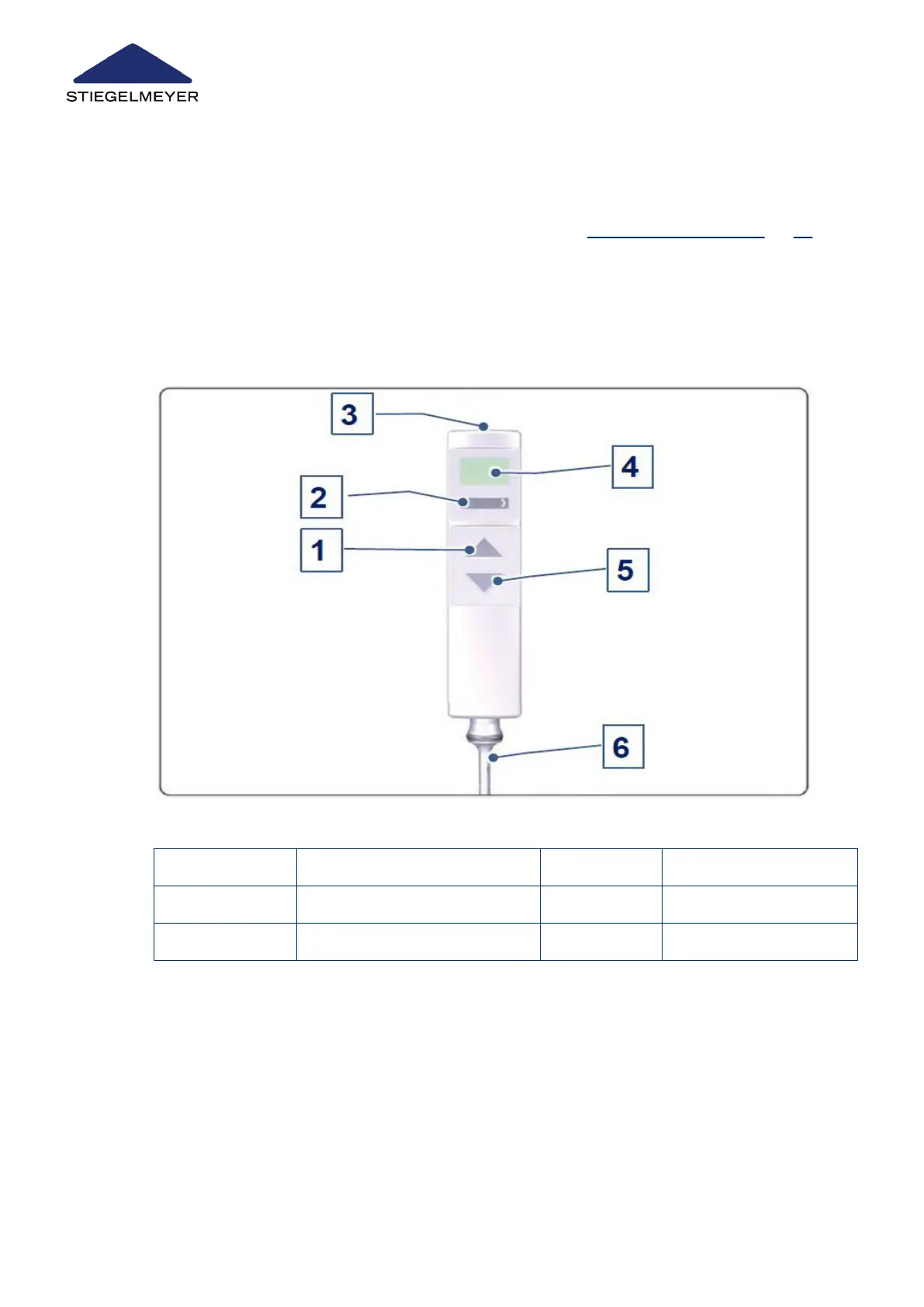
The adjustment options for medical and technical staff are defined at different control levels
that each need to be activated separately. Changing between control levels on the LCD
handset is done by holding the magnetic sensor [3] on the LCD handset briefly (for about ½
second) against the magnetic unlocking key, see chapter Magnetic unlocking key » 29).
The control level for medical users comprises the locking function and special adjustment
functions. On the control level for technical users (technician control level) the symbols are
displayed against a dark background.
The LCD handset has a straightforward layout and a user-friendly design. It has a backlit dis-
play, a toggle switch and two buttons.
1 UP button 2 Toggle switch
3 Magnetic sensor 4 Display
5 DOWN button 6 Handset cable
Control level 1: Patient (= standard level)
Product description
25 Instruction Manual



 To Next Page