Adjustment options can also be locked by medical staff. The symbols for locked adjust-
ment options are then no longer displayed at the patient control level.
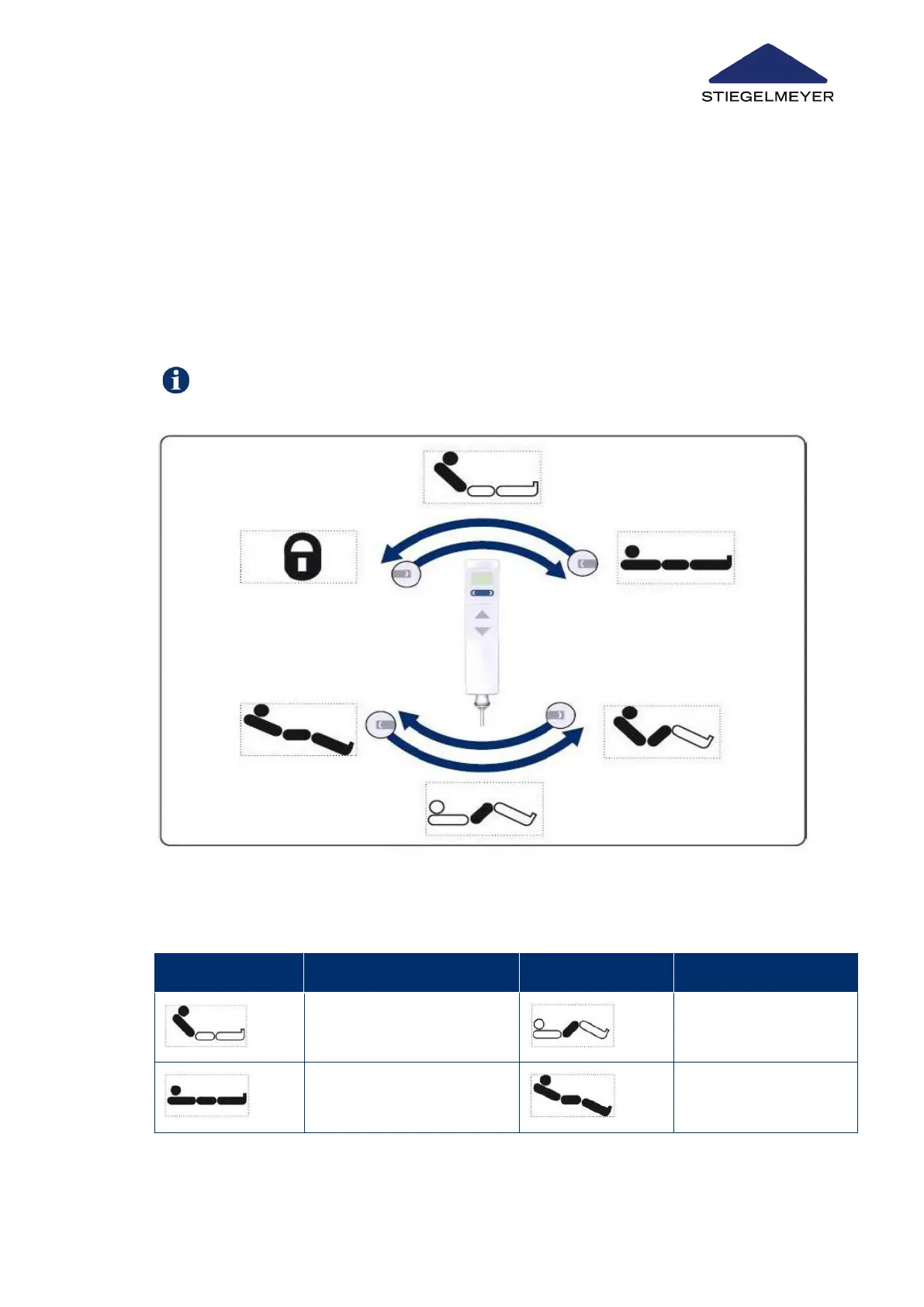
This chapter contains an overview of the adjustment options on the patient control level.
•
This level is the default level and the handset automatically reverts to this level 10 sec-
onds (“EasyCare” level: 2 minutes) after the last button has been pressed at a different
level.
•
Switching to a different control level is only ever possible from this standard level.
•
Adjustment options are selected by pressing the toggle switch, and then seeing the
symbols appear on the display, and then pressing the UP or DOWN buttons.
Image2:
Patient control level: Toggle switch functions
Symbol Explanation Symbol Explanation
Backrest adjustment func-
tion
Thigh rest adjustment
function
Mattress base height adjust-
ment function
Sitting position adjust-
ment function
Product description
Instruction Manual 26



 To Next Page