Adjustment options can be locked using the locking functions and then unlocked again
(see Locking/unlocking electric adjustment functions » 69). The symbols for locked ad-
justment options are then no longer displayed at the patient control level.
After changing to staff control level, the CPR symbol appears on the display screen, and
the screen background flashes continuously as an indication.
Symbol Explanation Symbol Explanation
Auto contour adjustment
function
All adjustment options
locked
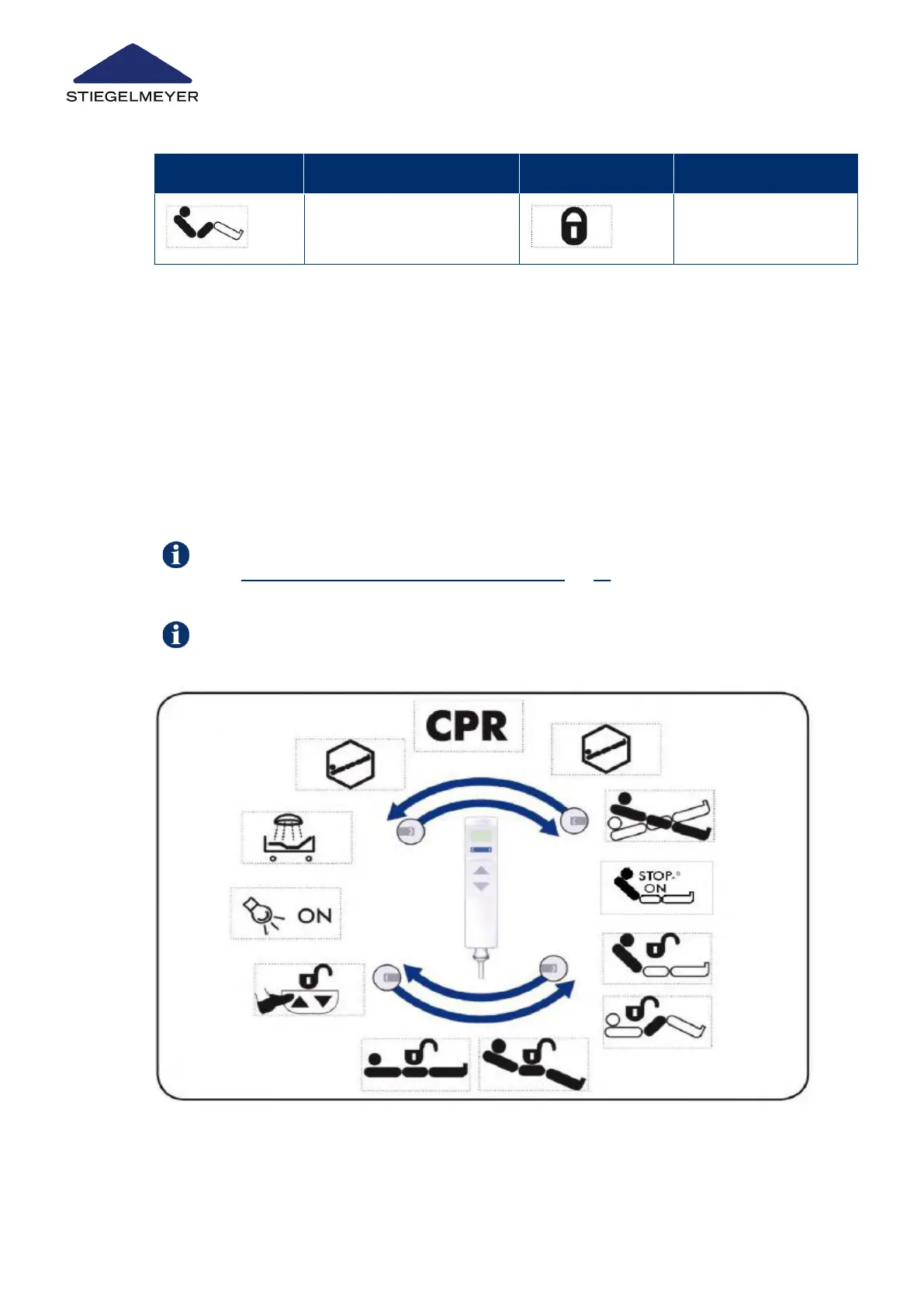
Control level 2: Medical staff control level
This provides an overview of the adjustment options at the control level for medical person-
nel (staff control level).
•
Automatically 10 seconds after the last key has been pressed, or immediately if the
magnetic sensor [3] is held briefly again against the magnetic unlocking key, the hand-
set reverts to control level 1: patient control level.
•
Adjustment options are selected by pressing the toggle switch, then seeing the sym-
bols appear on the display, and are then carried out by pressing the UP or DOWN but-
tons.
Image3:
Product description
27 Instruction Manual



 To Next Page