5 Operation
Lift height preselector (variant)
1
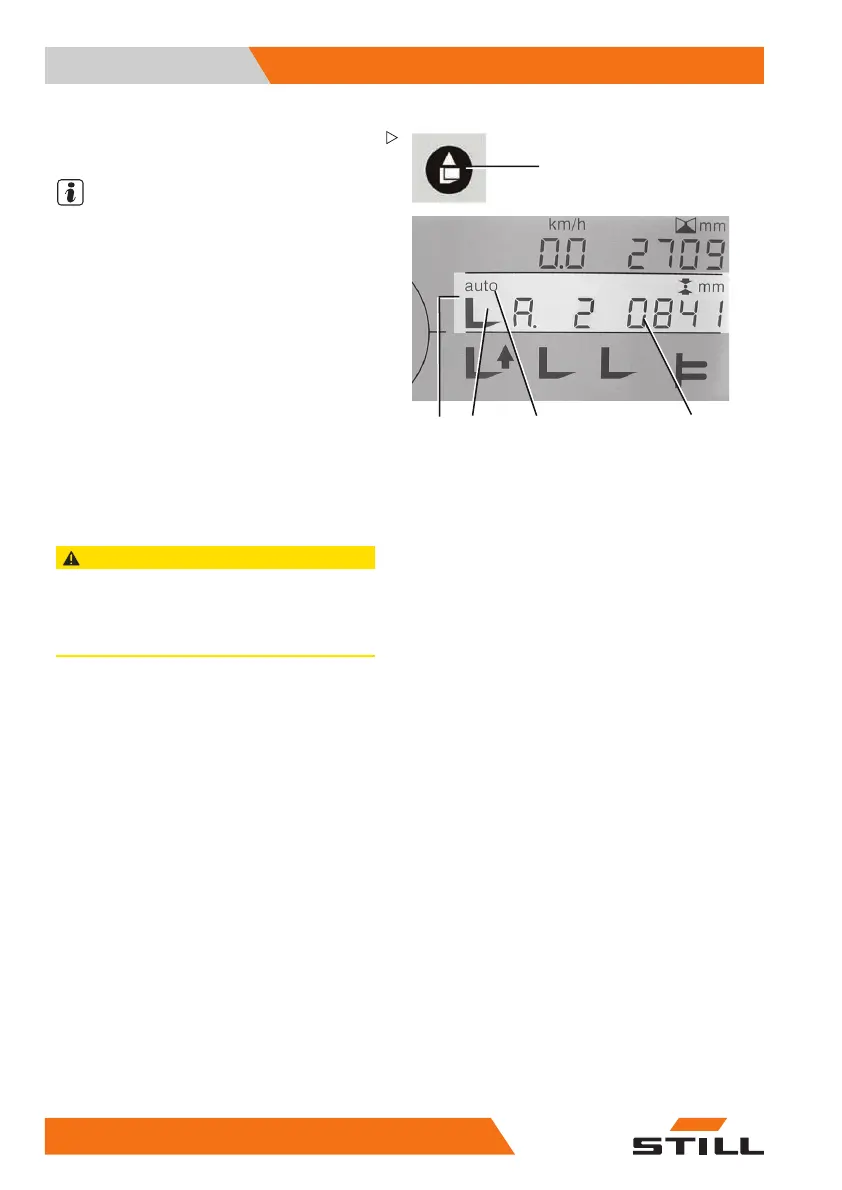
34 52
Example: Removing from stock in fully
automatic mode
NOTE
Removing from stock can only be selected
if valid heights were assigned to the levels
during the teach-in process. Levels that are
invalid or that have not had a height assigned
to them are not activated in automatic mode.
All programmable heights are set at the
factory to "5500 mm". Automatic mode can
be interrupted at any time using the "MAN"
button!
– After entering the target level (e.g. A2),
press the button for removing from stock
(1). The symbol for removing from stock
(3) and "auto" for automatic operation (4)
appear in the assistant (2). The display
(5) changes from the target height to the
distance to the target (target difference).
CAUTION
If the removing from stock button (1) is not pressed,
all hydraulic functions are available without restric-
tion (= manual operation)!
Pay attention to the symbols in the display!
16
4 50988078001 [EN]



 To Next Page