194
Installing the Oven Light
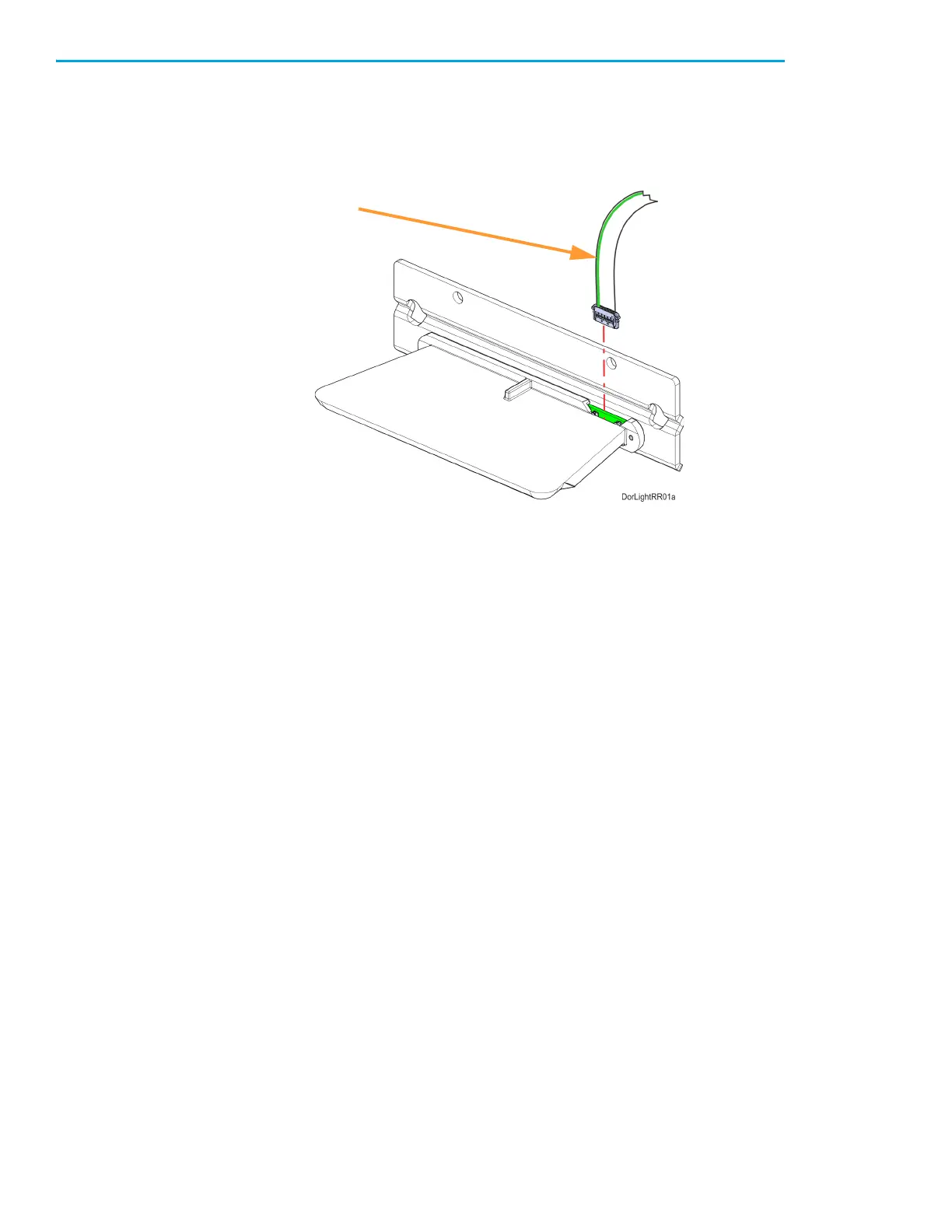
1. Connect the loose cable connector to the oven light. Orient the cable with the green wire toward
the center of the light. See Figure 7-35.
Figure 7-35: Oven Light Cable Detail
2. Tuck the excess cable into the bezel opening and push the oven light into its mounting position. If
necessary, pull the cable from inside the gantry to remove slack.
3. Insert the oven light into the opening above the oven enclosure.
4. Using a 3mm hex wrench, install the retaining bracket and oven light mounting screws (2). See
Figure 7-34.
5. Reinstall the top gasket pins on both sides of the oven light.
6. Close the oven door.
7. Power ON the printer.














 To Next Page