4-12 Sun Netra T5220 Server Service Manual • January 2012
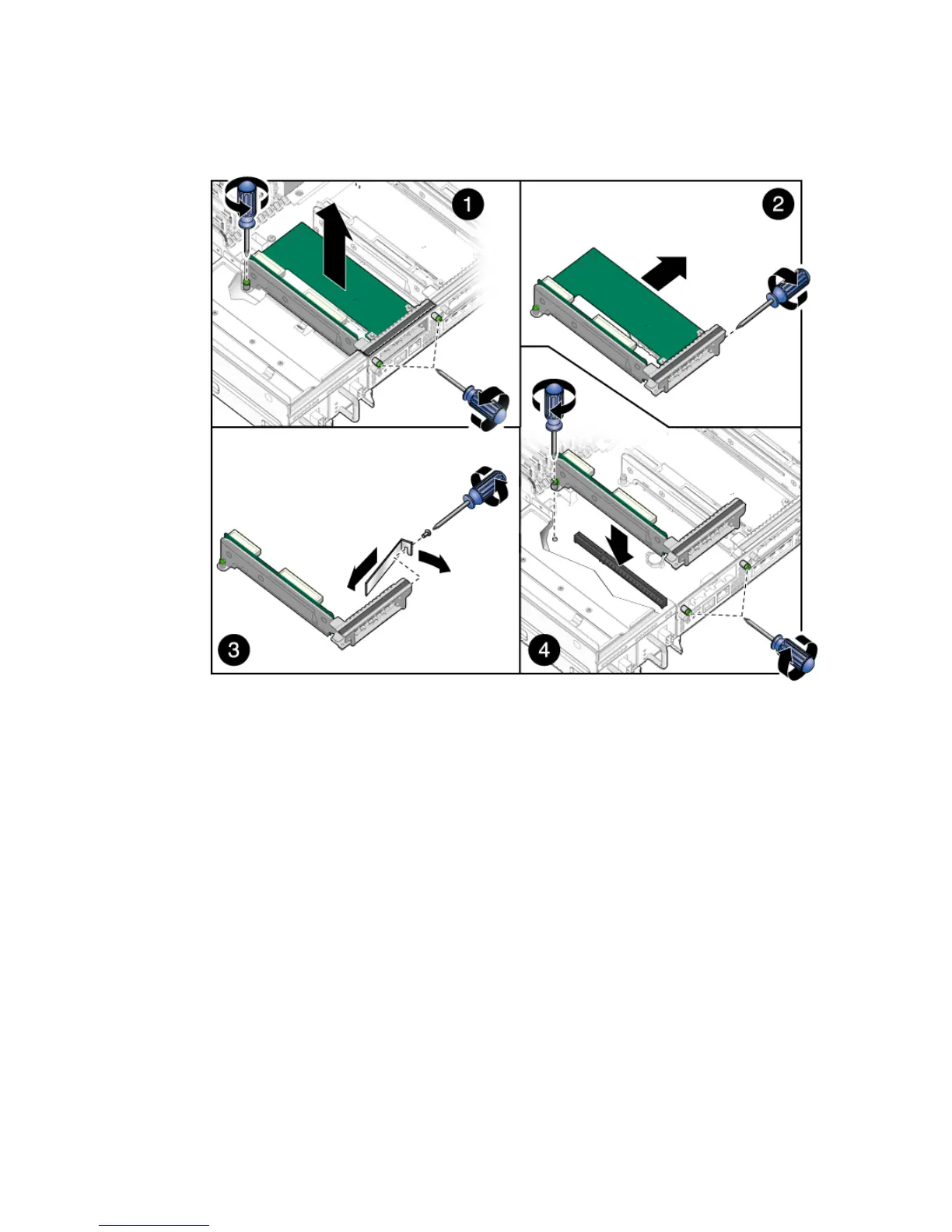
FIGURE 4-8 Removing Lower PCIe/XAUI Cards From the PCI Mezzanine
7. Set the card aside on an antistatic mat.
8. Consider your next step:
■ If you are replacing the PCIe card, continue to Section 4.2.5, “Installing the Lower
PCIe/XAUI Cards” on page 4-12.
■ If you do not replace the PCIe card, install a filler panel.
9. Bring the server back online. See Section 4.1, “Powering Off and Powering On
the Server” on page 4-1.
4.2.5 Installing the Lower PCIe/XAUI Cards
1. Prepare the server for PCI card installation. See Section 4.1, “Powering Off and
Powering On the Server” on page 4-1.
2. Remove the PCI mezzanine and place it on an anti-static mat.













 To Next Page