Chapter 5 Replacing Chassis Components 5-17
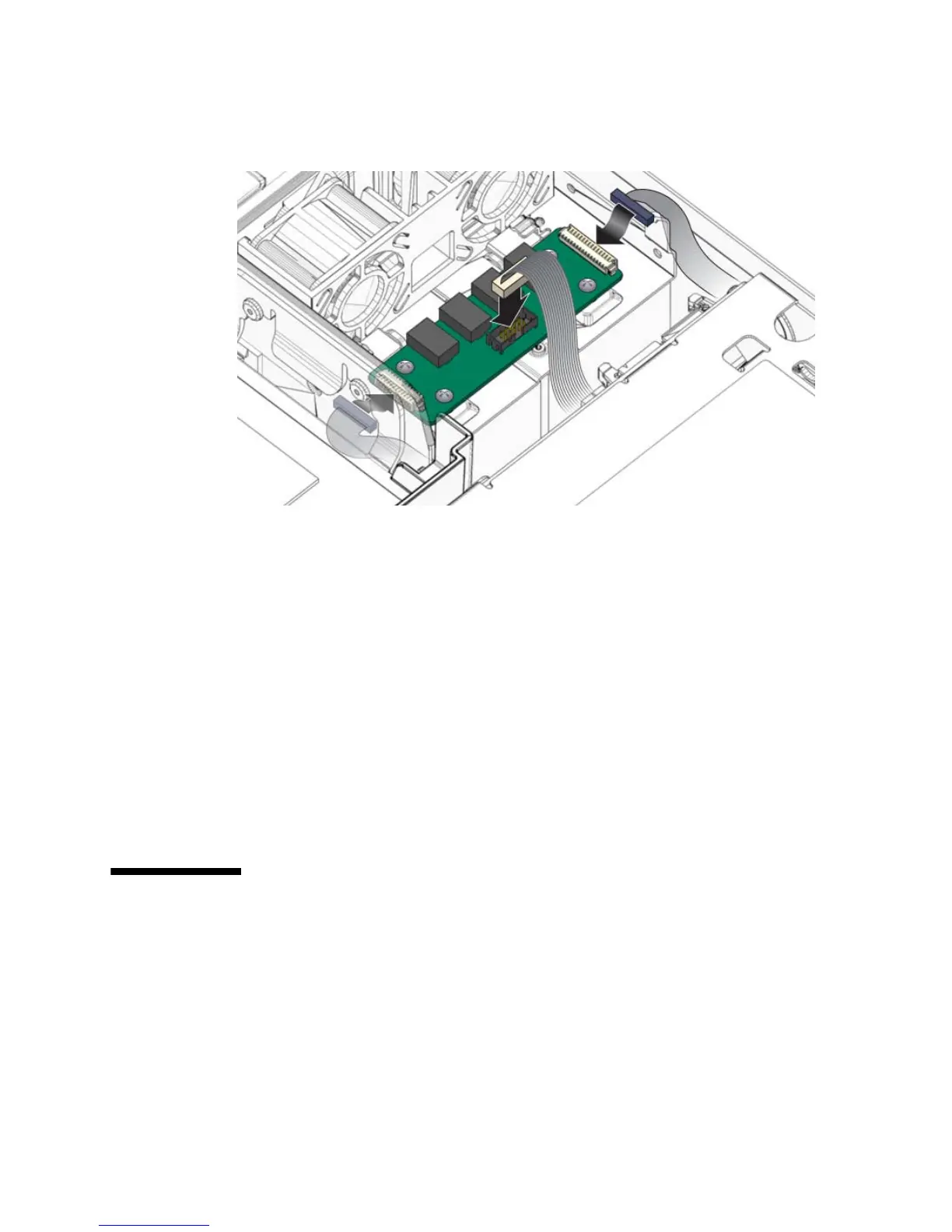
FIGURE 5-15 Reconnecting the Alarm Board Cables
4. Route the cables into the cable guides.
5. Consider your next step:
■ If you installed the alarm board as part of another procedure, return to that
procedure.
■ Otherwise, perform the following tasks to bring the server back online:
■ Section 6.1.1, “Installing the PCI Mezzanine” on page 6-1
■ Section 6.1.2, “Installing the Top Cover” on page 6-3
■ Section 6.1.3, “Removing Antistatic Measures” on page 6-4
■ Section 6.1.4, “Reinstalling the Server Chassis in the Rack” on page 6-5
■ Section 6.1.5, “Reconnecting Cables to the Server” on page 6-7
■ Section 6.1.6, “Powering On the Server” on page 6-8
5.7 Replacing the LED Board
5.7.1 Removing the LED Board
1. Prepare the server for LED board removal. See:
■ Section 2.3.1, “Powering Off the Server” on page 2-3













 To Next Page